Adding Pages to an Existing PDF file
Specify an existing PDF file to which you want to add the newly scanned document data. The data is added to the existing file as
additional pages. Place the document, start MF Toolbox, and proceed with this procedure. The PDF file you select must be created with
MF Toolbox. Newly scanned document data cannot be added to PDF files created with other applications.
[Save Scanned Image to]
Specify a save destination folder. If you select the [Save Pictures to a Subfolder with Current Date] check box, a
subfolder named with the scanning date is created in the specified folder, and the data is saved to that folder.
NOTE:
If you select [PDF (Add Page)] for [Save as Type] (
), [Save Scanned Image to] is switched to [Create PDF File
Based On]. In this case, click [Browse], and specify an existing PDF file to which you want to add the newly
scanned document data. The data is added to the existing file as additional pages.
Click [Save] or [Forward].
The scanned data is saved to a folder on a computer or forwarded to an application. Configuring Storing
Settings
Specifying External Applications to Forward Scanned Data
Select the scan type.
Click the [Mail], [Save], or [PDF] icon.
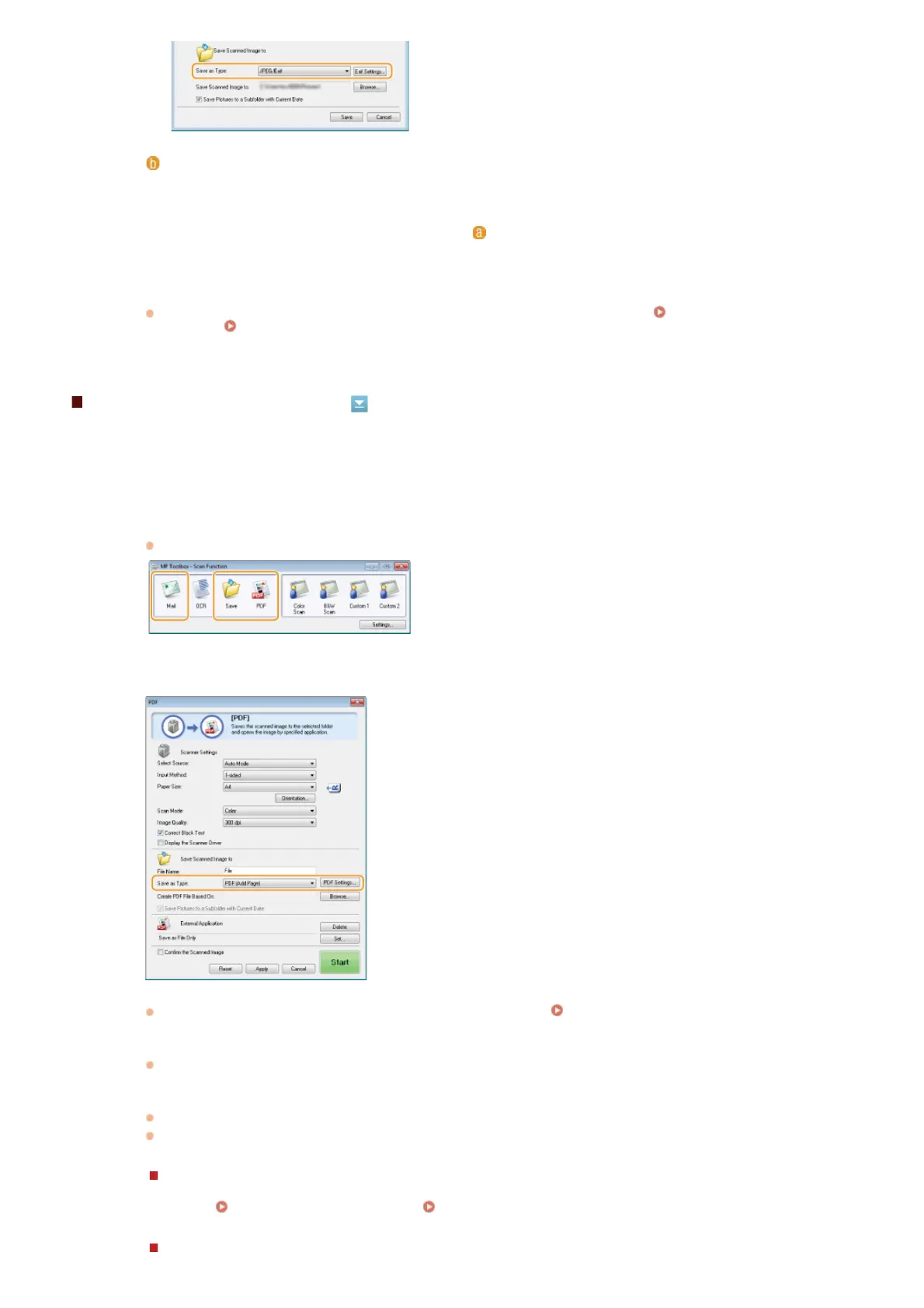
Select [PDF (Add Page)] for [Save as Type].
Click [PDF Settings], and configure the scan settings as necessary. Configuring Storing Settings
Click [Browse], and select the PDF file to which you want to add the pages.
The newly scanned document data is added to the PDF file you select.
Click [Start].
Scanning starts.
To cancel, click [Cancel].
When placing documents in the feeder
When scanning is complete, the scanned document is saved to a folder on the computer or forwarded to an
application.
Configuring Storing Settings Specifying External Applications to Forward Scanned Data
5
1
2
3
4
㻞㻢㻝㻌㻛㻌㻢㻣㻢











 To Next Page