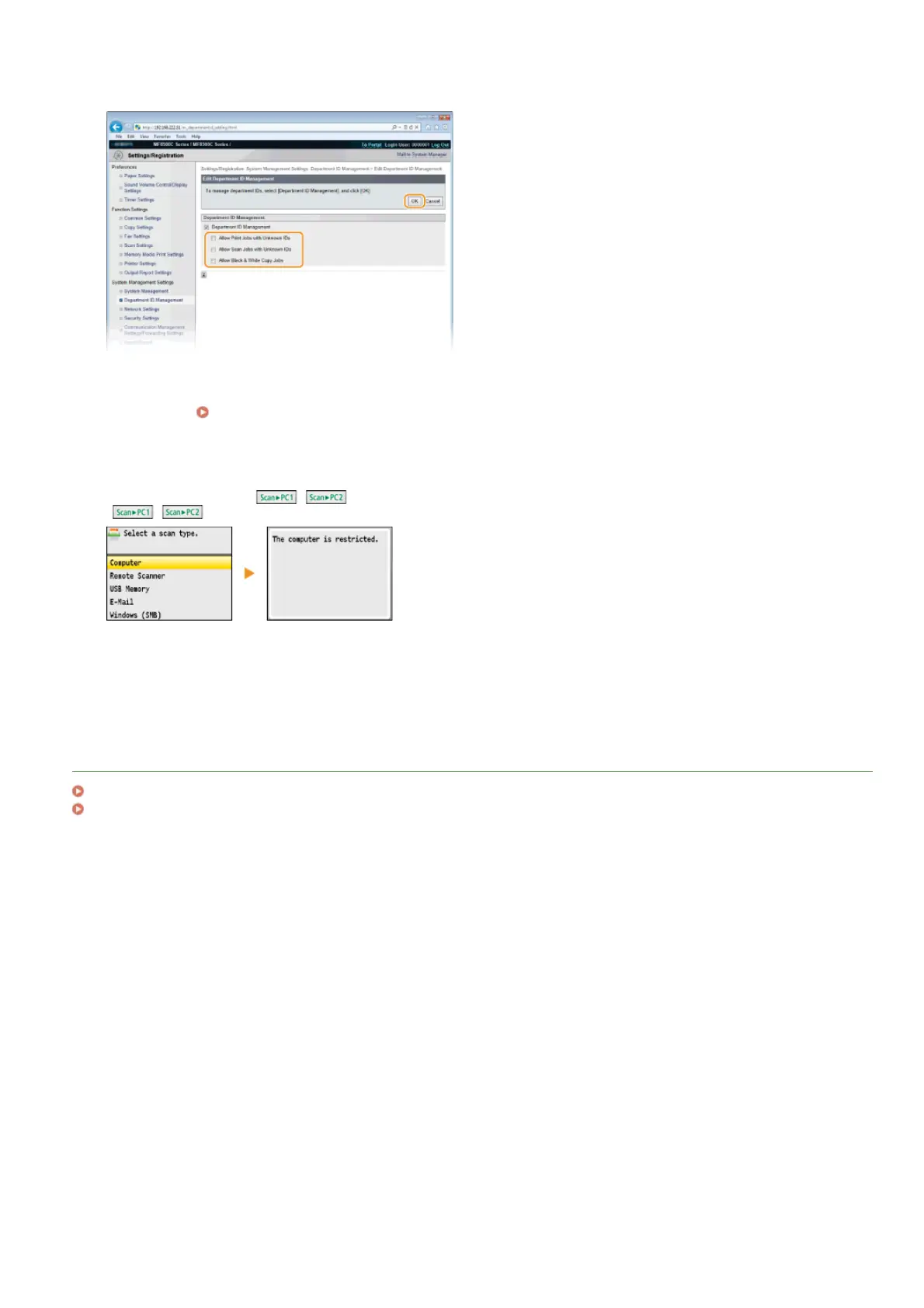
Clear the check boxes as necessary and click [OK].
[Allow Print Jobs with Unknown IDs]
In order to print from a computer when Department ID Management is enabled, you need to enter the correct ID and PIN on the
printer driver (
Setting the Department ID Management for Printing or Faxing from the Computer). However if the check
box is selected for this setting, you can print from a computer without entering the ID and PIN. Clear the check box to require
entering an ID and PIN.
[Allow Scan Jobs with Unknown IDs]
If the check box is selected, you can select <Computer> or <Remote Scanner> on the main screen and scan documents into a
computer anytime using
/ . Clear the check box to disable the selection of <Computer>, <Remote Scanner>, and
/ when Department ID Management is enabled.
[Allow Black & White Copy Jobs]
If the check box is selected when Department ID Management is enabled, you can copy in black and white without entering the
correct ID and PIN. Clear the check box to require entering an ID and PIN.
LINKS
Setting Access Privileges
Setting the System Manager ID
4
㻠㻜㻢㻌㻛㻌㻢㻣㻢











 To Next Page