range of
addresses with
a prefix (IPv6
only)
Enter the address, followed by a slash and a number indicating the prefix
length.
fe80::1234/64
[Subnet Settings]
When manually specifying IPv4 address, you can express the range by using the subnet mask. Enter the subnet mask using
periods to delimit numbers (example:"255.255.255.240").
[Local Port]/[Remote Port]
If you want to create separate policies for each protocol, such as HTTP or SMTP, enter the appropriate port number for the
protocol to determine whether to use IPSec.
IMPORTANT:
IPSec is not applied to the following packets
Loopback, multicast, and broadcast packets
IKE packets (using UDP on port 500)
ICMPv6 neighbor solicitation and neighbor advertisement packets
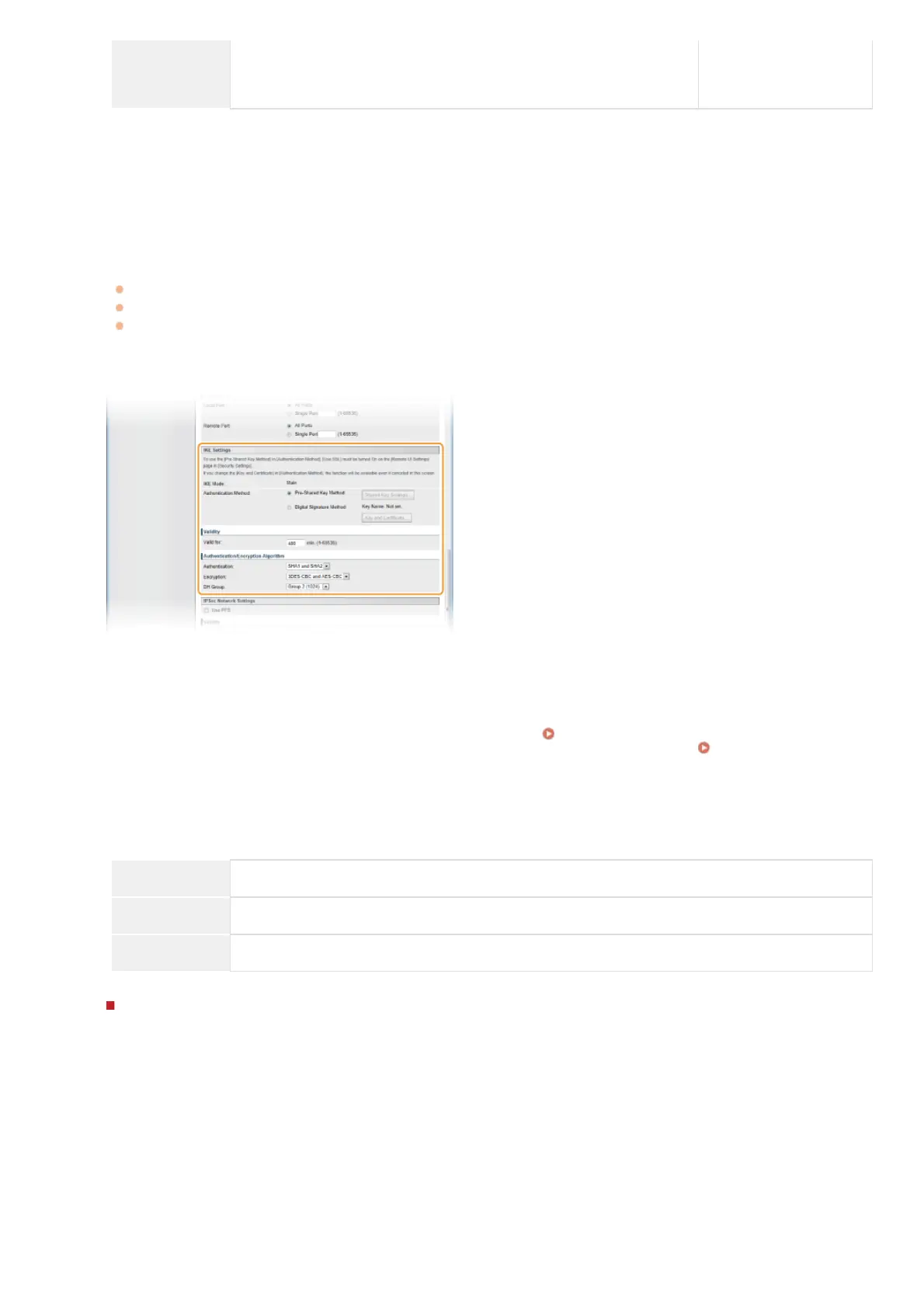
Specify the IKE Settings.
[IKE Mode]
The mode used for the key exchange protocol is displayed. The machine supports the main mode, not the aggressive mode.
[Authentication Method]
Select [Pre-Shared Key Method] or [Digital Signature Method] for the method used when authenticating the machine. You need to
enable SSL for the Remote UI before selecting [Pre-Shared Key Method] (
Enabling SSL Encrypted Communication for the
Remote UI). You need to generate or install a key pair before selecting [Digital Signature Method] (
Configuring Settings for
Key Pairs and Digital Certificates).
[Valid for]
Specify how long a session lasts for IKE SA (ISAKMP SA). Enter the time in minutes.
[Authentication]/[Encryption]/[DH Group]
Select an algorithm from the drop-down list. Each algorithm is used in the key exchange.
[Authentication] Select the hash algorithm.
[Encryption] Select the encryption algorithm.
[DH Group] Select the Diffie-Hellman group, which determines the key strength.
Using a pre-shared key for authentication
1
Click the [Pre-Shared Key Method] radio button for [Authentication Method] and then click [Shared Key
Settings...].
2
Enter up to 24 alphanumeric characters for the pre-shared key and click [OK].
9
㻠㻟㻤㻌㻛㻌㻢㻣㻢











 To Next Page