R-Key Setting
If your machine is connected through a PBX (Private Branch Exchange), it is necessary to set the access method. You can set the
PBX type to <Prefix> or <Hooking>. If you register the outside line access number to the R-key, you can easily access the
outside line.
PSTN
PBX
Prefix
Hooking
Memory Lock Settings
Select whether to store received faxes without immediately printing them. Stored fax documents can be printed at any time by
changing the setting to <Off>.
Storing Received Faxes into Memory (Memory Reception)
Off
On
Memory Lock PIN
Report Print
Off
On
Memory Lock Time
Off
On
Memory Lock Start Time
Memory Lock End Time
Specify the country or region where the machine is used. The default setting may vary depending on the setting selected at initial power-
on.
Turning ON the Power and Configuring Initial Settings
Austria (AT)
Belarus (BY)
Belgium (BE)
Czech Republic (CZ)
Denmark (DK)
Egypt (EG)
Finland (FI)
France (FR)
Germany (DE)
Greece (GR)
Hungary (HU)
Netherlands (NL)
Norway (NO)
Poland (PL)
Portugal (PT)
Russia (RU)
Saudi Arabia (SA)
Slovenia (SI)
South Africa (ZA)
Spain (ES)
Sweden (SE)
Switzerland (CH)
*2
<System Management Settings> <Communication Management Settings> <Fax
Settings>
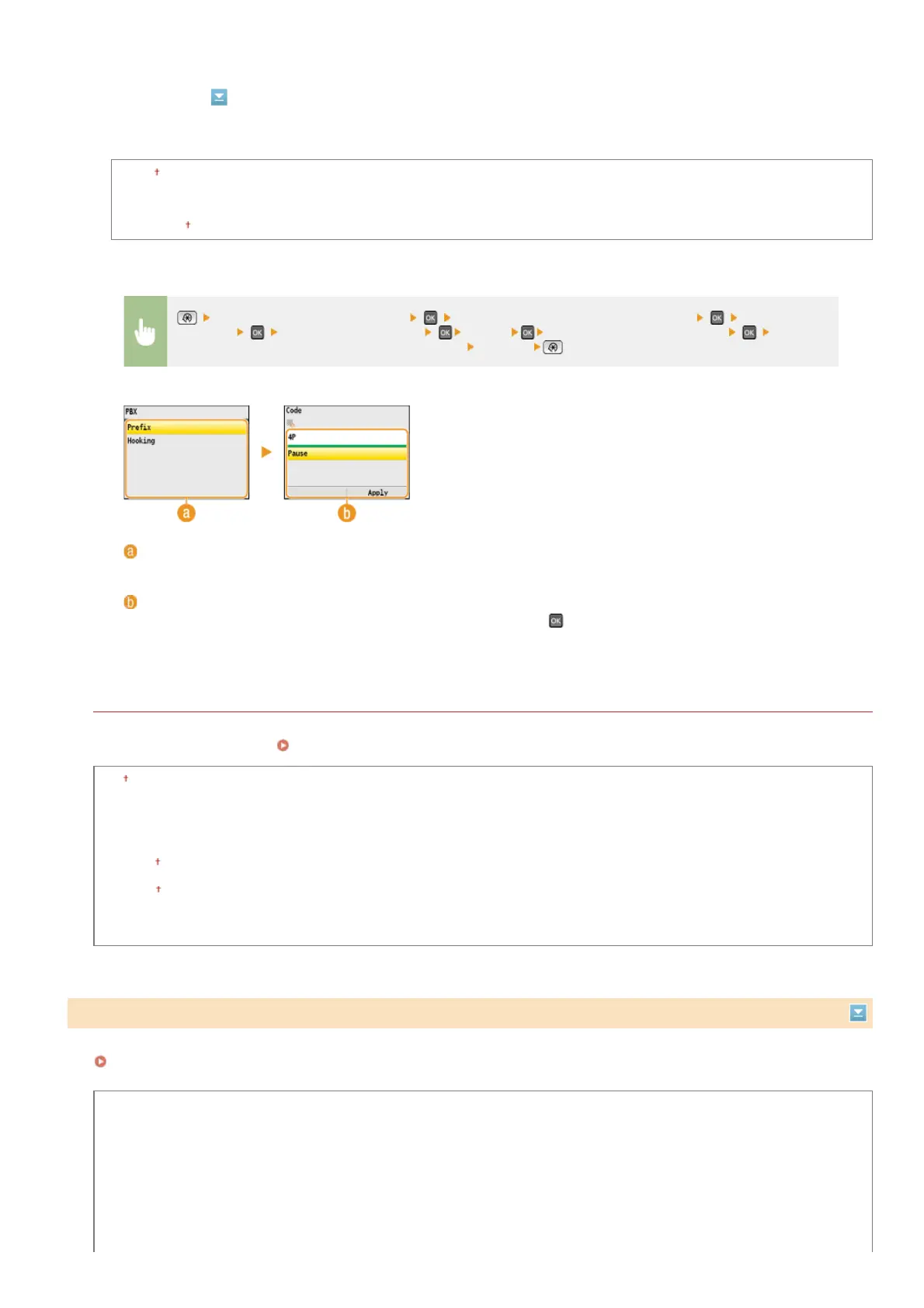
Select <R-Key Setting> <PBX> Select <Prefix> or <Hooking> Enter the
outside line access number if you select <Prefix>
<Apply>
<PBX>
Select the type of PBX you are using. If you select <Prefix>, register the prefix code on the next screen.
<Code>
Enter the prefix code using the numeric keys, select <Pause>, press
, and then press <Apply>. If you do not insert
a pause, the prefix code is not registered.
Select Country/Region
*3
㻡㻟㻢㻌㻛㻌㻢㻣㻢











 To Next Page