CI Systems SR-800R
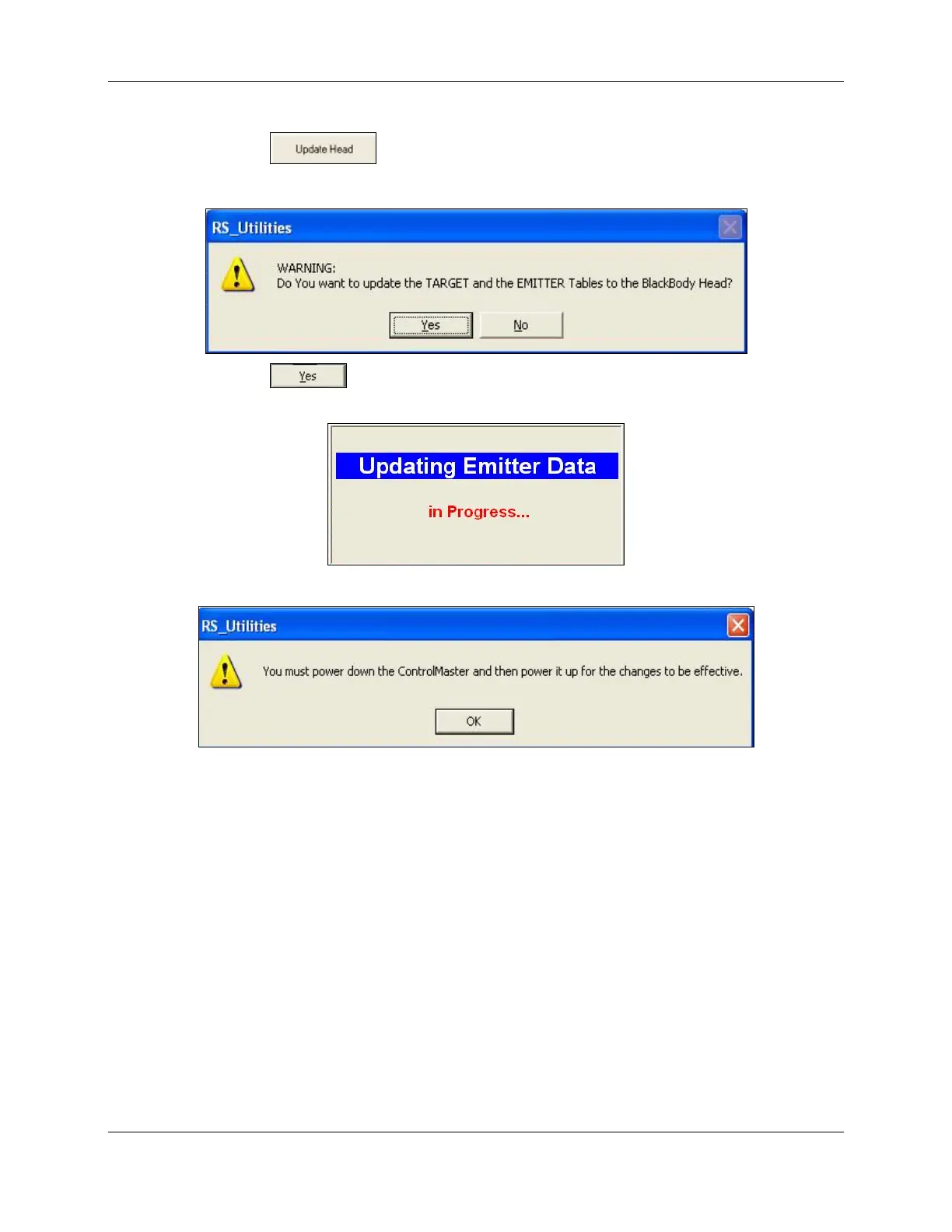
7. Click . The following dialog box opens:
Figure 7-13: Calibration Tables Update Approval
8. Click . The Calibration Data is now downloaded into the Blackbody
while the following opens:
9. Upon completion, the following opens prompting to restart the Controller:
10. Switch the Controller OFF and then ON. This completes the process.
11. Open the About window and check that the Te S/N and/or the Tt S/N values are
updated according to the S/N of the new sensors.
605-7040 Operation Manual
Rev D 7-20
June 2013
Artisan Technology Group - Quality Instrumentation ... Guaranteed | (888) 88-SOURCE | www.artisantg.com



 To Next Page