CI Systems SR-800R
9.3.3 Selecting a Target
(See Figure 9-1)
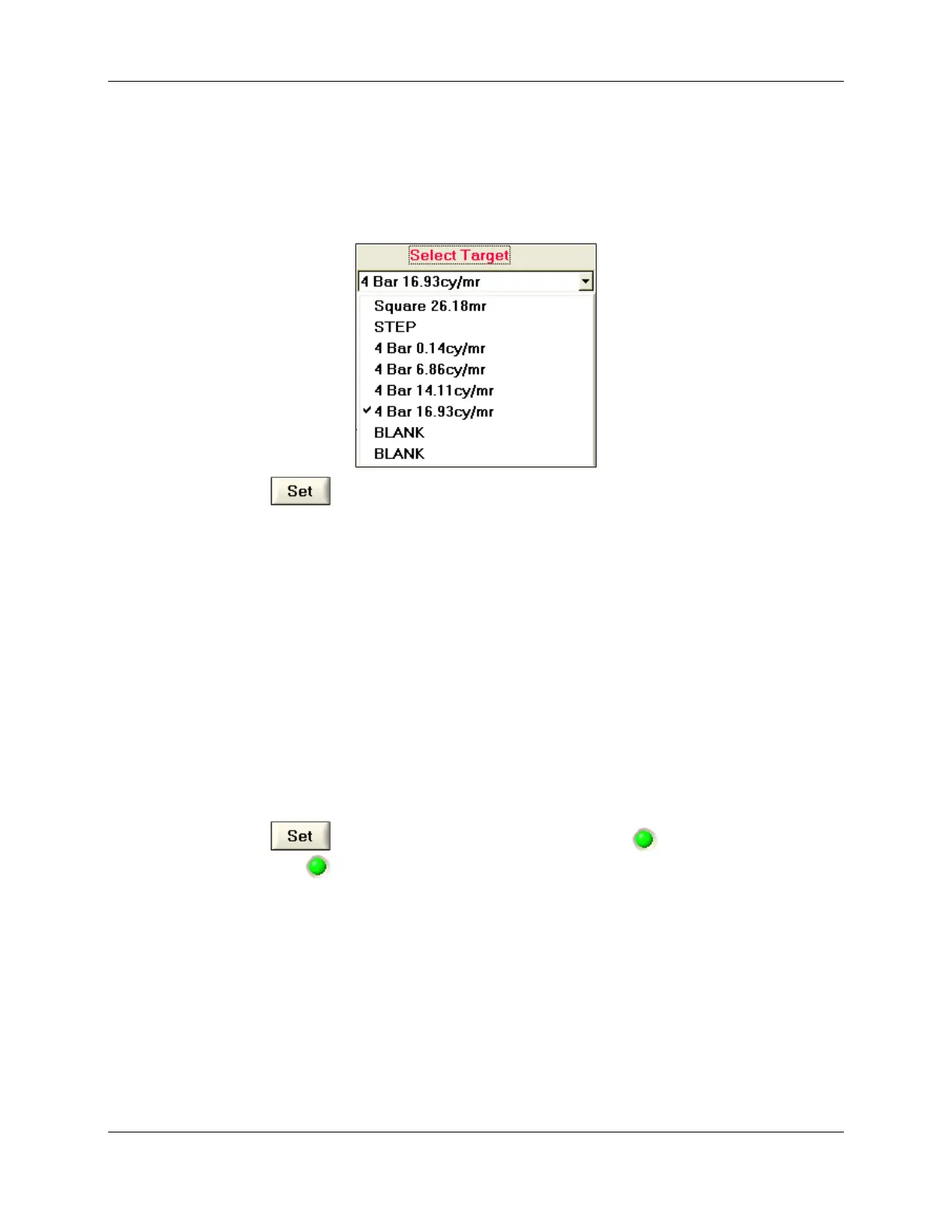
1. Select a Target from the Select Target drop-down list (the list is identical to the
available targets in the axis). An example of a target list:
2. Click to rotate the Target Wheel to the selected target.
9.3.4 Settings of the Blackbody
(See Figure 9-1)
1. Select the Blackbody operation mode from the Select Mode dropdown list (either
Absolute or Differential).
2. Set the required temperature of the Blackbody by using the Set Point up/down
arrows (or double-click the Set Point field and type in a new value).
NOTE
Note that you may use the keyboard arrow keys (up/down and
left/right) to set the required temperature of the Blackbody.
3. Click
to update the Blackbody Set Point. The green indicator starts to
blink. The green indicator stops blinking when the Blackbody has reached the
desired temperature.
4. You may view the on going Current Temperature as sensed by the Emitter and
Target Sensors.
9.3.5 Using the I/O Control Feature
This is identical to the operation of the ControlMaster IO Control window
(see Section 3.2.3.4).
605-7040 Operation Manual
Rev D 9-6
June 2013
Artisan Technology Group - Quality Instrumentation ... Guaranteed | (888) 88-SOURCE | www.artisantg.com



 To Next Page