CI Systems SR-800R
9.3.2 Setting of the Communication Protocol
Setup the communication protocol between the PC and the SR-800R as follows:
1. Set the SR-800R communication protocol of the SR-800R (see Section 3.2.3.6.3:
Communications).
2. Click
to open the Communication Setup dialog-box.
3. Set the communication protocol of the SR-800R (it should be identical to the
settings of the Controller, default: GPIB - see Section 3.2.3.6.3: Communications)
by selecting the communication protocol of the SR-800R from the SR-800R
dropdown list:
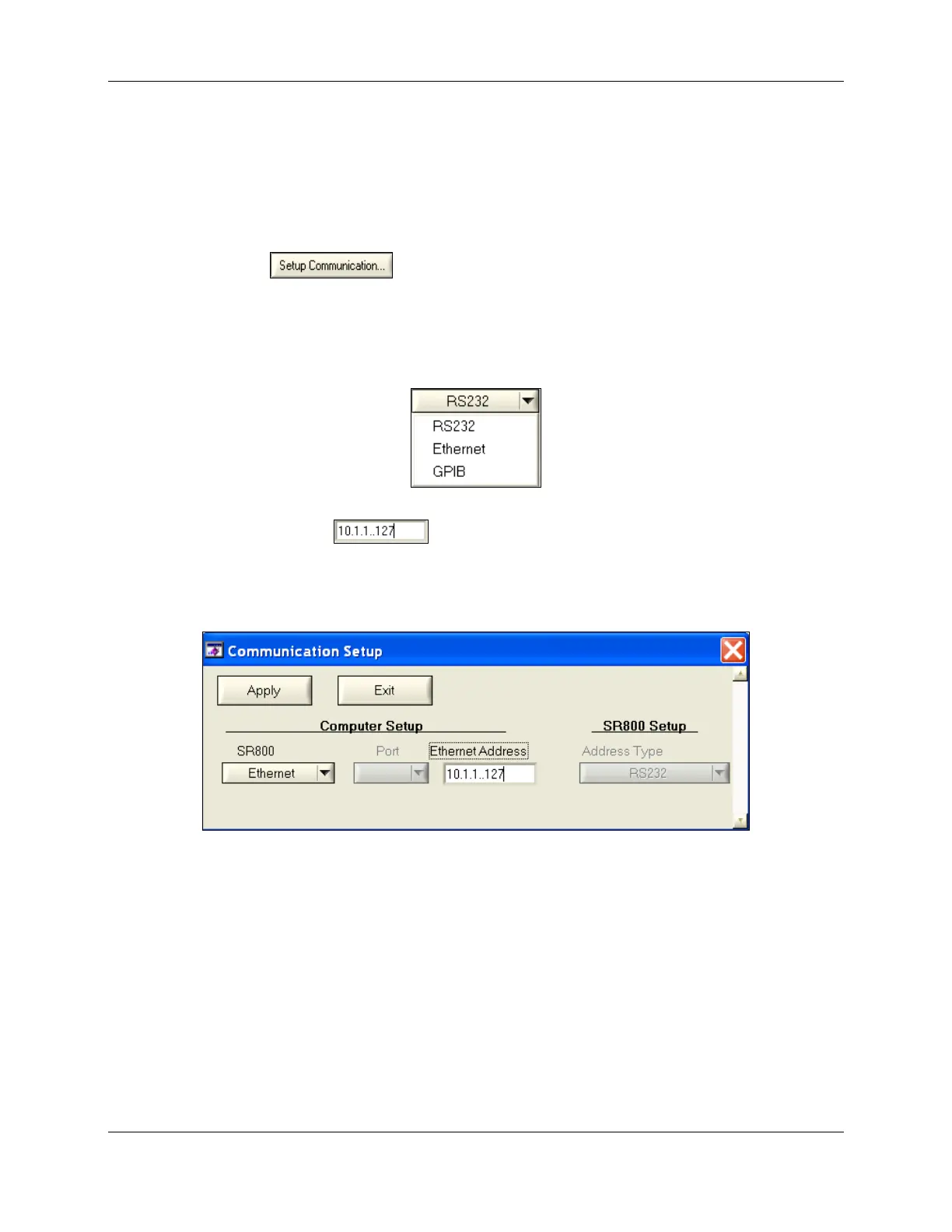
4. If Ethernet is selected, enter the IP Address of the SR-800R in the Ethernet
Address field
, as shown in Figure 9-2 (it should be identical to the
settings you made to the SR-800R according to Section 3.2.3.6.3:
Communications):
Figure 9-2: Ethernet Communication Setup
605-7040 Operation Manual
Rev D 9-3
June 2013
Artisan Technology Group - Quality Instrumentation ... Guaranteed | (888) 88-SOURCE | www.artisantg.com



 To Next Page