CDM-570A/570AL Satellite Modem with Optional Packet Processor
Revision 5
Ethernet-based Remote Product Management 7–18 MN-CDM570A
7.4.3.2.2 Admin | SNMP
• Chapter 6. FRONT PANEL OPERATION
• Sect. 7.3 SNMP INTERFACE
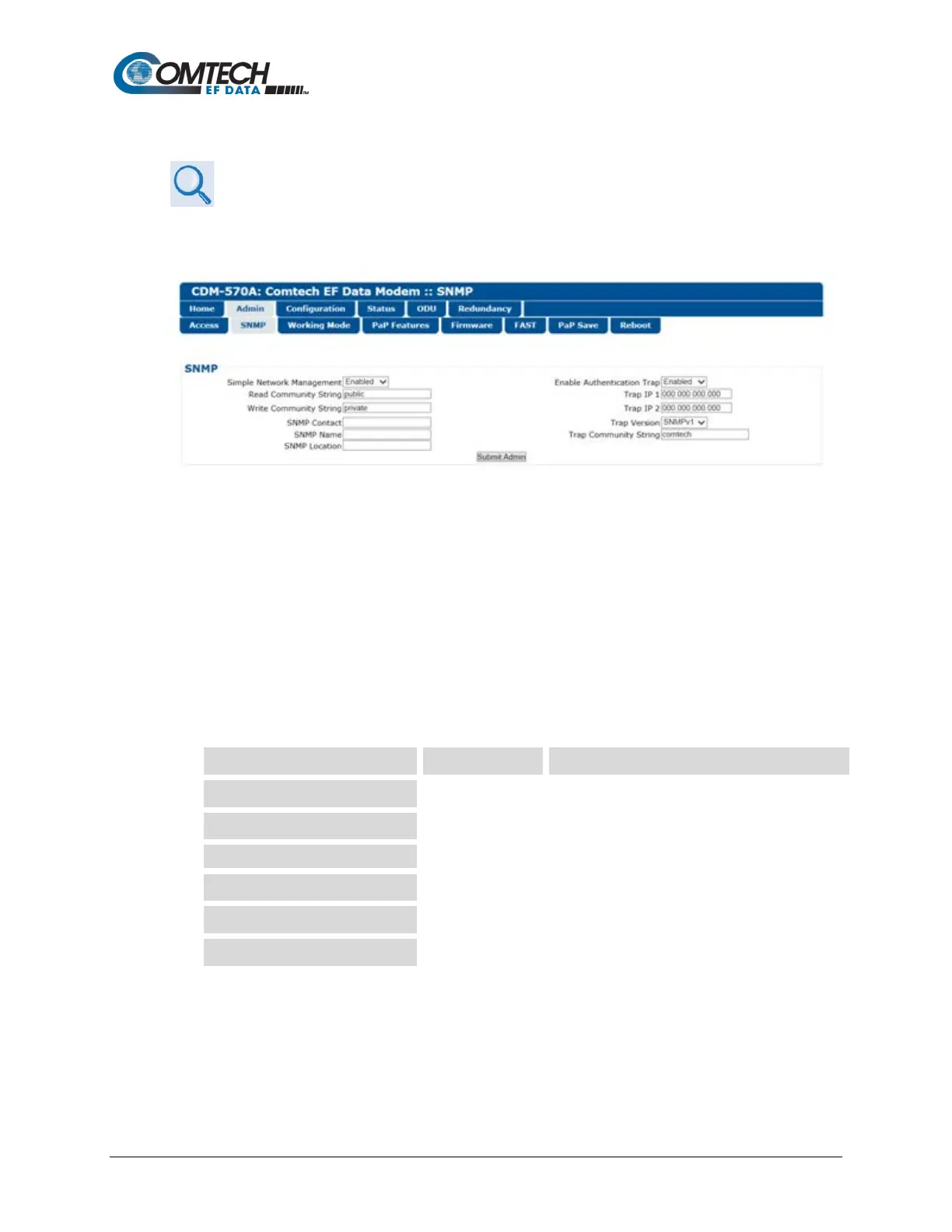
The Administrator must use this page to set and return administration information for the
CDM-570A SNMP (Simple Network Management Protocol) feature.
Figure 7-6. Admin | SNMP Page
SNMP
• Simple Network Management – Use the drop-down list to select as Disabled or
Enabled.
• Enable Authentication Trap – Use the drop-down list to select as Disabled or Enabled.
• Trap IP 1 / Trap IP 2 – Assign up to two SNMP Trap IP Addresses.
• Trap Version – Use the drop-down list to select SNMPv1 or SNMPv2.
• SNMP Read/Write/Trap Community Strings, SNMP Contact/Name/Location – Create
or edit these alphanumeric text strings as follows:
The Read, Write, and Trap Community Strings
can be any alphanumeric combination with a
maximum length of 4 to 15 characters.
private
The SNMP Contact, Name, and Location strings
can be any alphanumeric combination with a
maximum length of 0 to 20 characters.
Click [Submit Admin] to save.



 To Next Page