CDM-570A/570AL Satellite Modem with Optional Packet Processor
Revision 5
Optional Packet Processor - Serial/Telnet CLI Operation 9–8 MN-CDM570A
9.3.2 Administration
Access to the Administration page is restricted to the Admin user when connecting
via the Telnet CLI or HTTP interfaces. The Administration page is available via the
Serial CLI connection because this interface requires no user login.
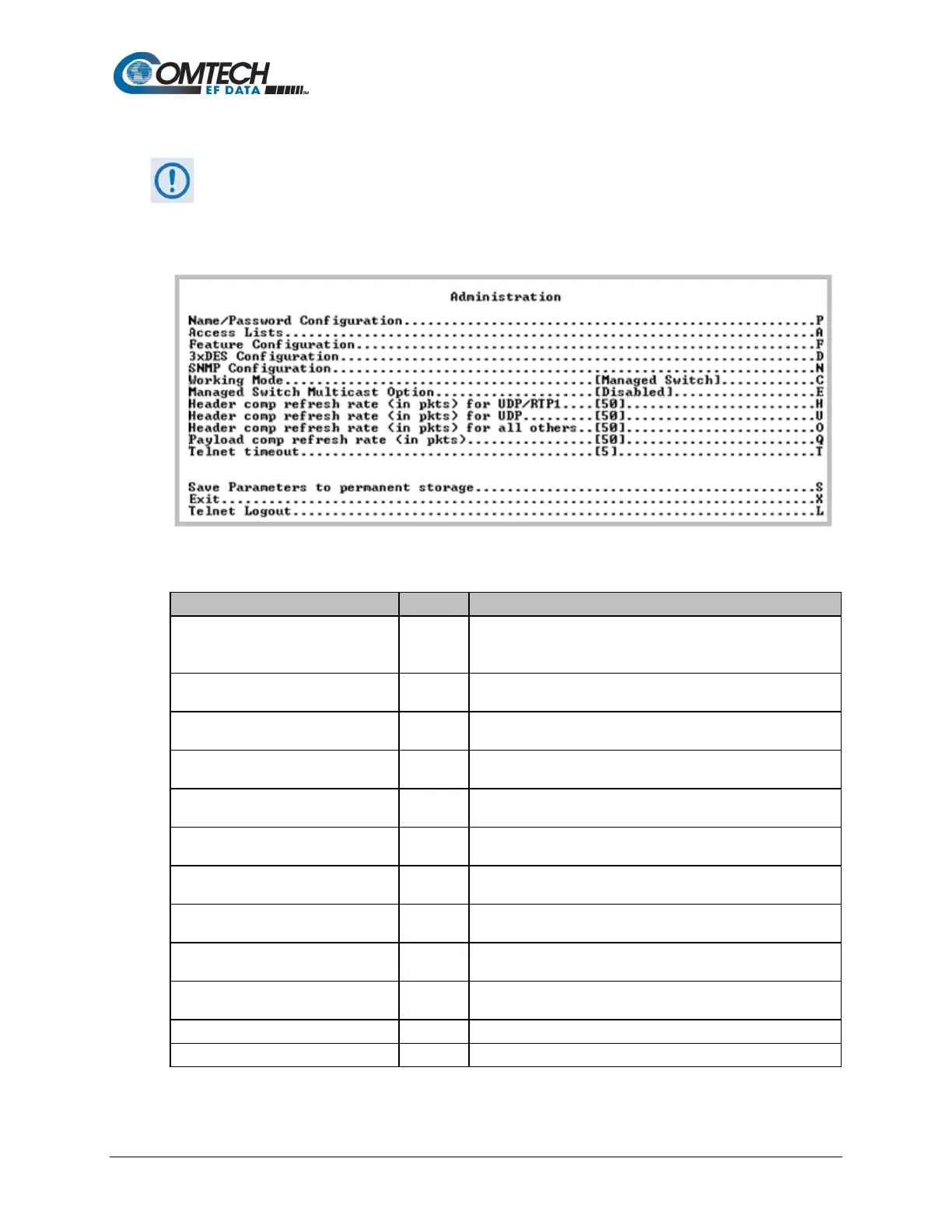
Open the Administration page from the Main Menu.
Figure 9-3. Administration
Name/Password Configuration P
Use this page to define the User Name and Passwords that
are required in order to access the management interfaces.
Access Lists A
Use this page to restrict access to the management interfaces
based upon the requester’s IP address. See Section 9.3.2.2.
Feature Configuration F
Use this page to access the Feature Configuration options.
See Section 9.3.2.3.
3xDES Configuration D
Use this page to access the 3xDEC Configuration options.
See Section 9.3.2.4.
SNMP Configuration N
Use this page to configure the SNMP Configuration options.
See Section 9.3.2.5.
Working Mode C
Use this page to set the Working Mode. See Appendix D for
additional information. See Section 9.3.2.6.
Managed Switch Multicast Option E
Select E to toggle [Enabled] or [Disabled].
See Section 9.3.2.7.
Header comp refresh rate (in pkts)
for UDP/RTP1
H See Section 9.3.2.8.
Header comp refresh rate (in pkts)
for UDP
U See Section 9.3.2.8.
Header comp refresh rate (in pkts)
for all others
O See Section 9.3.2.8.
Payload comp refresh rate (in pkts)



 To Next Page