CDM-570A/570AL Satellite Modem with Optional Packet Processor
Revision 5
Optional Packet Processor - Serial/Telnet CLI Operation 9–25 MN-CDM570A
9.3.3.2 Interface Configuration > Satellite/HDLC Interface
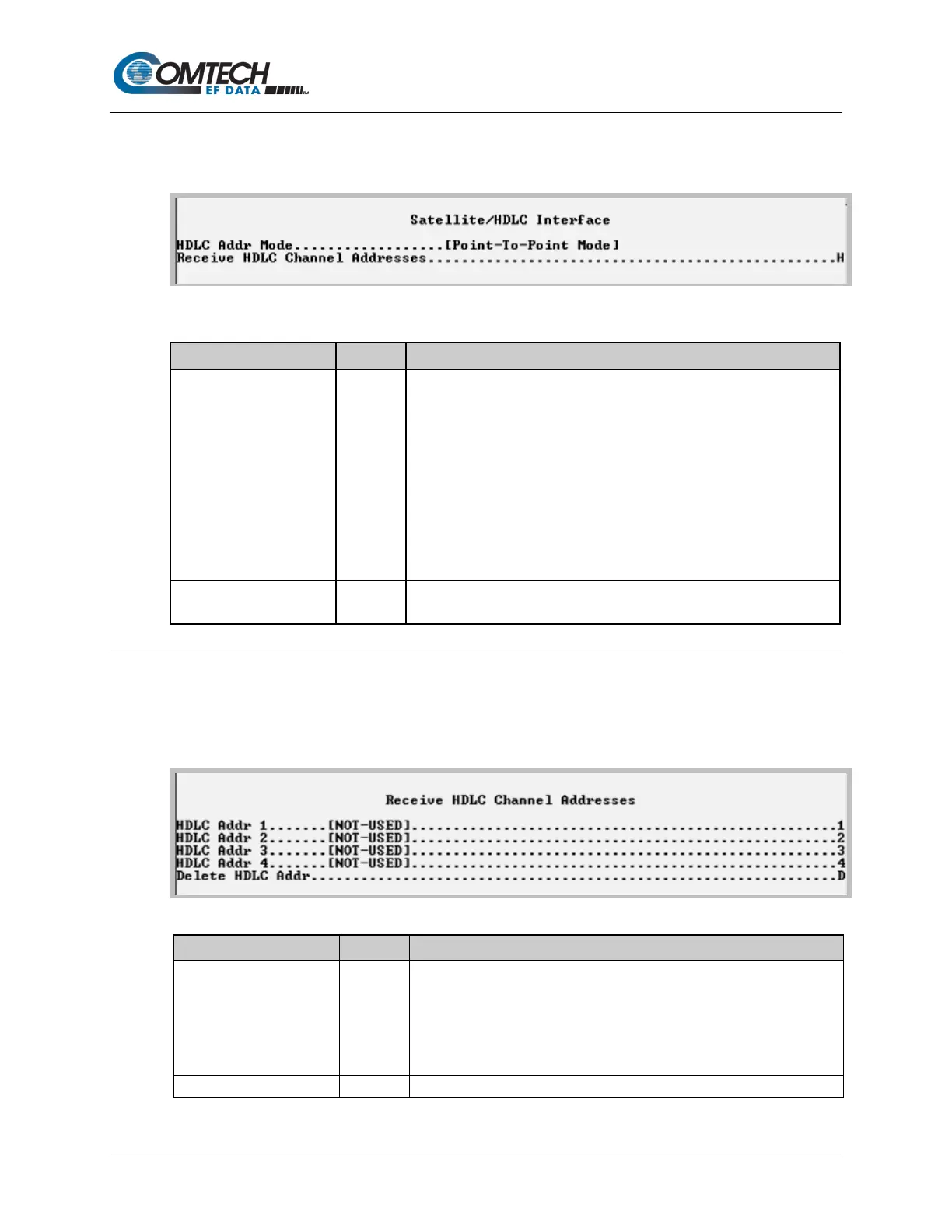
Open the nested Satellite/HDLC Interface page from the Interface Configuration page.
Figure 9-14. Satellite/HDLC Interface
• HDLC Address Mode – This mode is configured via the Working
Mode, which is found on the Administration page.
• Point-To-Point Mode – In this mode of operation, no HDLC address is
transmitted over the satellite link. The restrictions on using this mode
are that it can only be used for pure Point-to-Point configurations.
• Small Network Mode (up to 254 addresses) – In this mode of
operation a single byte HDLC address is transmitted over the satellite
link (0x1 – 0xFE).
• Large Network Mode (up to 32766 addresses) – In this mode of
operation a two byte HDLC address is transmitted over the satellite link
Receive HDLC Channel
Addresses
Displays the Receiver HDLC Channel Addresses page.
9.3.3.3 Interface Configuration > Receive HDLC Channel Addresses
Open the nested Receive HDLC Channel Addresses page from the Satellite/HDLC Interface
page. Use this page to define up to four HDLC addresses that can carry user information on the
Satellite Interface.
Figure 9-15. Receive HDLC Channel Addresses
Addr 4
HDLC address in hex <1 – FFFE, enter = 0001>
Note that HDLC addresses are not used in Point-To-Point Mode.
• Small Network Mode (up to 254 addresses) – Limited to valid
addresses between the values of 0x01 and 0xFE.
• Large Network Mode (up to 32766 addresses) – Limited to valid
addresses between the values of 0x0001 and 0x7FFF.
Set the HDLC entry to delete <1...4>



 To Next Page