CDM-570A/570AL Satellite Modem with Optional Packet Processor
Revision 5
Ethernet-based Remote Product Management 7–25 MN-CDM570A
Options – Not Installed
This scrollable, read-only list box displays the uninstalled FAST-enabled features that are
available for purchase and activation from Comtech EF Data.
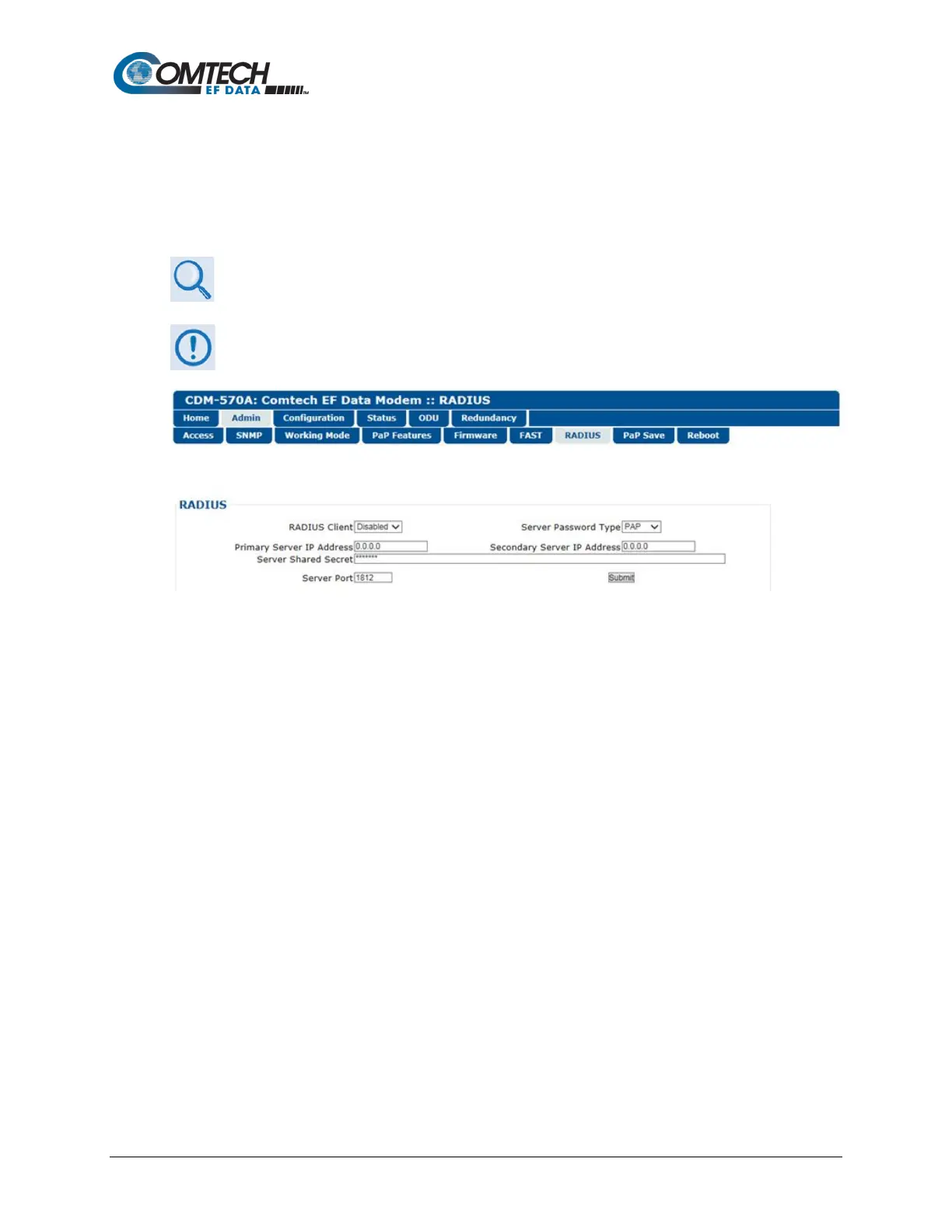
7.4.3.2.7 Admin | Remote Authentication Dial In User Service (RADIUS)
Appendix I. CDM-570A/570L RADIUS CLIENT
The RADIUS operation is available only when the operating mode is set to IP,
VersaFEC ACM (IP-ACM), or VersaFEC-2 ACM (V2-ACM).
Figure 7-12. Admin | RADIUS Page
• RADIUS Client – Use the drop-down list to set RADIUS operation as Enabled or Disabled.
• Server Password Type – Use the drop-down list to select the authentication protocol as
PAP (Password Authentication Protocol) or CHAP (Challenge-Handshake Authentication
Protocol).
• Primary / Secondary Server IP Address – Enter the pertinent Server IP Addresses in the
form xxx.xxx.xxx.xxx.
• Server Shared Secret – Carefully enter the word to be used (64 characters maximum) as
the ”shared secret” between the RADIUS Client Server and the networked device (CDM-
570A). The interface conceals this entry for security purposes.
• Server Port – Enter a valid port number from 1 to 65535 (the default is 1812).
Click [Submit] to save.



 To Next Page