CDM-570A/570AL Satellite Modem with Optional Packet Processor
Revision 5
Optional Packet Processor - Serial/Telnet CLI Operation 9–54 MN-CDM570A
9.3.8.1.9 Satellite Modem > Configuration > CnC Configuration
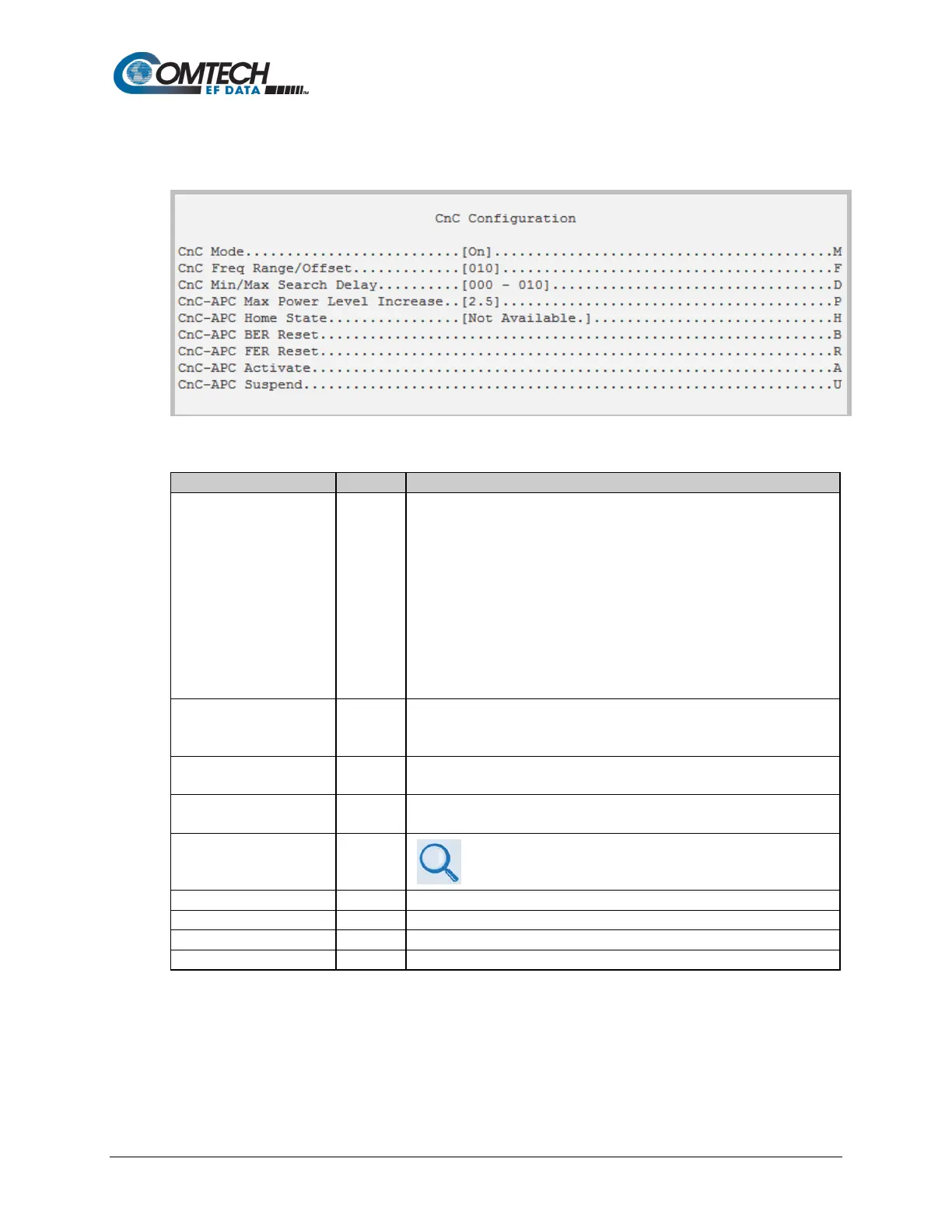
Open the nested CnC Configuration page from the Configuration page.
Figure 9-38. CnC Configuration
Select the CnC operating mode:
1 – Off
2 – On
3 – APC, Side-A, C-Band
4 – APC, Side-A, X-Band
5 – APC, Side-A, Ku-Band
6 – APC, Side-A, Ka-Band
7 – APC, Side-B, C-Band
8 – APC, Side-B, X-Band
9 – APC, Side-B, Ku-Band
10 – APC, Side-A, Ka-Band
This value is set depending on the Rx symbol rate as follows:
• 16ksps to 64ksps: ±1 to the symbol rate (ksps)/2
• 64ksps and above: ±1 to 32 kHz
At the prompts, set the minimum and maximum search delay values, in
milliseconds, in the range from 0 to 300.
CnC-APC Max Power
Level Increase
P Set a value in the range from 0.0 to 9.9.
CnC-APC Home State H
See the “AHS” Remote Command/Query in Chapter 8.
SERIAL-BASED REMOTE PRODUCT MANAGEMENT for
details on using this feature.
Toggle to activate CnC-APC.
Toggle to suspend CnC-APC.



 To Next Page