CDM-570A/570AL Satellite Modem with Optional Packet Processor
Revision 5
Optional Packet Processor - Serial/Telnet CLI Operation 9–7 MN-CDM570A
9.3 CLI Operations
Figure 9-2 show use of HyperTerminal as configured for Telnet CLI. The
appearance of this interface may vary across individual user configurations.
The remainder of this chapter shows the CLI pages as they appear with any
user-supplied terminal emulator.
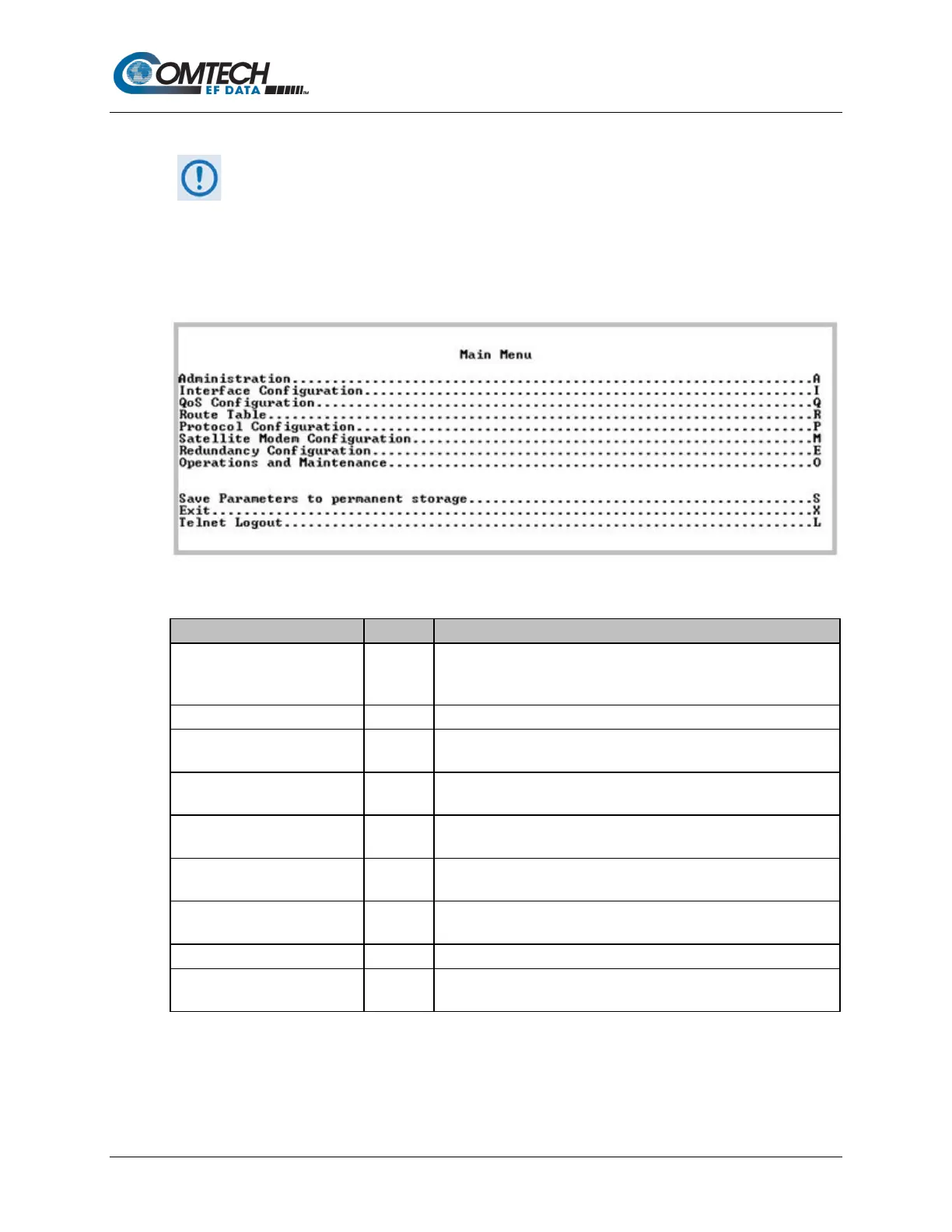
9.3.1 CLI Main Menu
Figure 9-2. Main Menu
Administration A
Provides a basic set of standard administrative functions to the
Packet Processor. When connected via Telnet, navigation to this
menu is restricted to the Admin user. See Section 9.3.2.
Configures the Ethernet and Satellite interfaces. See Section 9.3.3.
QoS Configuration Q
Defines QoS rules for up to 32 different types of flows.
See Section 9.3.4.
Route Table R
Defines how the Packet Processor will route packets that it receives
on its Ethernet and Satellite interfaces. See Section 9.3.5.
Protocol Configuration P
Configures various protocols – including ARP, IGMP, DHCP, and
BRouter – used by the Packet Processor. See Section 9.3.6.
Vipersat Configuration V
Only displays when the Vipersat option is installed.
See Section 0.
Satellite Modem Configuration M
Displays menus that are used to configure and monitor the Base
Satellite Modem. See Section 9.3.8.
Configures 1:1 IP Redundancy.
Operations and Maintenance O
Configures various options for system control and maintenance;
provides Statistics and diagnostic tools for troubleshooting purposes.



 To Next Page