CDM-570A/570AL Satellite Modem with Optional Packet Processor
Revision 5
Optional Packet Processor - Serial/Telnet CLI Operation 9–10 MN-CDM570A
9.3.2.2 Administration > Access Lists
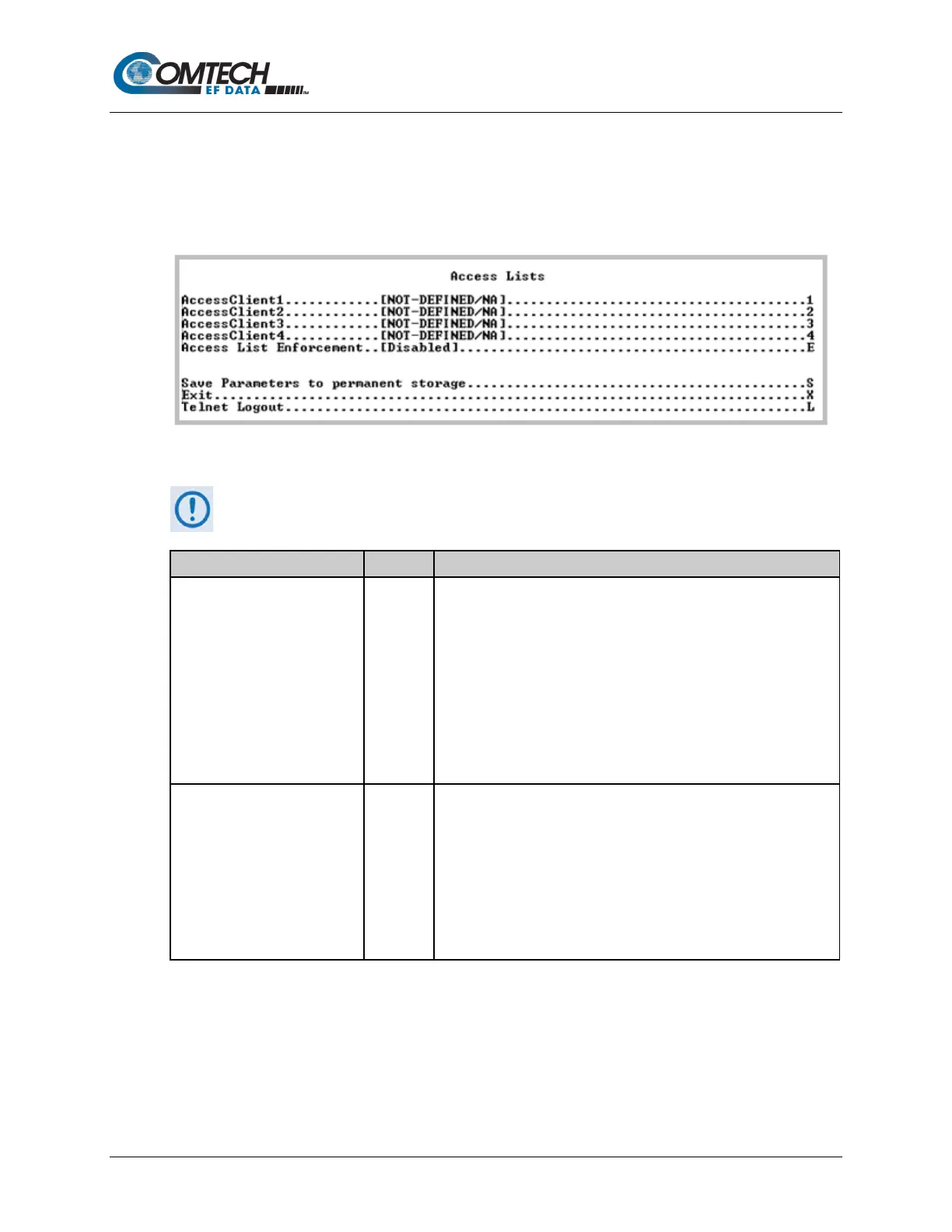
Open the nested Access Lists page from the Administration page.
Use this page to limit monitor and control access to the unit from a specified list of authorized
clients.
Figure 9-5. Access Lists
If connecting to the IP modem remotely, be sure to include the IP address of the
machine used to manage the IP modem in the Access List.
AccessClient1 – AccessClient4
Defines which remote clients can connect when the Access List
Enforcement is Enabled. Use each entry to specify an IP Address or
a subnet mask to define a unique class of machines that are allowed
access.
For example, to grant access to a PC with an IP Address of
10.10.10.1 and any PC on a subnet of 192.168.10.xxx, define the
Access List as:
AccessClient1 …[10.10.10.1/32]
AccessClient2…. [192.168.10.0/24]
Grants the defined list of client machines access via ping, Telnet,
HTTP, FTP, and SNMP.
Toggle [Enabled] or [Disabled]:
• When Enabled, only those machines specified in the Access
Client List are allowed to connect via ping, Telnet, HTTP, and
SNMP.
• When Disabled, any client machine is able to connect via ping,
Telnet, HTTP, FTP, and SNMP.



 To Next Page