CDM-570A/570AL Satellite Modem with Optional Packet Processor
Revision 5
Optional Packet Processor - Serial/Telnet CLI Operation 9–63 MN-CDM570A
9.3.9 Redundancy Configuration
Appendix N. IP REDUNDANCY
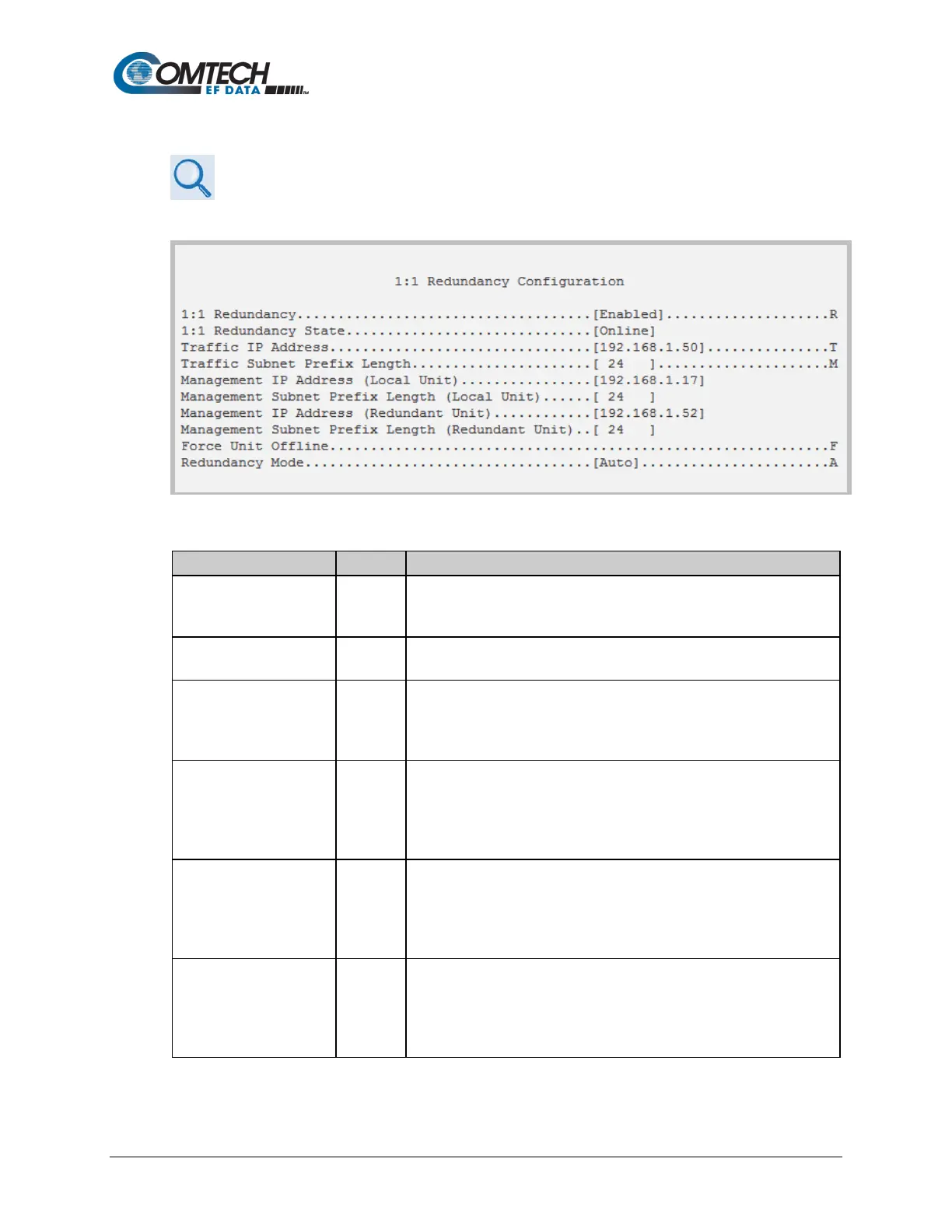
Open the Redundancy Configuration page from the Main Menu.
Figure 9-49. 1:1 Redundancy Configuration
Toggle [Enabled] or [Disabled].
NOTE: Only enable Redundancy when connected with another
CDM-570A/570AL via a CRS-180 or CRS-170A redundancy switch.
• If standalone CDM-570A/570AL – displays state as Online.
• If Redundant CDM-570A/570AL – displays state as Online or Offline
• If standalone CDM-570A/570AL – not used.
• If Online Redundant CDM-570A/570AL – sets Traffic IP (read/write).
• If Offline Redundant CDM-570A/570AL – displays Traffic IP (read-
Length
[RO]
• If standalone CDM-570A/570AL – not used.
• If Online Redundant CDM-570A/570AL – sets Traffic Subnet
(read/write).
• If Offline Redundant CDM-570A/570AL – displays Traffic Subnet
(Local Unit)
• If standalone CDM-570A/570AL – not used.
• If Online Redundant CDM-570A/570AL – displays Local Management
IP
• If Offline Redundant CDM-570A/570AL – displays Local Management
Prefix Length (Local Unit)
• If standalone CDM-570A/570AL – not used.
• If Online Redundant CDM-570A/570AL – displays Local Management
Subnet
• If Offline Redundant CDM-570A/570AL – displays Local Management



 To Next Page