CDM-570A/570AL Satellite Modem with Optional Packet Processor
Revision 5
Optional Packet Processor - Serial/Telnet CLI Operation 9–78 MN-CDM570A
9.3.10.2.5 Operations and Maintenance > Statistics Menu> Compression
Statistics
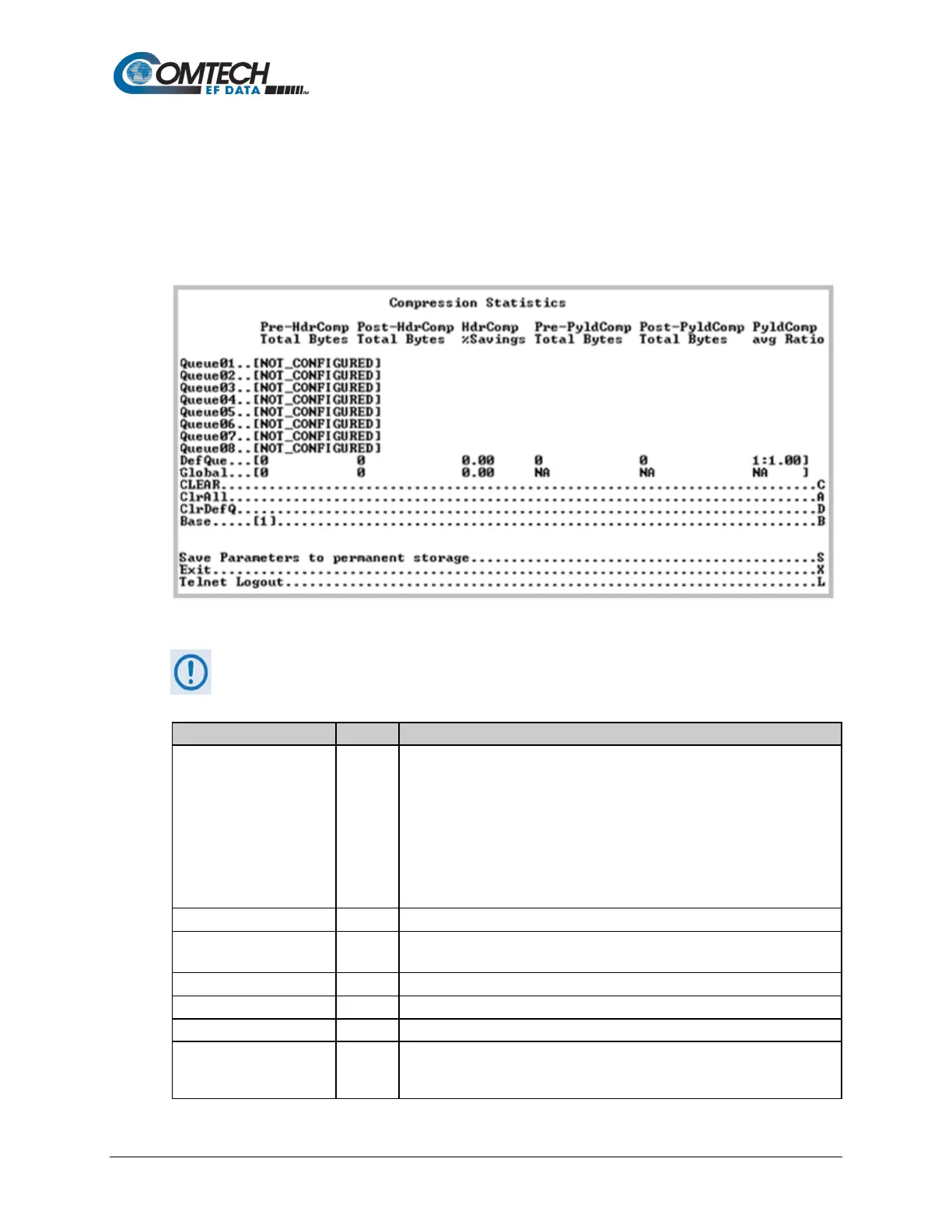
Open the nested Compression Statistics page from the Statistics page. This page displays counts
of the number of bytes before and after Header and Payload Compression. For Header
Compression, the percentage of bandwidth savings displays. For Payload Compression, the
effective compression ratio displays.
Figure 9-59. Compression Statistics
Although the QoS option is not required to use Header or Payload Compression, the
Compression Statistics are displayed by QoS Rule flow Queues. If QoS is not
Enabled, all the Compression Statistics will fall within the Global Queue.
Queue32
Displays statistics, in goups of eight queues per screen, in table format
showing, by column:
• Pre-Header Comp Bytes
• Post-Header Comp Bytes
• Header Comp % Savings
• Pre-Payload Comp Bytes
• Post-Payload Comp Bytes
•
Payload Compression Ratio
Compression Statistics of packets traversed through Default QoS Queue.
[RO]
All traffic that does not fall within a defined QoS Rule is indicated in the
‘Global’ (Default Rule Queue).
Allows a reset of the statistics of a specific rule index.
Resets all Compression Statistics.
Clear the Compression statistics of Default QoS Queue.
Select Base and then type a number to display a different set of eight of up
to 32 available queues. For example, if you want to view Queues 16-24:



 To Next Page