CDM-570A/570AL Satellite Modem with Optional Packet Processor
Revision 5
Ethernet-based Remote Product Management 7–59 MN-CDM570A
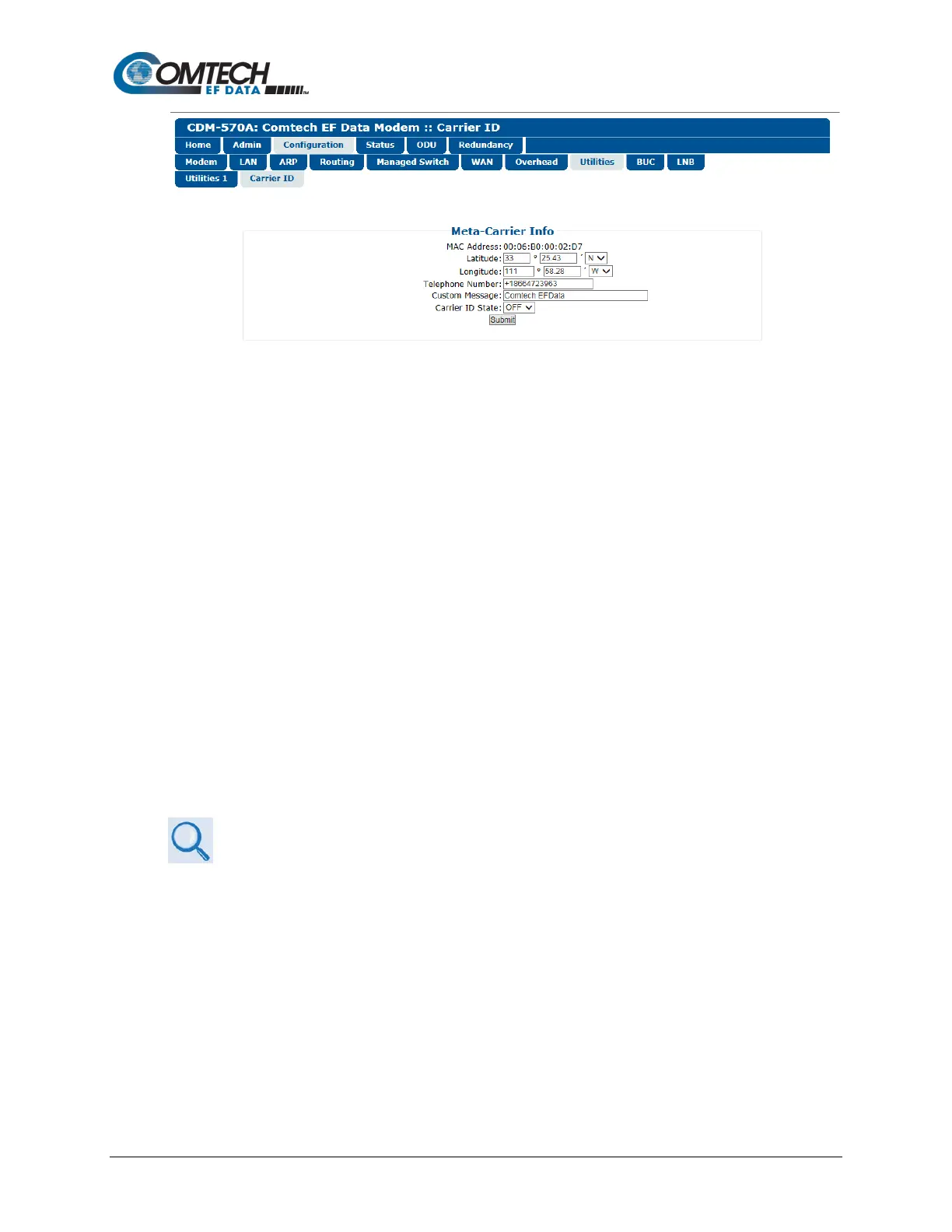
Figure 7-31. Configuration | Utilities | Carrier ID Page
• MAC Address – This parameter is read-only and cannot be changed.
• Latitude – Enter a value, for degrees, from 0 to 90. Enter a value, for minutes, from
00.00 to 59.99. Use the drop-down list to select N (North) or S (South).
• Longitude – Enter a value, for degrees, from 0 to 180. Enter a value, for minutes, from
00.00 to 59.99. Use the drop-down list to select E (East) or W (West).
• Telephone Number – Enter a phone number. Valid characters are +, x, 0-9.
• Custom Message – Enter a MetaCarrier Custom Message as needed, up to 24
characters. You may use the following characters to compose tis string:
[Space] ( ) * + - , . / 0-9 and A-Z.
The MetaCarrier Custom Message, as created here, also appears in the title bar of
compatible web browsers for easy unit identification.
• Carrier ID State – Use the drop-down list to set Carrier ID operation as ON or OFF.
Click [Submit] to save.
7.4.3.3.9 Configuration | BUC (CDM/R-570AL Only)
Chapter 10. CDM-570A/570AL ODU (TRANSCEIVER, BUC, LNB) M&C Operation
When a BUC is connected to a CDM/R-570AL (L-Band) Satellite Modem, you may use this page
to configure its operating parameters and to view the BUC operational status.



 To Next Page