CDM-570A/570AL Satellite Modem with Optional Packet Processor
Revision 5
Optional Packet Processor - Serial/Telnet CLI Operation 9–42 MN-CDM570A
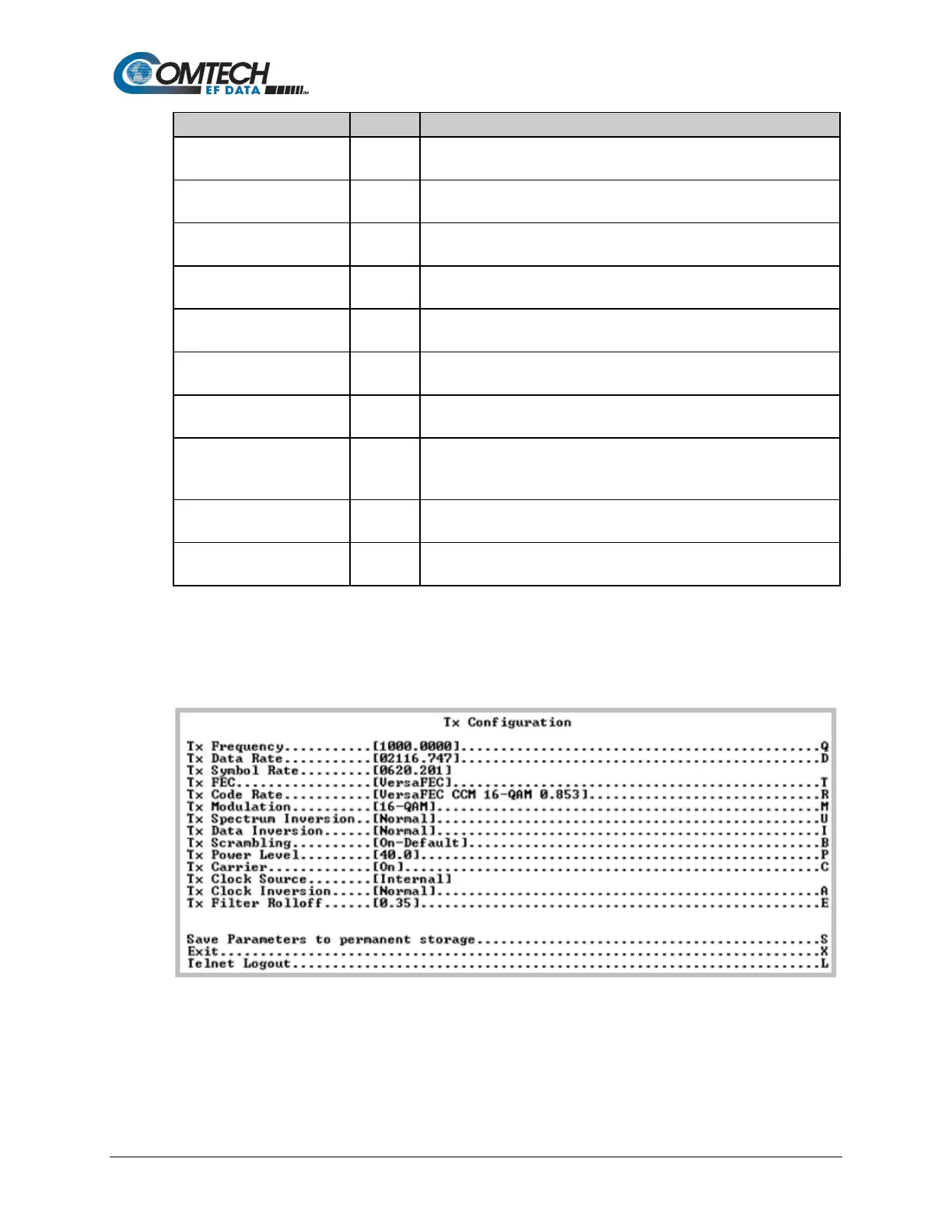
Displays the Tx Configuration page.
See Section 9.3.8.1.1.
Displays the Rx Configuration page.
See Section 9.3.8.1.2.
Framing Mode Configuration
Displays the Framing Mode Configuration page.
See Section 9.3.8.1.3.
Data Interface Configuration
Displays the Data Interface Configuration page.
See Section 9.3.8.1.4.
Displays the Reference Configuration page.
See Section 9.3.8.1.5.
Displays the Alarm Mask Configuration page.
See Section 9.3.8.1.6.
Displays the BUC (Block Up Converter) Configuration page.
See Section 9.3.8.1.7.
Displays the LNB (Low Noise Block Down Converter) Configuration
page.
Displays the CnC (DoubleTalk Carrier-in-Carrier) Configuration page.
See Section 9.3.8.1.9.
Displays the BERT (Bit Error Rate Test) Configuration page.
See Section 9.3.8.1.10.
9.3.8.1.1 Satellite Modem > Configuration > Tx Configuration
Open the nested Tx (Modulation) Configuration page from the Configuration page.
Figure 9-30. Tx (Transmit Modem) Configuration



 To Next Page