CDM-570A/570AL Satellite Modem with Optional Packet Processor
Revision 5
Ethernet-based Remote Product Management 7–74 MN-CDM570A
7.4.3.4.6 Status | Graph Pages
The Graph pages provide you with real-time visual monitoring of modem signal operation. Click
the Constellation or Spectrum tab to continue.
7.4.3.4.6.1 Status | Graph | Constellation
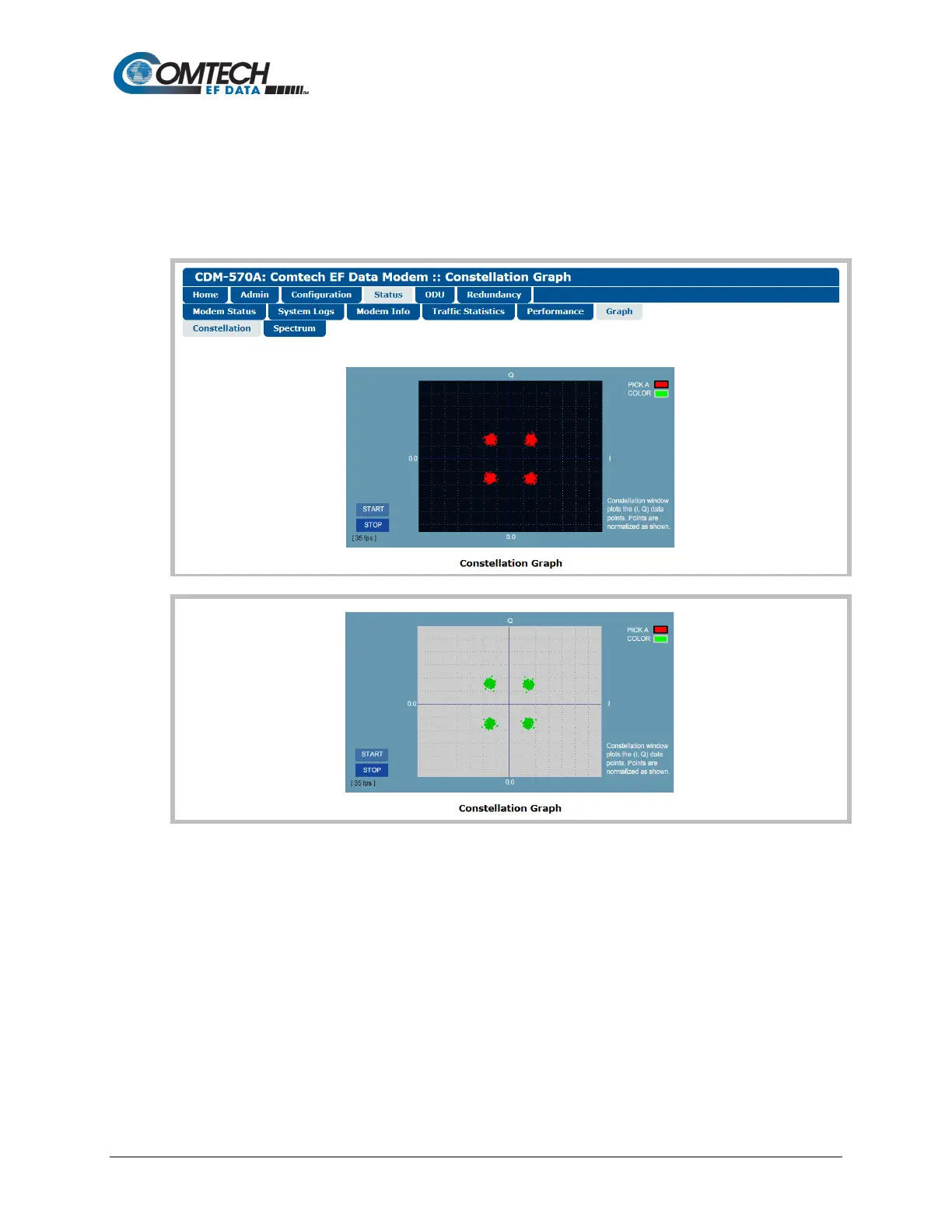
(TOP) Constellation Graph “PICK A COLOR” = (RED)
(BOTTOM) Constellation Graph “PICK A COLOR” = (GREEN)
(Banner, Menu Bar not shown)
Figure 7-47. Status | Graph | Constellation Page
Use this page to display the real-time Ethernet Rx IQ constellation monitor:
• First, configure the graph appearance in the upper right-hand side (“PICK A COLOR”).
Click the red box to display a red constellation pattern on a black/gray grid. Click the
green box to display a green constellation pattern on a gray/blue grid.
• Then, click [START] to activate or [STOP] to pause the Constellation monitoring
function.



 To Next Page