CDM-570A/570AL Satellite Modem with Optional Packet Processor
Revision 5
Optional Packet Processor - Serial/Telnet CLI Operation 9–69 MN-CDM570A
9.3.10.2.1 Operations and Maintenance > Statistics Menu> IP Statistics
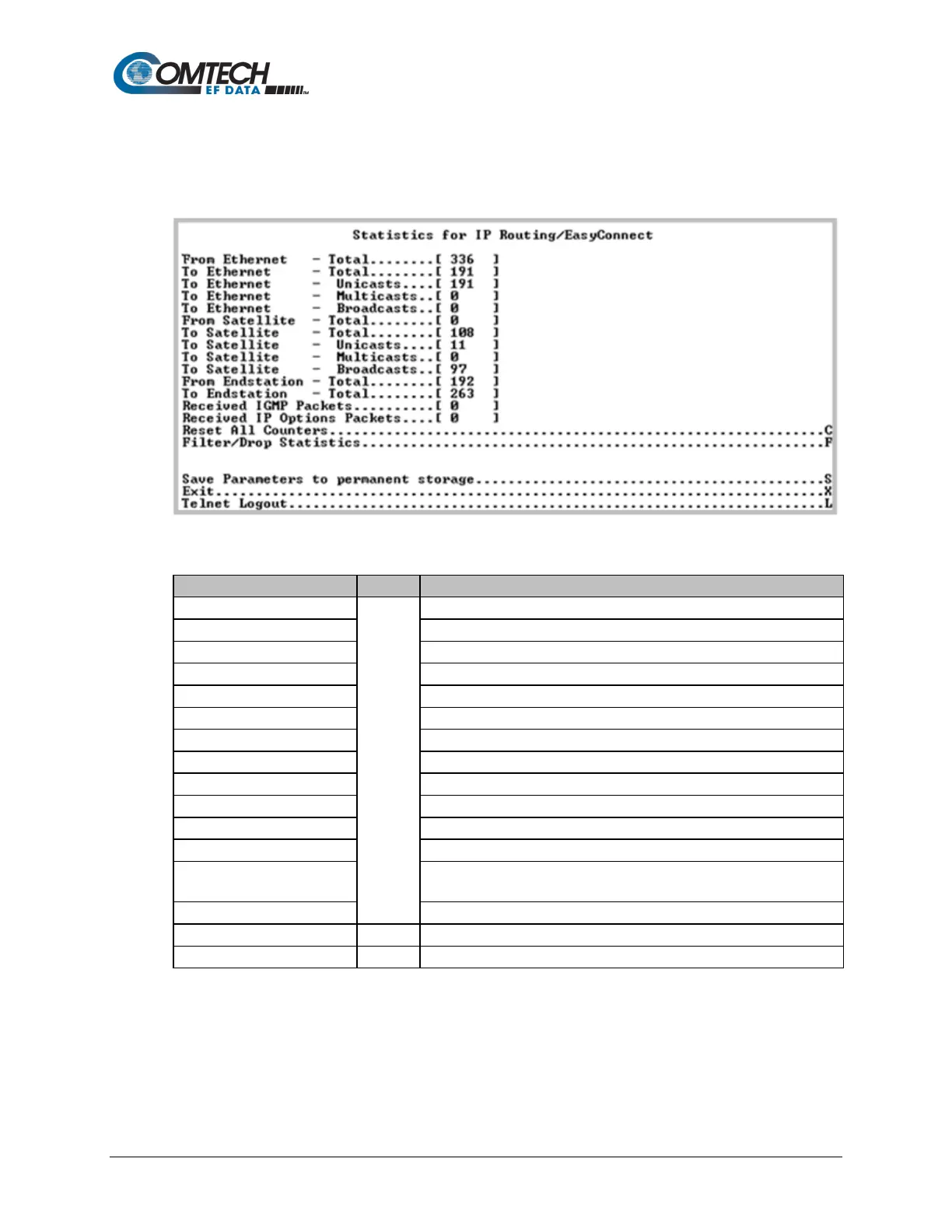
Open the nested Statistics for IP Routing/EasyConnect page from the Statistics page. This page
displays counts of the number of packets routed in the Packet Processor.
Figure 9-53. IP Routing Statistics
Ethernet Statistics Page, Rx Good Frames
Ethernet Statistics Page, Tx Good Frames
WAN Statistics Page, Rx HDLC Packet Count
WAN Statistics Page, Tx HDLC Packet Count
To Satellite – Multicasts
To Satellite – Broadcasts
Packets sent from Packet Processor
Packets directed to Packet Processor
Internet Group Management Packets received (used for management of
Multicast traffic).
Received IP Options Packets
Number of IP Options packets received.
Clears and resets all WAN, Ethernet and IP Routing statistics.
Displays the Filter Statistics page.



 To Next Page