CDM-570A/570AL Satellite Modem with Optional Packet Processor
Revision 5
Optional Packet Processor - Serial/Telnet CLI Operation 9–38 MN-CDM570A
Set a value, from 1 to 249, to display or edit a group of eight of up to 256
definable static ARP entries.
For example, if you want to view or edit static ARP Entries 32-40: Type ‘B’,
and then type ‘32’ to select a Base value of 32. The table will refresh and
display Entry0032 through Entry0040.
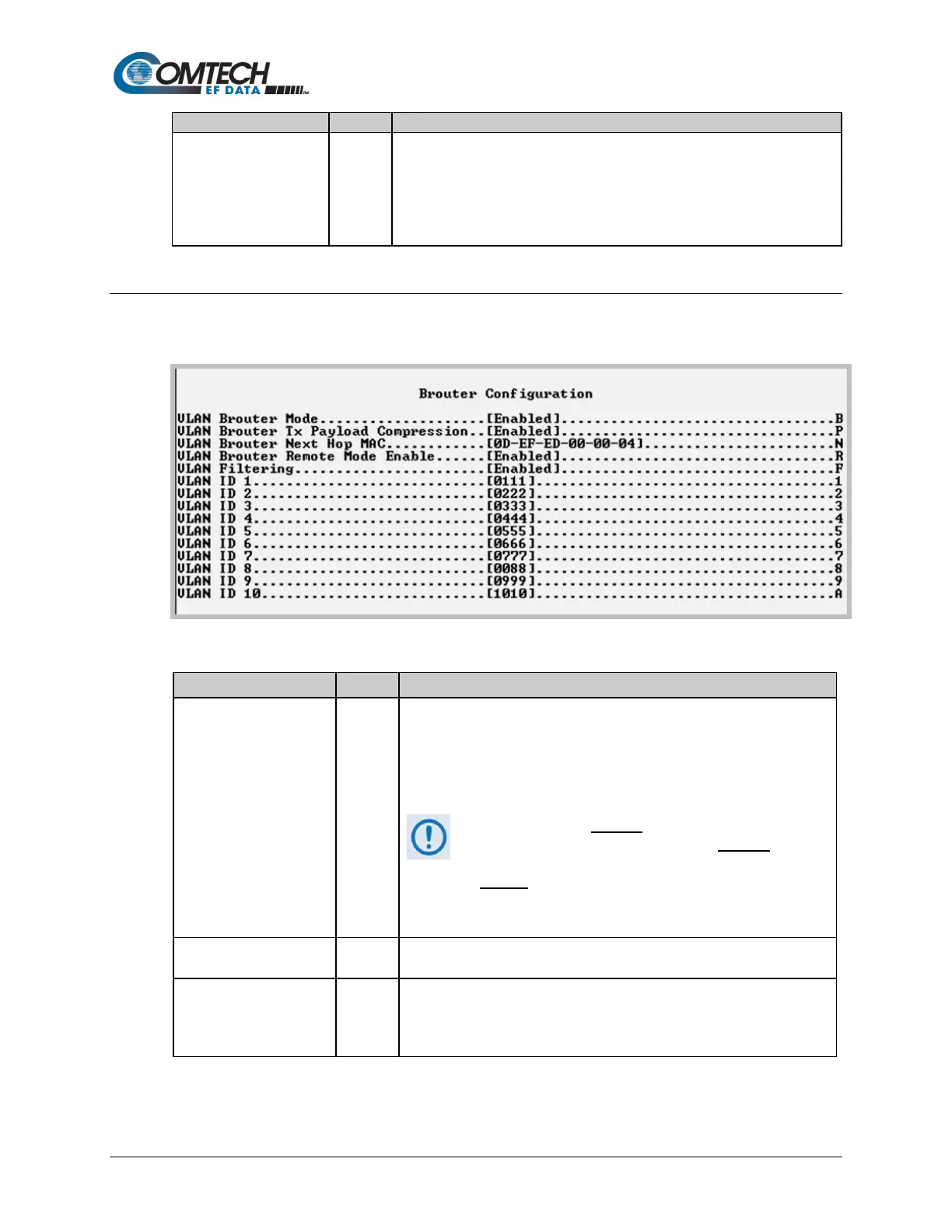
9.3.6.3 Protocol Configuration > Brouter Configuration
Open the nested Brouter Configuration page from the Protocol Configuration Page.
Figure 9-26. Brouter Configuration
Toggle as [Enabled] or [Disabled]:
When you toggle Enabled, any packet arriving at the Ethernet interface
with a VLAN header is automatically forwarded to the WAN interface. In
this mode ALL VLAN packets are sent – there is no filtering of any kind.
Brouter Mode may be disabled only when both Brouter
Remote Mode and VLAN Filtering are also disabled. If
selection is attempted while either or both of these features
are enabled
, the following message displays:
“Disable VLAN-Filter & Remote Mode, And
Then Disabled Brouter Mode”
VLAN Brouter Tx Payload
Compression
Toggle Payload Compression for all "Brouted" VLAN packets as [Enabled]
or [Disabled].
MAC
On the downlink side, this allows the definition of the MAC of the next hop
router to which all of the Brouted packets must be sent. This permits the
Brouter feature to bypass the need to send an ARP packet for packets that
could potentially have the same IP address.



 To Next Page