CDM-570A/570AL Satellite Modem with Optional Packet Processor
Revision 5
Ethernet-based Remote Product Management 7–24 MN-CDM570A
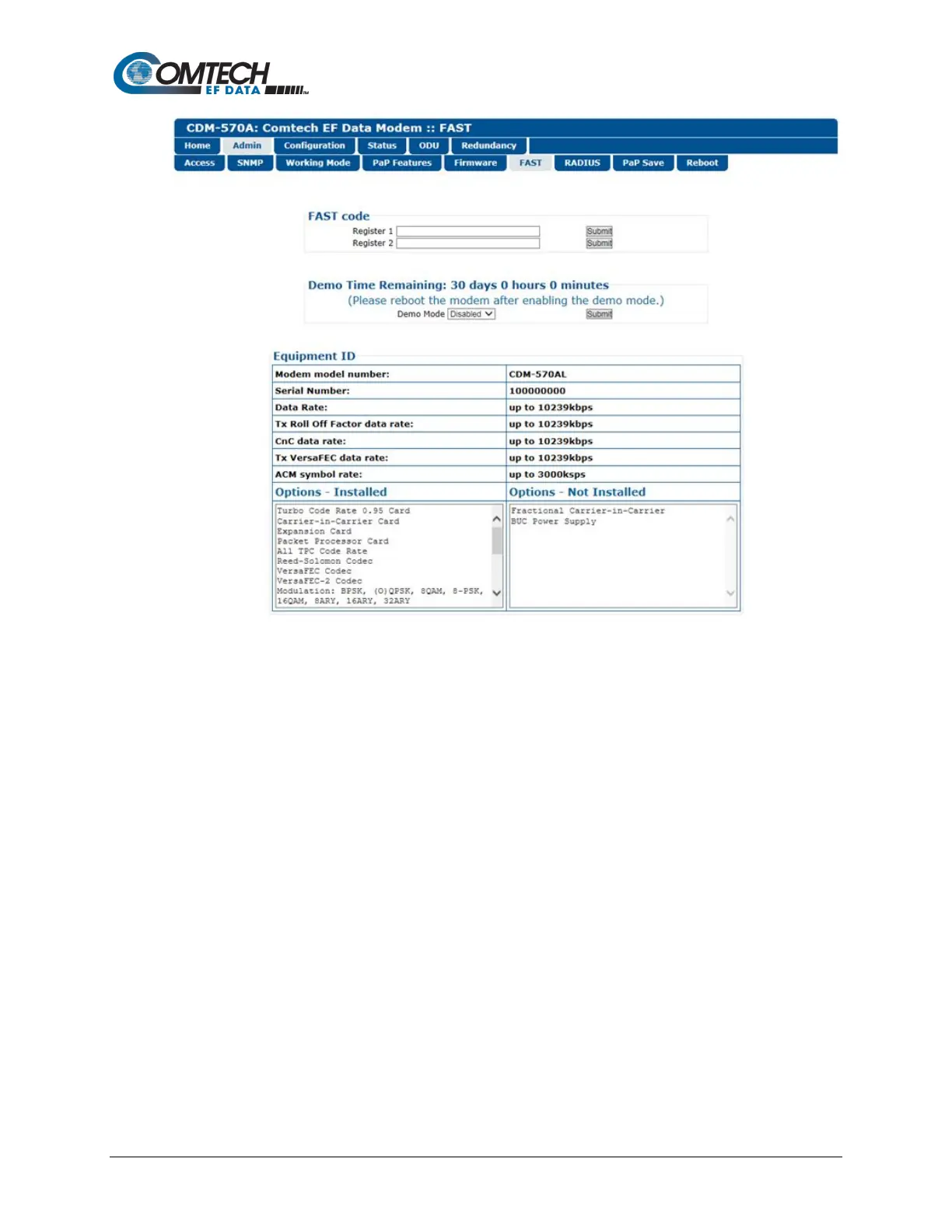
Figure 7-11. Admin | FAST Page
FAST code
When you obtain a FAST Access Code from Comtech EF Data, it will be for a specific option
register. Carefully enter each register-specific 20-character FAST Access Code. Click [Submit]
in sequence when done. A message will display at the top of this section that states whether or
not the codes are accepted or if the upgrade is successful.
Demo Time Remaining: XX days XX hours XX minutes
Demo Mode allows access to ALL CDM-570A/570AL FAST options for up to 30 calendar days.
You may use the drop-down list to select Demo Mode as Enabled or Disabled. Click [Submit] to
execute the selection, and then reboot the modem to activate Demo Mode. The time will
decrement until the 30 days has expired.
Equipment ID
This read-only section displays the operational status for a number of FAST-enabled features.
Options – Installed
This scrollable, read-only list box displays the installed and presently operational FAST-enabled
features.



 To Next Page