Field Service Ver. 1.0 Aug. 2005 9. Utility/Counter Mode
143
bizhub 200/250/350Adjustment / Setting
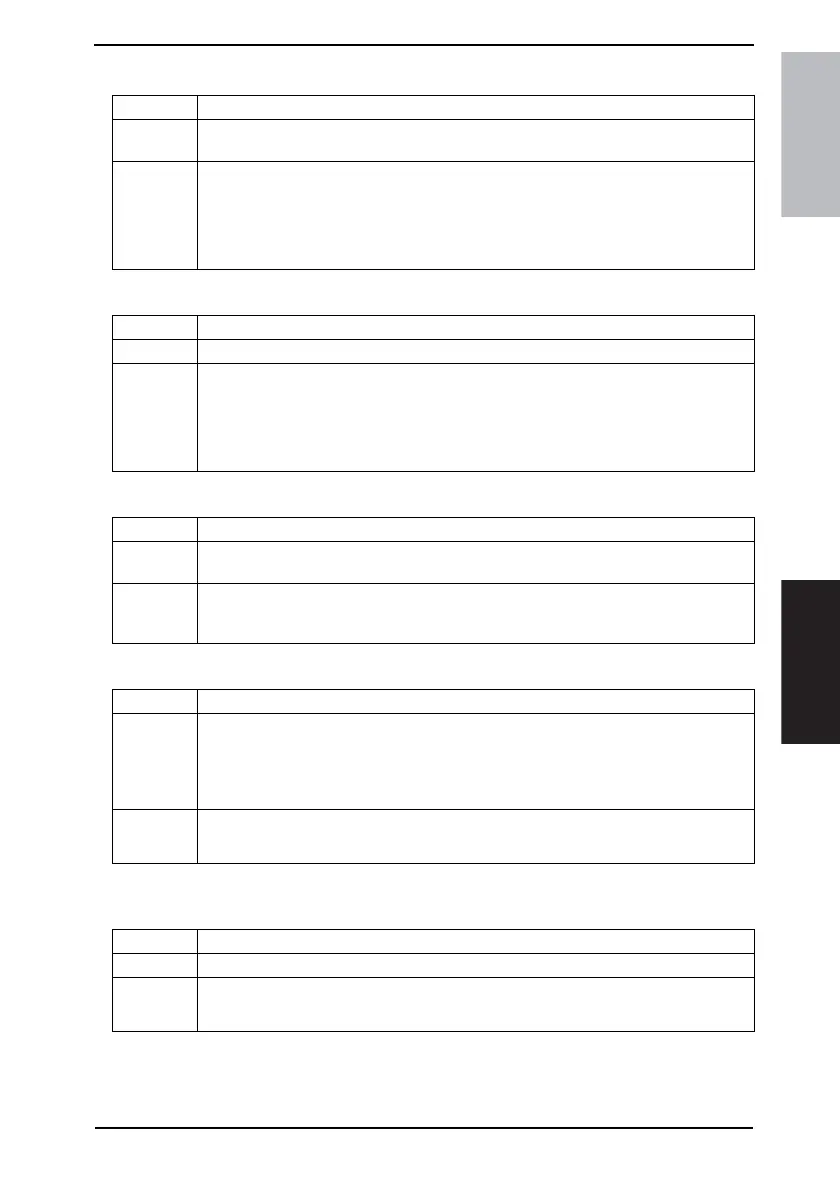
(2) Symbol Set
(3) Number Lines
(4) Font Size
(5) CR/LF Mapping
9.7.3 PDL Set
Functions • To set the Font Symbol Set when not specified by the printer driver during PC printing.
Use
• To use when the Font Symbol Set cannot be specified by the printer driver during print-
ing from Windows DOS, etc.
Setting/
Procedure
• Setting range: 0 to 35
<For U.S.>
• The default setting is “29” (Window 3.1 Latin2).
<For Europe>
• The default setting is “35” (ISO8859-10).
Functions • To set the number of lines per page for printing the text data.
Use • To change the number of lines per page for printing the text data.
Setting/
Procedure
• Setting range: 5 to 128
<For U.S.>
• The default setting is “60”.
<For Europe>
• The default setting is “64”.
Functions • To set the font size when not specified by the printer driver during PC printing.
Use
• To set the font size when it cannot be specified by the printer driver during printing from
Windows DOS, etc.
Setting/
Procedure
• The default setting is “Bit Map Font Size” (10.00 Pitch).
• Setting range: Scalable font (4.00 to 999.75 points)
• Setting range: Bit map font size (0.44 to 99.00 pitch)
Functions • To set the mode for replacing data when printing the text data.
Use
• To change the mode for replacing data when printing the text data.
OFF: Does not replace
Mode 1: Replacing CR with CR-LF
Mode 2: Replacing LF with CR-LF
Mode 3: Replacing CR and LF with CR-LF, and FF with CR-FF
Setting/
Procedure
• The default setting is “OFF”.
“OFF” Mode 1 Mode 2 Mode 3
Functions • To set the PDL (Page Description Language) for PC printing.
Use • To fix the PDL as necessary. It usually switches automatically.
Setting/
Procedure
• The default setting is “Auto”.
Auto PCL PostScript









 To Next Page