Note: The test might run for an extended period of time (e.g., 45 minutes, depending on the CPL
size). Choose this test only if doubts persist about the integrity of the CPL.
• Click the Close button when the Integrity Check is completed.
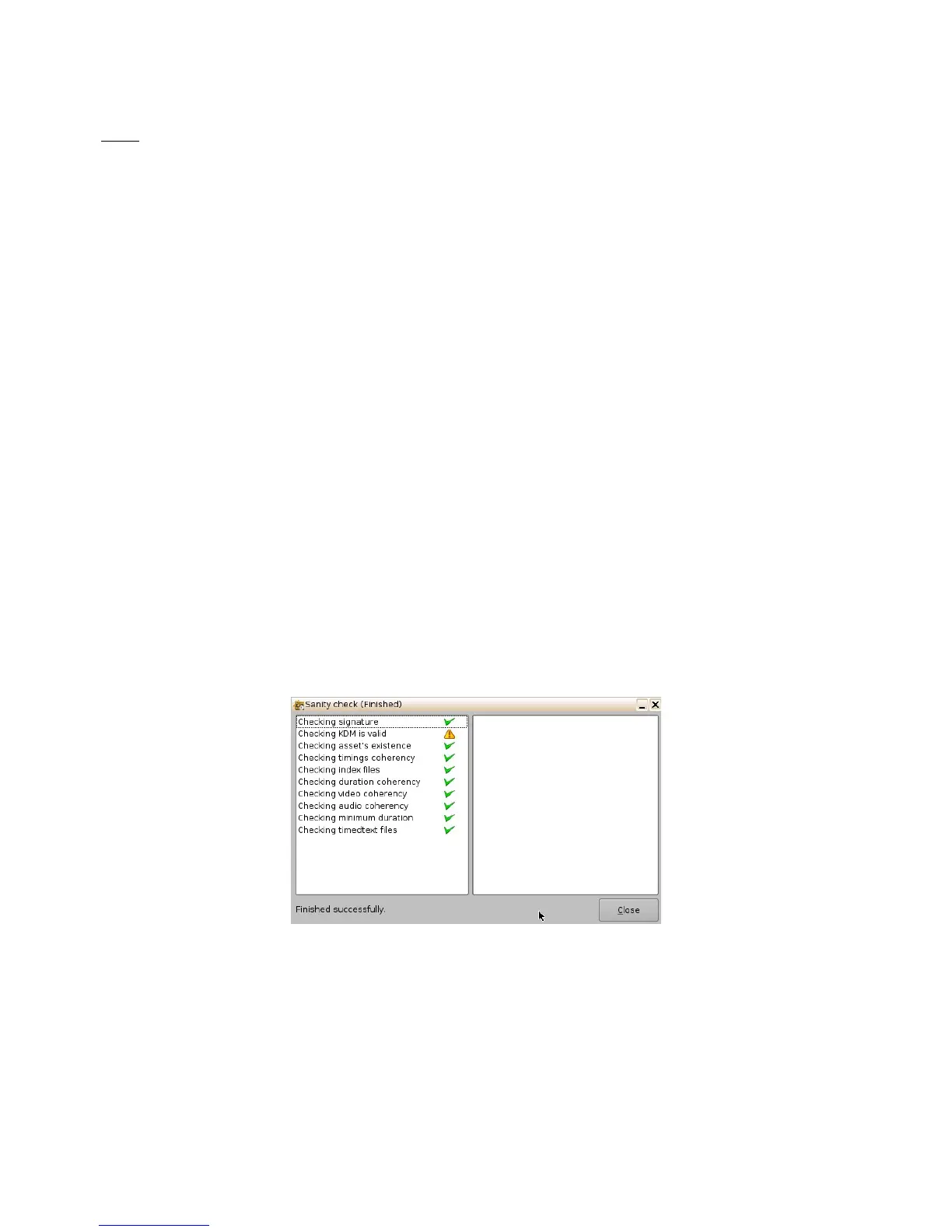
• Sanity Check: This function will check the sanity of the selected CPL.
• To perform a Sanity Check, select the desired CPL and click "Actions" button and
select "Sanity Check" item.
• The following window will appear, which will automatically run a test on each of the
following security aspects of the CPL.
• Checking signature:
• Checking KDM is valid:
• Checking asset’s existence:
• Checking timings coherency:
• Checking index files:
• Checking duration coherency:
• Checking video coherency:
• Checking audio coherency:
• Checking minimum duration:
• Checking timedtext files:
Figure 55: Sanity Check Window
• Once the test is complete, click the Close button (Figure 55).
• Export: This function will export the CPL to a desired location (e.g., a USB flash drive).
• To export a CPL, select the desired CPL, and click the "Actions" button. Select the
"Export" menu item.
• The "Export CPL" window will appear (Figure 56):
______________________________________________________________________________________
D2K.OM.001822.DRM Page 50 of 177 Version 1.5
Doremi Labs



 To Next Page