Instructions for Use Fabius MRI SW 3.n 135
Configuration
Calibrate O
2 Sensor
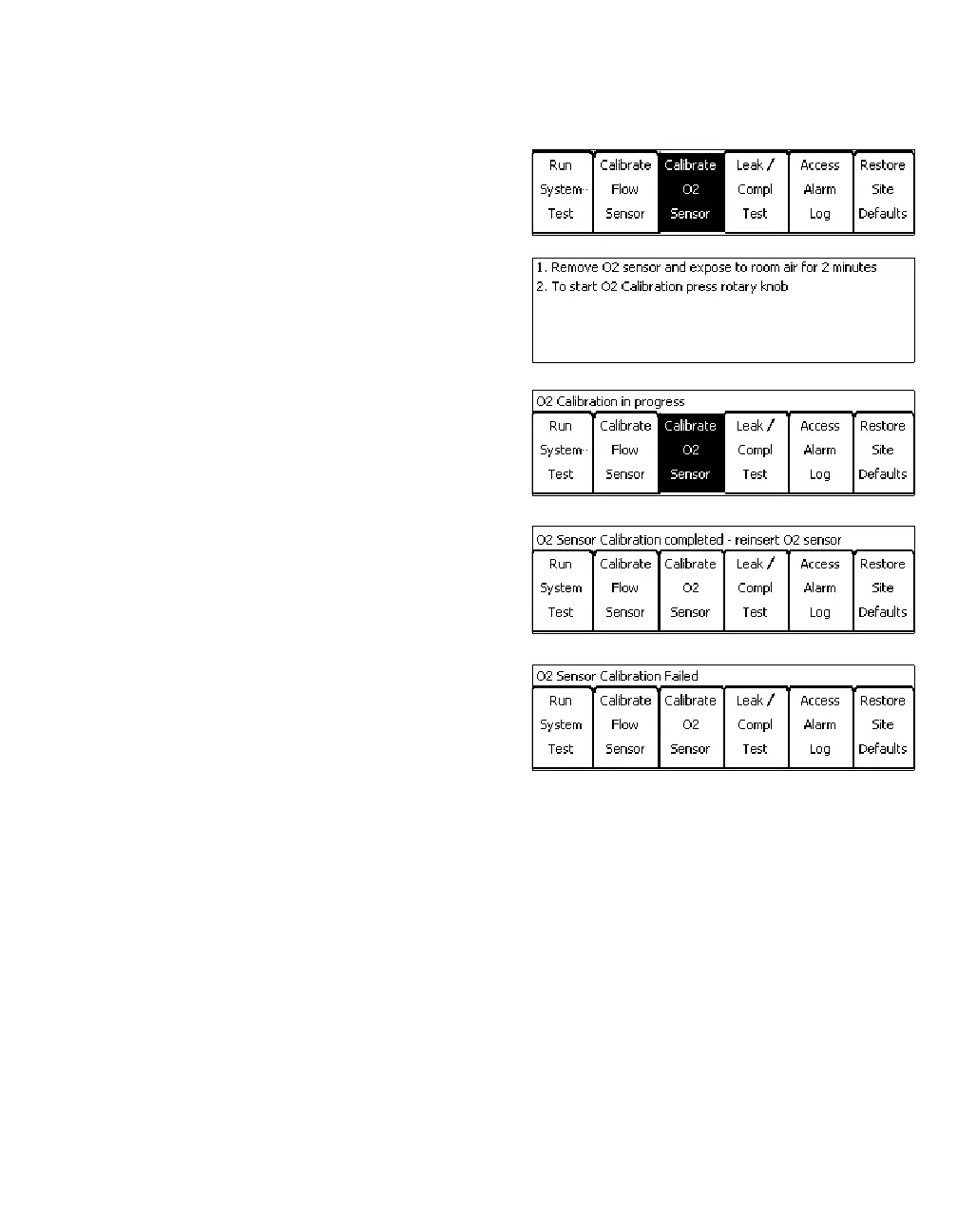
z Press the »Calibrate O2 Sensor« key on the
Standby screen. The Standby soft key window
is replaced by instructions for performing the
calibration.
z Follow the instructions on the screen:
– Remove O
2 sensor and expose to room air for
2 minutes.
– To start O
2 Calibration press rotary knob.
z When the calibration begins, the instructions
are removed, and a »O
2 Calibration in
progress« message is displayed above the
Standby soft keys.
z When the calibration is completed, one of two
messages is posted above the Standby soft
keys: »O2 Sensor Calibration completed -
reinsert O
2 sensor« or »O2 Sensor Calibra-
tion Failed«.
Troubleshooting O
2 Sensor Calibration Failure
If the O
2 sensor cannot be calibrated, replace the
O2 capsule in the O2 sensor housing (see
page 189).
If the O
2 sensor still cannot be calibrated, call
DrägerService or your local authorized service
organization.













 To Next Page