Instructions for Use Fabius MRI SW 3.n 43
Operation Concept
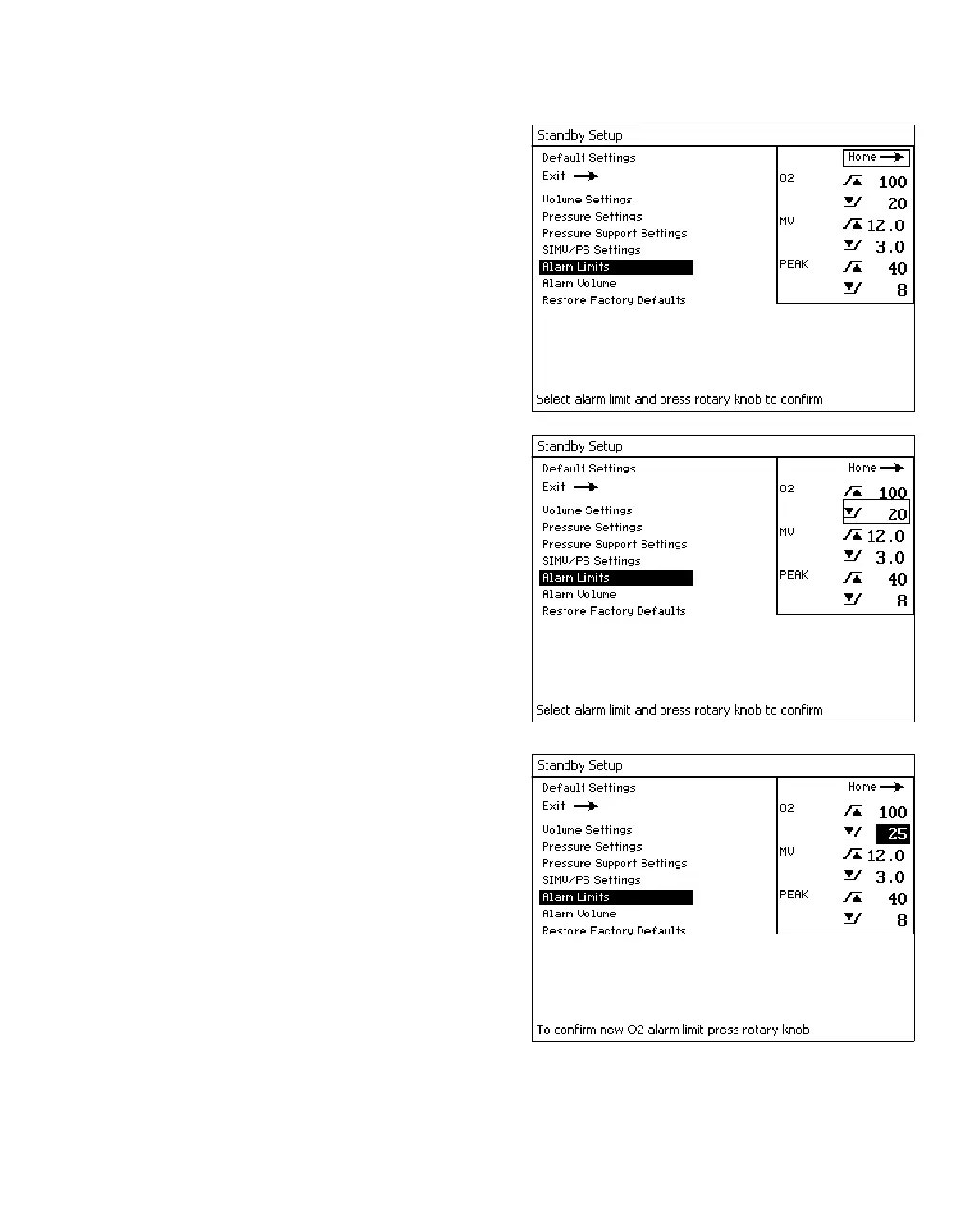
z Select and confirm the »Alarm Limits« label.
The Default Alarm Limits window appears.
z Select the alarm limit value that needs to
change.
z Confirm the alarm limit value and select a new
value. (For example in the illustration on the
right, the alarm limit was changed from 20 to
25.)
z Confirm the new value for the alarm limit. The
new alarm limit is saved and cursor moves to
the return arrow.













 To Next Page