EPSON EPL-N4000/EPL-N4000+ Chapter 4 Disassembly and Assembly
Rev.B 177
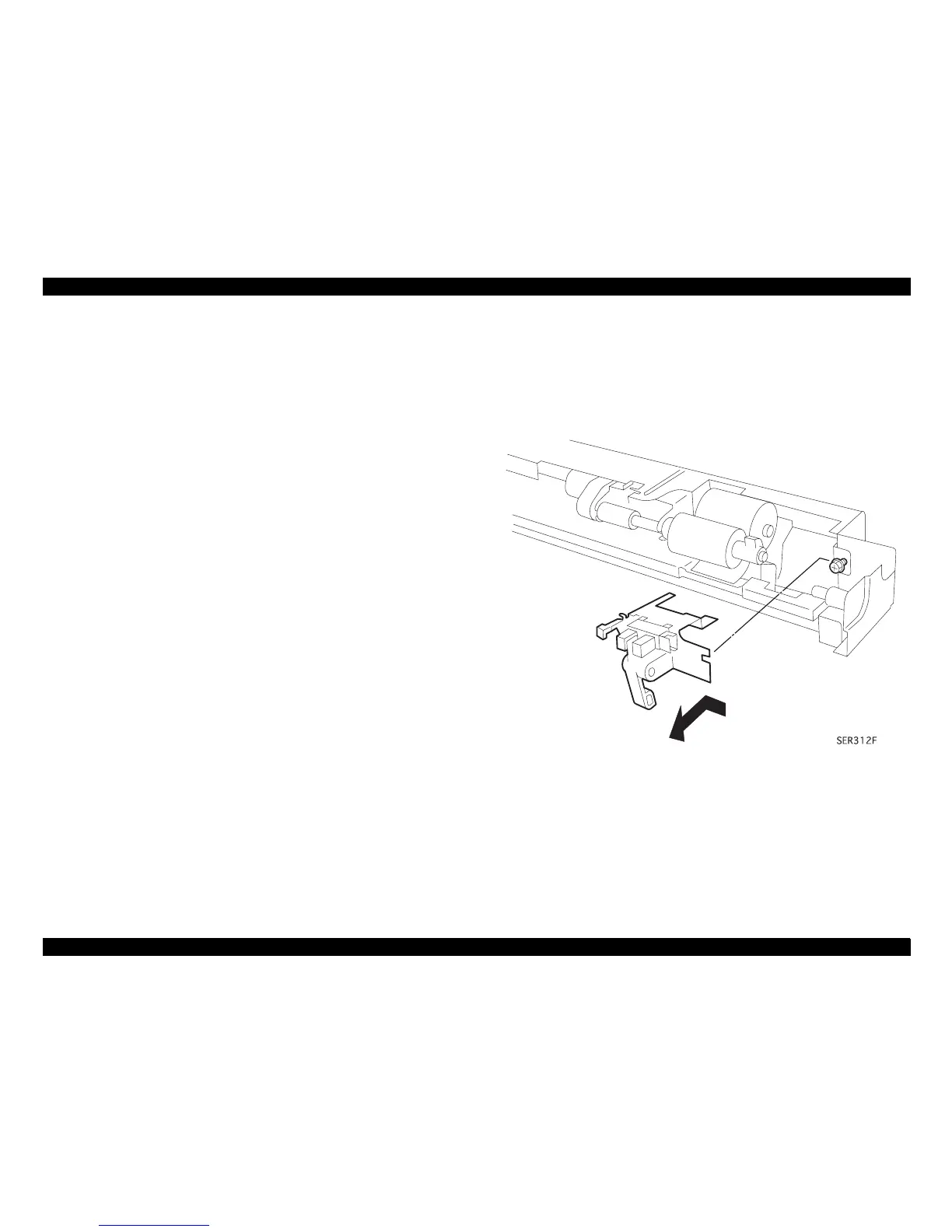
4.2.32 MSI No-Paper Sensor Assembly
(See “Upper Feeder Assembly” on pa
e -267)
4.2.32.1 Removal
1. Remove the MSI Feeder Assembly. (“MSI Feeder Assembly
(Manual Feeder)” on pa
e -164)
2. Remove the screw securin
the MSI No-Paper Sensor Bracket to
the Feeder Assembly, and lift the Sensor Bracket off of the Feeder.
3. Disconnect the P/J from the No-Paper Sensor.
4. Squeeze the Sensor latches and remove the Sensor from the
Bracket.
4.2.32.2 Installation
1. Position the Senor so the P/J connector faces the screw hole in the
Sensor Bracket.
2. Insert the Sensor latches into the two openin
in the Bracket. The
Sensor snaps into place.
3. Make sure the arm of the No Paper Actuator is between the two
arms of the Sensor.
4. Reconnect the P/J to the No-Paper Sensor.
5. Insert the Bracket pron
in the back of
the Feeder.
6. Slide the Bracket to the ri
ht so the screw hole in the Bracket lines
up with the screw hole in the Feeder.
7. Use one screw to secure the Bracket to the Feeder.
8. Manually actuate the No Paper Actuator to make sure it moves
freely between the arms of the Sensor.
9. Reinstall the MSI Feeder Assembly. (“MSI Feeder Assembly
(Manual Feeder)” on pa
e -164)
Figure 4-46. Removal of MSI No-Paper Sensor



 To Next Page