EPSON EPL-N4000/EPL-N4000+ Chapter 2 Operating Principles
Rev.B 85
2.7.1.3 Function of the MCU during printer control
Input from sensors
Sensors tell the MCU what is
on within the printer and what is
happenin
to the sheet of paper durin
a print cycle.
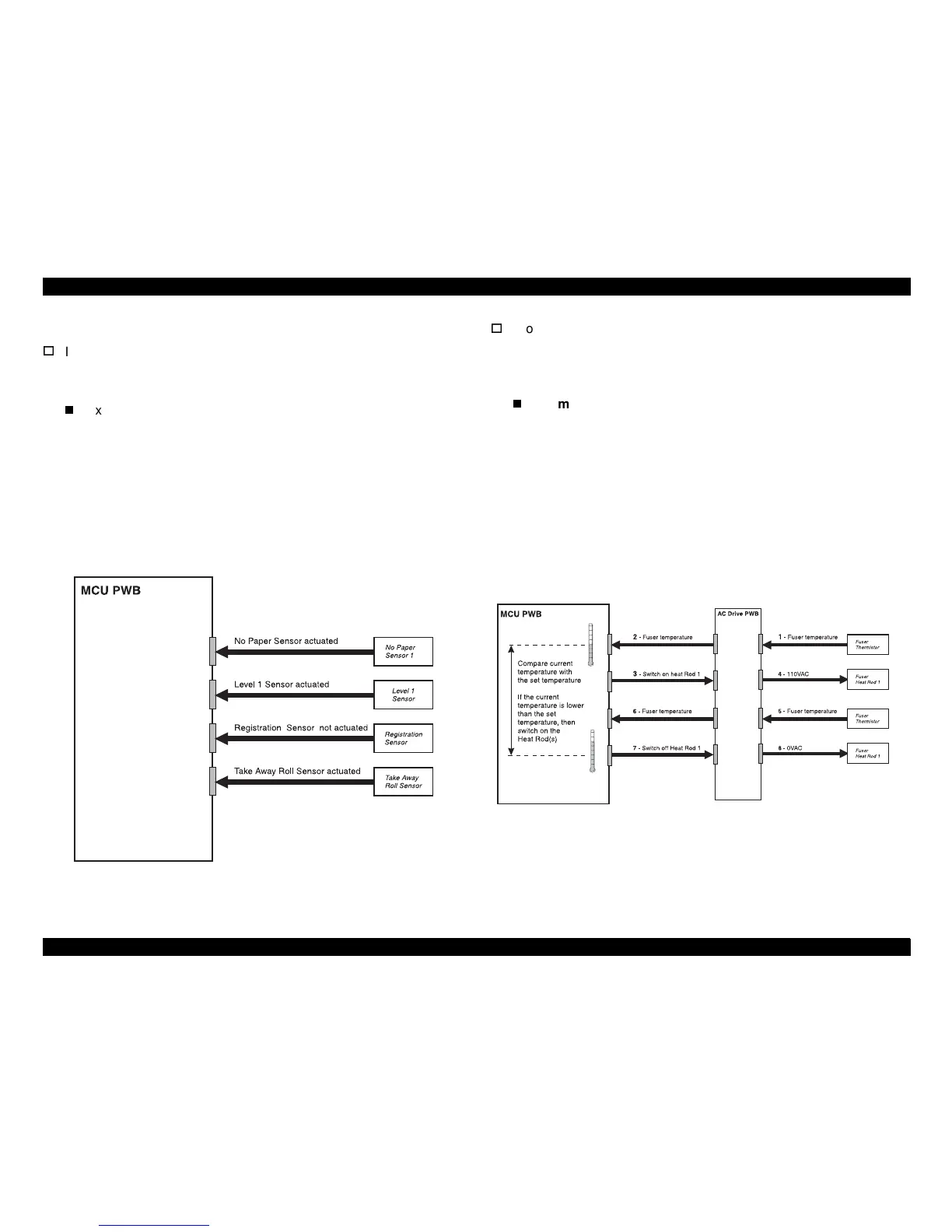
Example below:
Printer sensors send their status to the MCU PWB. The sensor
status si
nals tell the MCU whether they are actuated or not
actuated (on or off, hi
h or low). If measured with a voltmeter,
some sensor si
nals to the MCU would be +5VDC when on and
0VDC when off, while other sensors may be 0VDC when on and
+5VDC when off. This hi
h/low decision is determined when the
printer is desi
ned.
Figure 2-44. Input from Sensors
Processin
ic on the MCU compares the input information with the timin
and reference values that are stored in ROM and NVRAM on the
PWB.
Example below:
The Fuser Thermistor monitors the temperature of the Fuser
Heat Roll and sends the current temperature value to the AC
Drive PWB. The AC Drive PWB relays the temperature data to
the MCU PWB. The MCU compares the current temperature
with the set (or expected) temperature that is stored in NVRAM
on the MCU PWB. If the current temperature is lower than the
set temperature, the MCU sends a si
nal to the AC Drive PWB
to switch on the Fuser Heat Rod until the current temperature
reaches the set temperature.
Figure 2-45. Processing Input Information
sr1311x
sr1312



 To Next Page