System Basics 123
[Encoder Paging Keys] & [#] will take you directly to a page. [Flexi] & [Encoder Paging Keys]
will toggle the flexi encoder states.
To post a parameter category to the command line, use the parameter category buttons.
To post beam to the command line, double press the shutter, image, or form parameter
category buttons.
Some fixtures have more parameters than can be displayed on one encoder page. The number
of. pages for each category is displayed at the top of the encoder touchscreen. To view the
other pages, simply press the encoder paging button to advance the pages or hold the button
and press a number key to go directly to the page you want to access.
Encoder Controls Display
The encodercontrols display is available on Gio, Gio @ 5, and Ion Xe consoles. Press the
[Encoder Display] hardkey to open the encoder controls display.
Directly under the middle two encoders are six hardkeys that are for encoder control. From left
to right, these encoder paging keys control intensity, focus, color, shutter, image, and form.
Pressing any of these will change the parameters controlled by the encoders.
To view other available encoder pages, simply press the encoder paging keys to advance the
pages.
[Encoder Paging Keys] & [#] will take you directly to a page. [Flexi] & [Encoder Paging Keys]
will toggle the flexi encoder states. See
Flexi Encoders (on page125)
for more information.
To post a parameter category to the command line, use the parameter category buttons
located in the CIA.
Note:
To post beam to the command line, double press the shutter, image, or form
parameter category buttons.
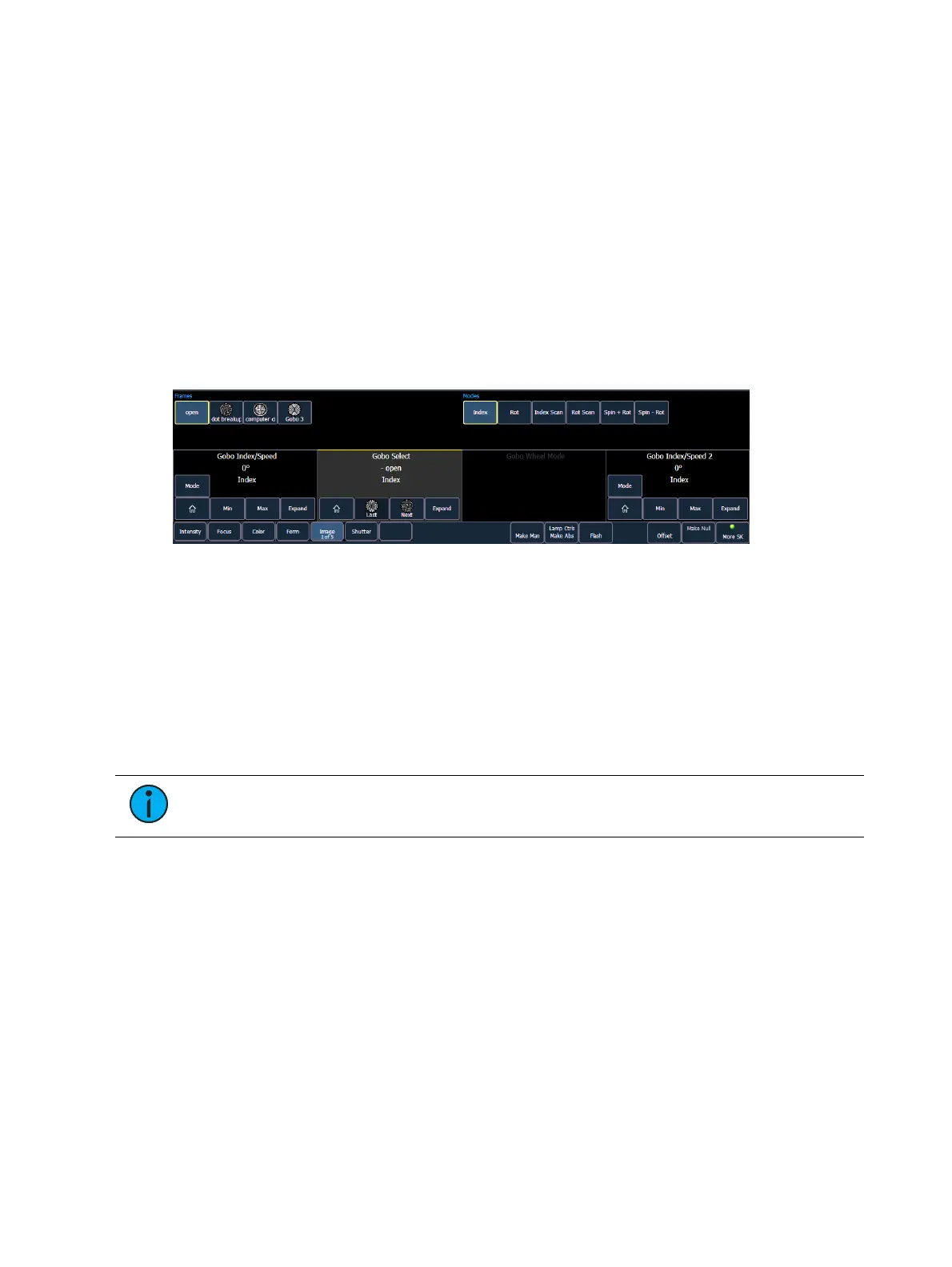
Each encoder’s area will display the name of the parameter it controls, display stepped limits
(if any) and also a {Home} button which allows you to set that parameter to its default
position.
The encoder controls display allows you to cycle through parameter steps (if available). You
can also home any parameter. Some buttons that may be available are:
Min
Max
Next
Last
Mode
Expand
XYZFormat Enable / Disable



 To Next Page