198 Eos Apex, Eos Ti, Gio, Gio @5, Ion Xe, Ion Xe 20, and Element 2 User Manual
Beam FX
Index/Speed
Effect Library MSpeed Shutter
Camera IR
Image
Enable Negative Shutter Strobe
Clip Directory File
Object
Directory
Strobe
Mechanism
Color Effect File Type Object File Sync Source
Color Index
Front/Rear
Projection
Output
Command
Text
Color Mix Generator Page Texture
Control
Generic
Control
Position Blink Timeline
Copy Mod
Image
Movement
Speed
Projector Input
Timeline
Position
Cue
Internal Media
Frame
Relay
Tracking
Object
Dimmer Curve Library Select
Transition
Speed
Edge Blend
Profile
Macro Shape Transition Time
Effect File Mode Shape Library Transition Type
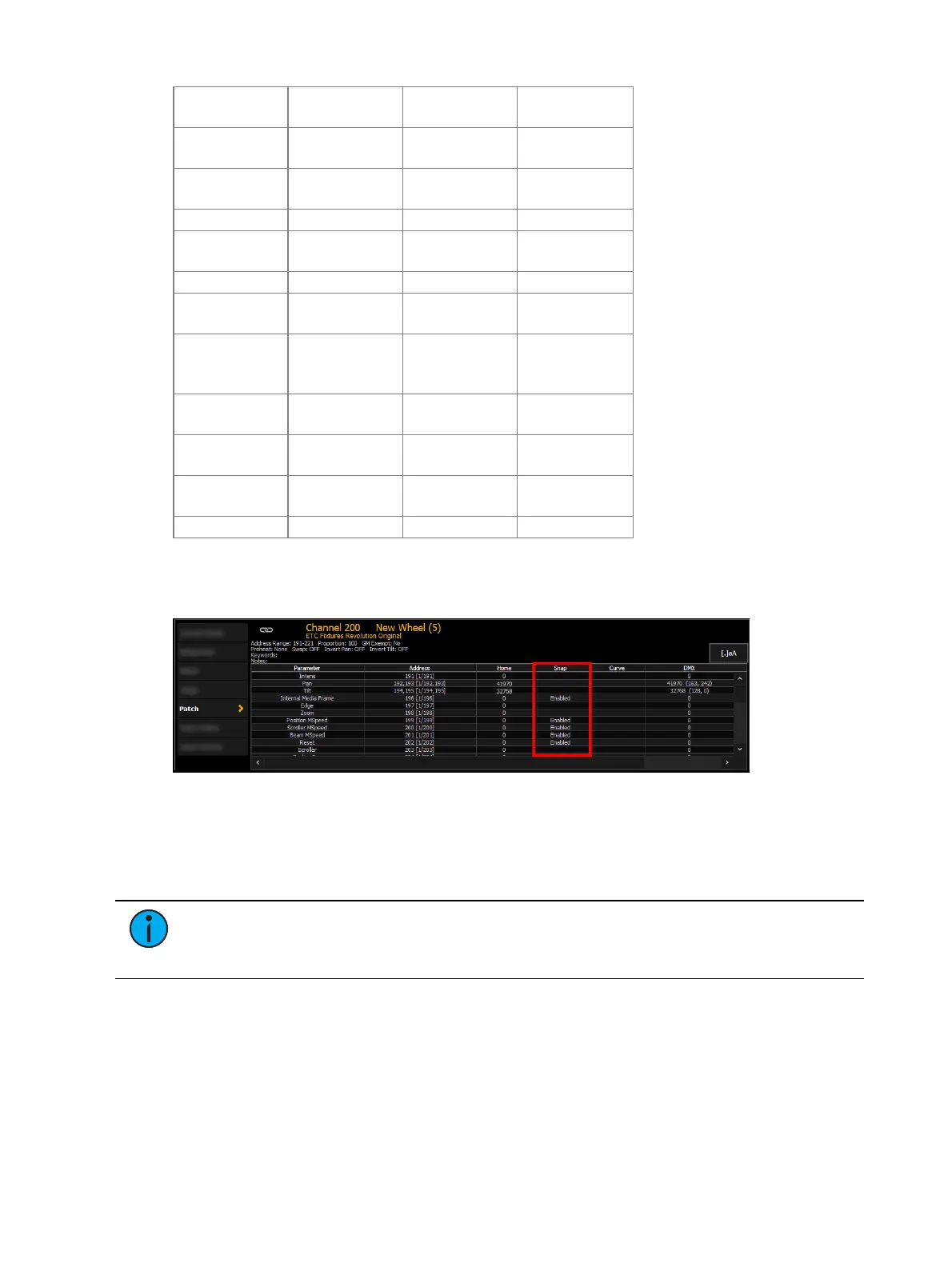
In the [About] channel patch screen, the snap column shows which parameters for that
channel are currently set to snap. These parameters can be edited for any profile using the
Fixture Editor. See
Fixture Editor (on page187)
Save Fixture
Unsaved fixture profiles will have a red background in the fixture editor.
Press {Save Fixture} to store the new profile, or {Cancel Edit} to exit out and not save your
changes.
Note:
If you leave the patch display without saving or using {Cancel Edit}, an
advisory will display above the command line letting you know that you have unsaved
data.



 To Next Page