Show Control 605
Options
The following options are available:
{Channel}
This should match the MIDI Channel for the note command (1-16, 0-F). If set to Any, the
console will respond when any MIDI channel is sent a note command.
{Controller Number}
The controller number is any value between 0-127 (00-7F). Many devices will display this as 1-
128 – if this is the case for your other device, subtract one from the desired controller number.
{Data}
The data parameter is any value between 0-127 (00-7F). Many devices will display this as 1-
128 – if this is the case for your other device, subtract one from the desired data byte.
System Events (MIDI Show Control)
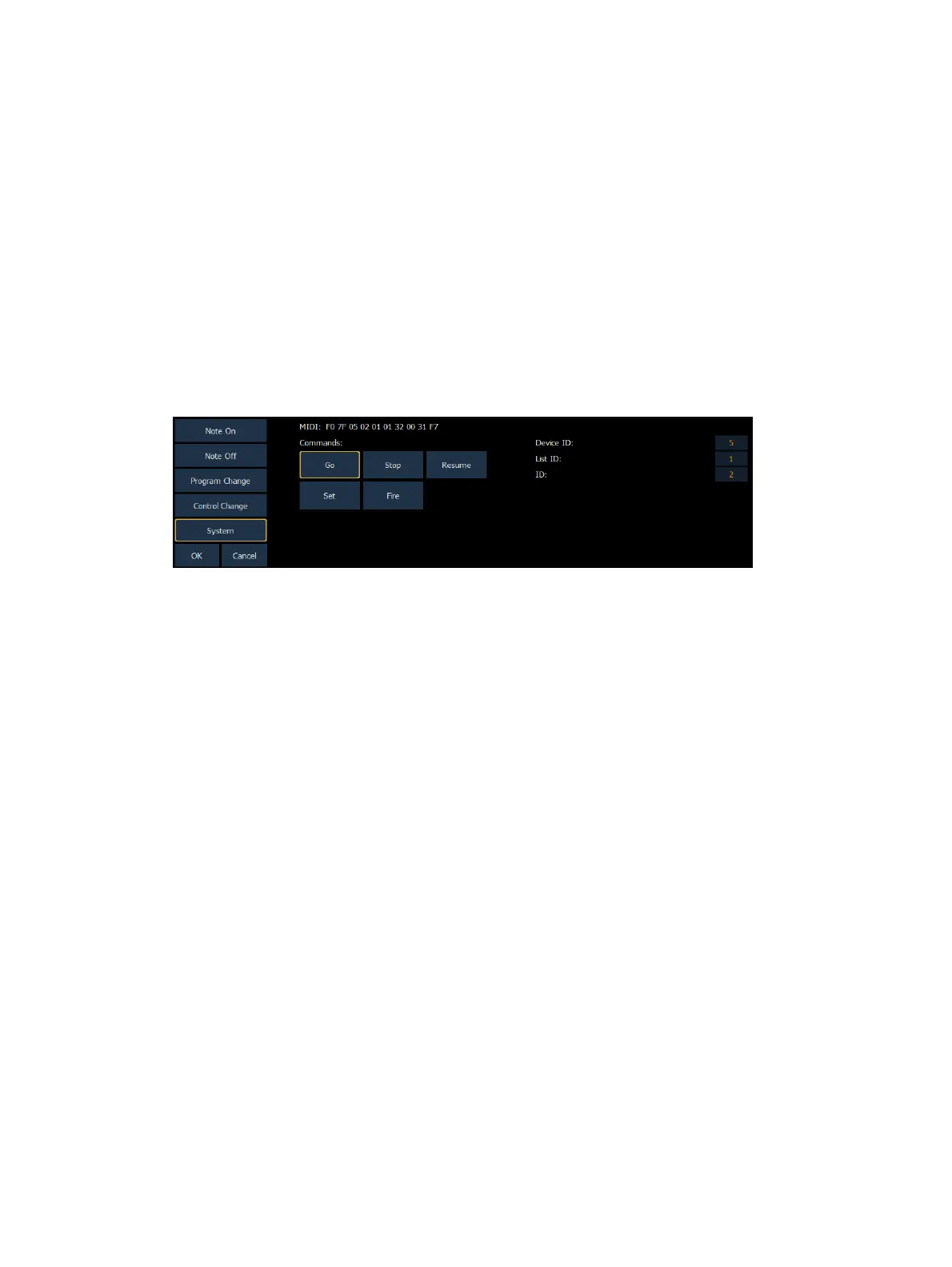
System commands allow you to specify specific MIDI Show Control messages that can be
received and interpreted by the console. While any MIDI Show Control command that matches
the configured Device ID will be executed normally, this type of event setup allows you to
respond to messages sent to different device IDs, or take additional actions based on a show
control command.
The MIDI data that is expected to be received is shown in the CIA and changes as you select
event parameters. When finished configuring the system event, press {OK} to store the event.
Otherwise, press {Cancel} to undo the changes.
Message Structure
see
Hexadecimal and MIDI Show Control Formatting
for more information on the show control
message structures.
Options
The following options are available:
{Commands}
Go, Stop, Resume - represents triggering a cue, stopping a cue, and resuming a cue,
respectively. The following fields are available:
Device ID - the MIDI Show Control device ID that should respond to the message
List ID - the cue list
ID - the cue number
Set - represents controlling a fader. The following fader targets are available:
Subs
Grandmaster
Master Fader Up - the level of the Up fader on the master playback pair
Master Fader Down - the level of the Down fader on the master playback pair



 To Next Page