Issue 4.5 August 2005 Nodes 5-11
Configuring Users for Portable ACE Nodes
햲
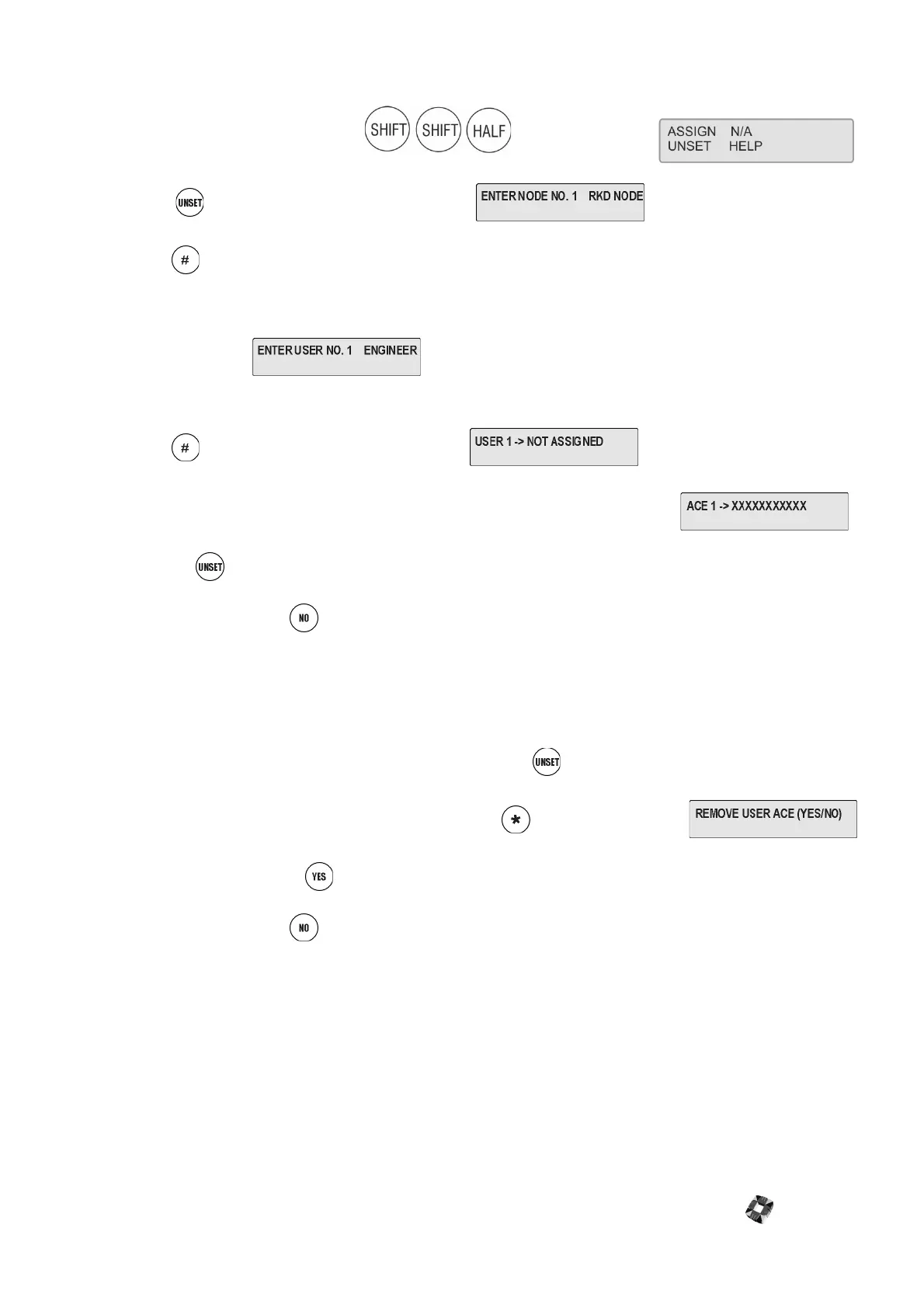
Enter your user code, 001010, plus . The display shows
햳
Press to select Assign. The display shows
햴
Press to select the node.
햵
Enter the number of the RKD node on which the Portable ACE unit is mounted, or use the UNSET key to
increment the number of the node. This should be the number of the RKD node you are currently programming.
The display shows
햶
Enter the number of the user you want to program for this Portable ACE unit.
햷
Press to select the user. The display shows
햸
Present the Proximity Card allocated to this user to the keypad. The display shows
햹
Press the key to increment to the next user, present the proximity card for this user and repeat the process.
햺
To exit the menu, press .
Removing Portable ACE Users
햲
Enter the programming menu.
햳
Enter the number of the user you wish to remove, or use the key to increment to the correct number.
햴
When you have displayed the user to be removed, press . The display shows
햵
To remove this user, press .
햶
To exit the menu, press .



 To Next Page