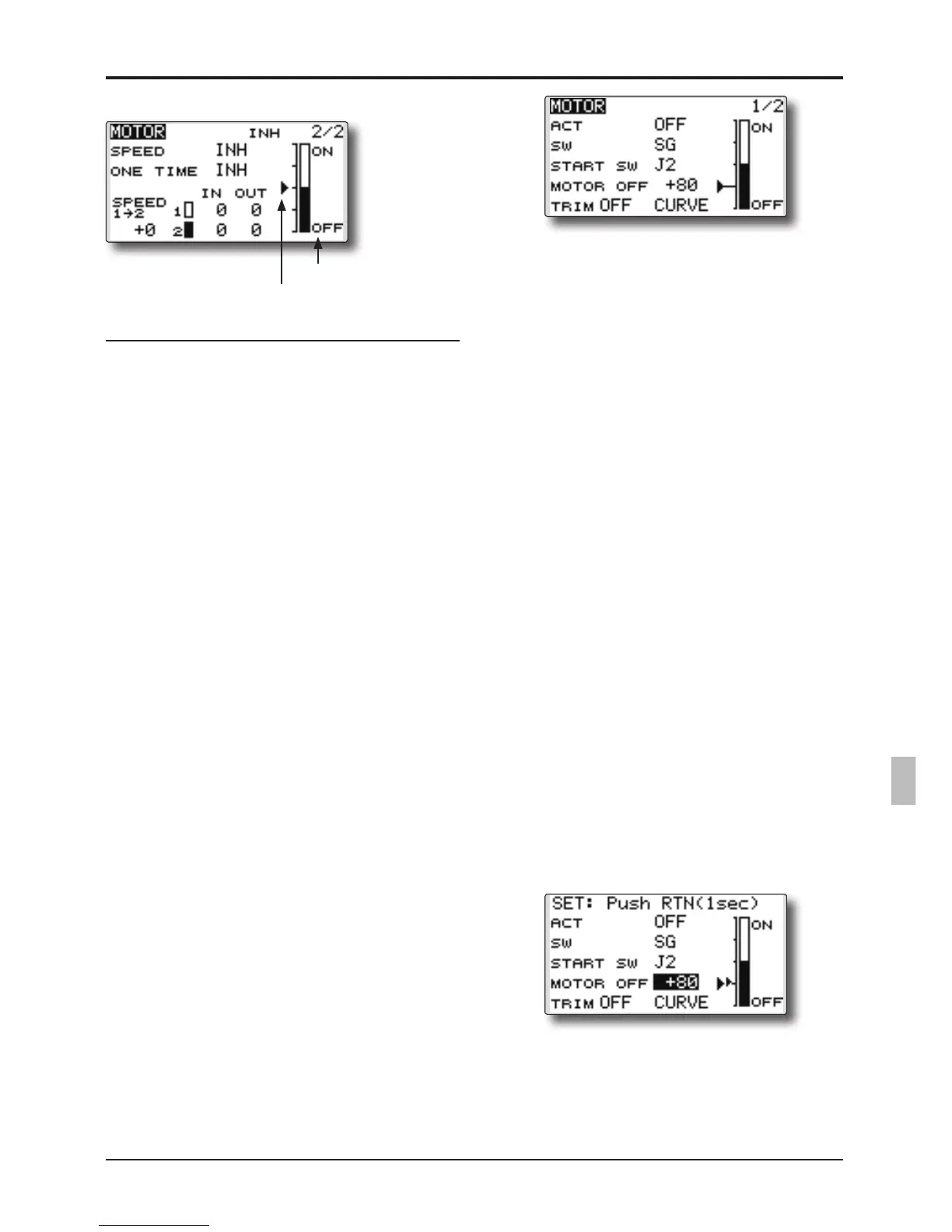
Setting method
● Activate the motor speed function
When using motor speed function, move the
cursortothe[INH]itemandpushtheRTN
button to switch to the data input mode.
Selectthe[ACT]byscrollingthePushdial
and push the RTN button.
● Sifting the boundary between the 2 ranges
Movethecursortothe[SPEED1>2]itemand
push the RTN button to switch to the data
input mode.
Adjusttheboundarypositionbyscrollingthe
Pushdial.
Initialvalue:0%
Adjustmentrange:-100~+100%
*When the RTN button is pushed for one second, the rate is
reset to the initial value.)
PushtheRTNbuttontoreturntothecursor
mode.
● Operation speed adjustment
Movethecursortothe[IN](ontooff)or[OUT]
(offtoon)itemandpushtheRTNbuttonto
switch to the data input mode.
Adjusttheoperationspeedyouwanttoset
byscrollingthePushdial.
Initialvalue:0
Adjustmentrange:0~27
*When the RTN button is pushed for one second, the rate is
reset to the initial value.)
PushtheRTNbuttontoreturntothecursor
mode.
● Set/Reset the one time operation
Movethecursortothe[ONETIME]itemand
push the RTN button to switch to the data
input mode.
Selectthe[ACT]byscrollingthePushdial
andpushtheRTNbuttontosettheONETIME
operation.
* When you want to reset ONE TIME operation, set the ACT/
INH item to [INH] and then reset it to [ON].
●Motorfunctionswitch
current position
●Start switch function
Whenactive,the"STARTSW"allowsthe
motor'sstatetochangefromOFFtoON.The
motorisONwhenthemainSWand"START
SW"areturnedONsimultaneously.Themotor
changestoOFFonlywhenthemainSWis
turnedoff.If"STARTSW"isturnedOFFbutthe
mainSWisstillON,themotorremainsON.
[START SW function example]
When the throttle (motor) stick is assigned as the "START SW",
and the low throttle position of the throttle curve is adjusted, the
motor starts operating with the initial stick movement. The motor
will not cease functionality even if the stick position is returned to
its lowest setting.
●Trim effect / invalid setting in motor OFF
Ifoneofthetrimleversisassignedtothe
Motor function, it is possible to turn the
motor off with the trim lever. To maintain
compatibility after updating the T12K, the
trim setting is adjusted to the on position.
However,itissuggestedtoreturnittotheoff
position accordingly in the programming of
the transmitter.
*Data Reset will return the trim setting to the off position.
●Screen at the time of the motor OFF setting
WhentheMOTOROFFsettingishighlighted,
you will note the presence of the small cursor
thatindicatestheMOTOROFFposition.To
adjustthisMOTOROFFposition,usethe
throttle stick to move the cursor accordingly.
When satisfied with this position, push and
hold the RTN button on the transmitter.
*The larger cursor is used to indicate the output of the motor
channel. This cursor reects any throttle curves and motor
mixing which may be active.
●Throttle curve button
When"CURVE"buttonischosen,athrottle
curve screen opens.
*When a throttle function is assigned to either channel, the
"CURVE" button is not displayed because a throttle curve
does not function as a motor curve.
●ON/OFFdirection



 To Next Page