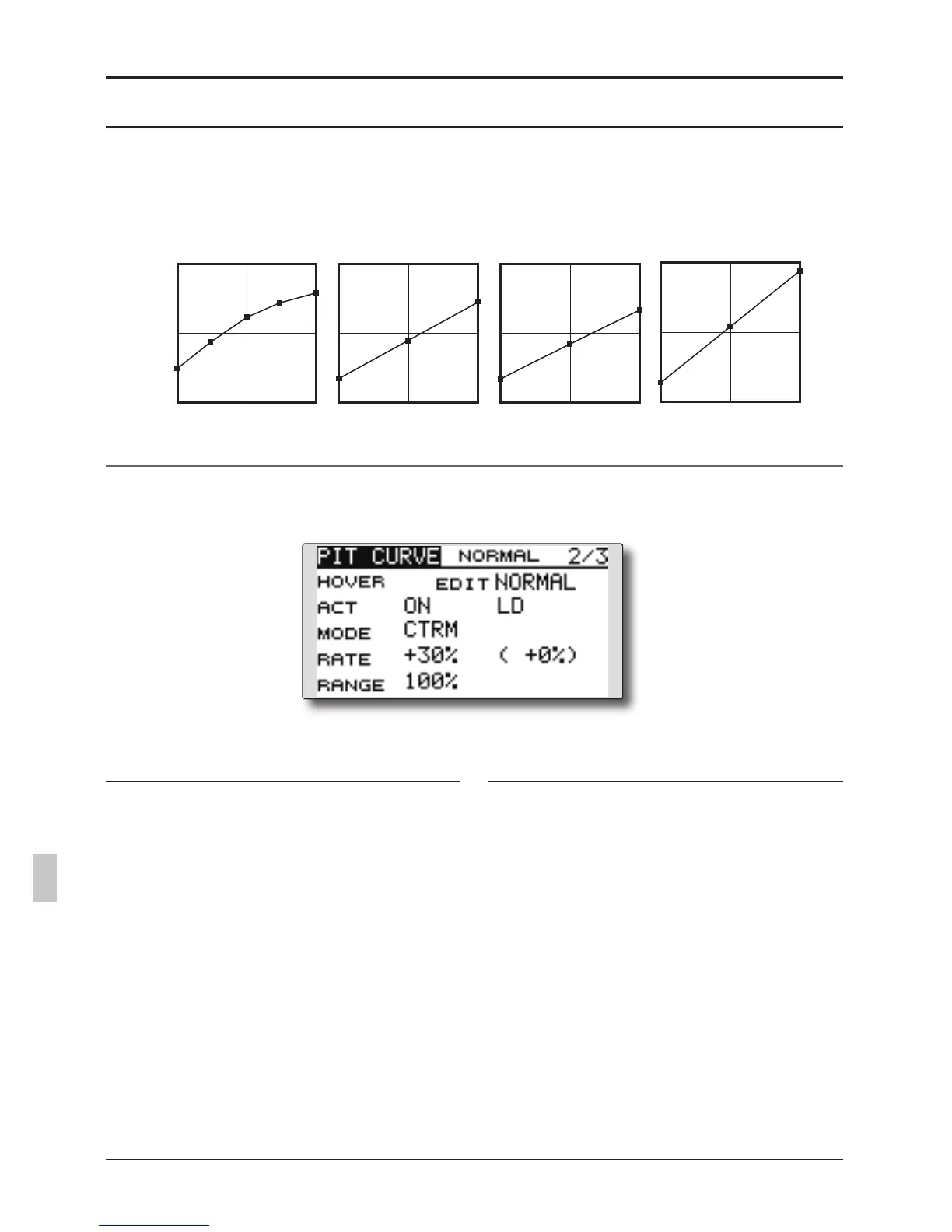
Normal Curve Idle-up 1 Curve Idle-up 2 Curve Hold Curve
●Pitch Curve (Example)
The screens shown below are curves created by
entering the pitch rate at low, center, and high side (3
points or 5 points) at each condition.
When creating a curve, input the rate specified
by the model (or the reference value).
Curve setting examples
Pitch Trim (Hovering pitch, high pitch, low pitch)
[Hoveringpitchtrimsetting]
Hovering pitch trim
The Hovering Pitch trim function trims the
pitch near the hovering point. Normally, it is
used with the hovering condition. The hovering
pitch can be ne tuned, for changes in rotor speed
accompanying changes in temperature, humidity,
and other flight conditions. Adjust the hovering
pitch so that rotor speed is constant. This function
can be used together with the Hovering Throttle
Trim function for more precise operation.
Setting method
●SetthefunctiontoACT[ON].(initialsetting)
●Selecttheadjustmentknob.
Selectionexample:LD(initialsetting)
●Thetrimoperationmode(Mode:CTRM/
NORM)canbeselected.
CTRM mode:Maximumamountofchange
nearcenterbycentertrimoperation
(recommended)
NORM mode:Normaltrim(parallel
movementtrim)operation.Theadvantage
ofusingthismodeisthatthehoveringpitch
canbeadjustedwithoutchangingthe
curve.
●Thetrimratecanbeadjustedandthe
operationdirectioncanbechanged.
●Trimadjustmentrange(Range)setting
Whenthisvalueismadesmall,trimcanonly
beusednearthecenter.



 To Next Page