[Inserting the card]
Turn the micro SD card so that its front
faces the rear of the transmitter and slide
the card into the slot.
*Push the card in just until it is rmly seated in the slot.
[Removing the card]
To remove the card, press once to release
the spring, then slide out the card.
3. Close the battery cover.
micro SD card initialization
To use a micro SD card with the T12K, the
card must rst be formatted. Once formatted, the
card does not have to be reformatted. Formatting
is performed by the T12K.
[IMPORTANT] When a micro SD card is
formatted for the T12K, all pre-existing
data is destroyed. Do not format a card
containing important data.
[Formatting procedure]
1. Insert the micro SD card into the micro SD
card slot of the T12K.
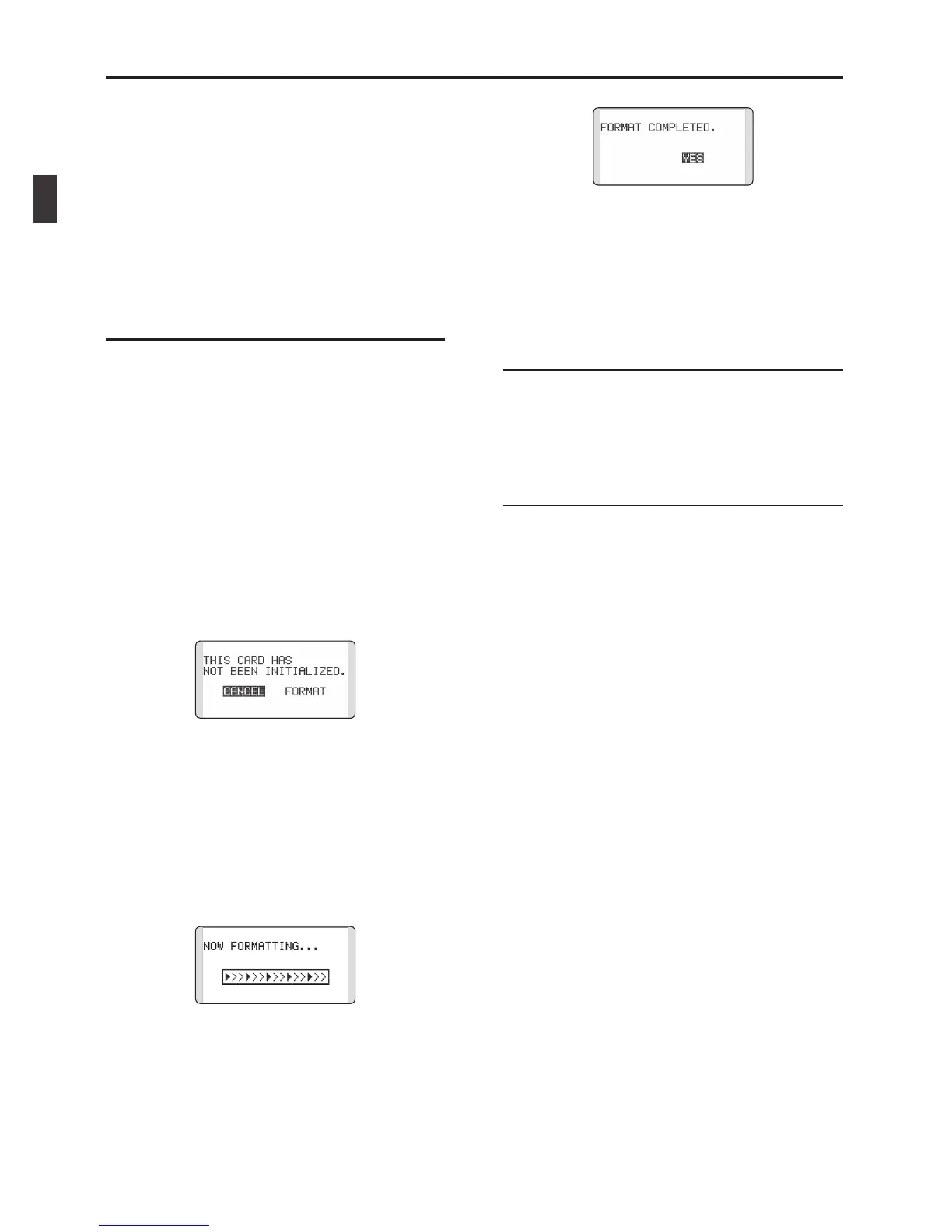
2. Turn on the T12K power. When an
unformatted card is inserted into the T12K,
the screen shown below appears.
3. If the T12K is ready to format, move the
cursor to [FORMAT] and touch the RTN
button. (To cancel formatting, move the
cursor to [CANCEL] and touch the RTN
button.)
4. Move the cursor to [YES] and touch the RTN
button.
* Formatting starts. During formatting, the [NOW
FORMATTING...] message is displayed.
*When formatting is completed, The [FORMAT
COMPLETED] message is displayed. Depending on the
card capacity and speed, formatting may take as long as
several minutes.
[IMPORTANT] Do not turn off the power until
the [FORMAT COMPLETED] message is
displayed.
5. End formatting by touching the RTN button.
micro SD card reader/writer
You can transfer model data and Futaba update
files from your PC to the T12K using a micro
SD card. SD card reading/writing equipment is
available at most electronics stores.
Stored data
If you have a problem saving or reading data
after a long period of use, we suggest obtaining a
new micro SD card to avoid further difculties.
*Futaba is not responsible for compensating any failure or
damage to the data stored in the memory card. As such,
we suggest that you maintain a backup of your important
data contained on your micro SD card.



 To Next Page