FC2250-UM-251-9370 7-63
7. DISASSEMBLY AND ADJUSTMENT
7.6 X Slider
7.6 .1 Front X Slider
How to detach the front X slider
(1) Detach the pen block from the Y bar (See the section 7.3.1).
(2) Detach the Y bar (See the section 7.5.1).
(3) Detach the front X belt (See the section 7.2.4).
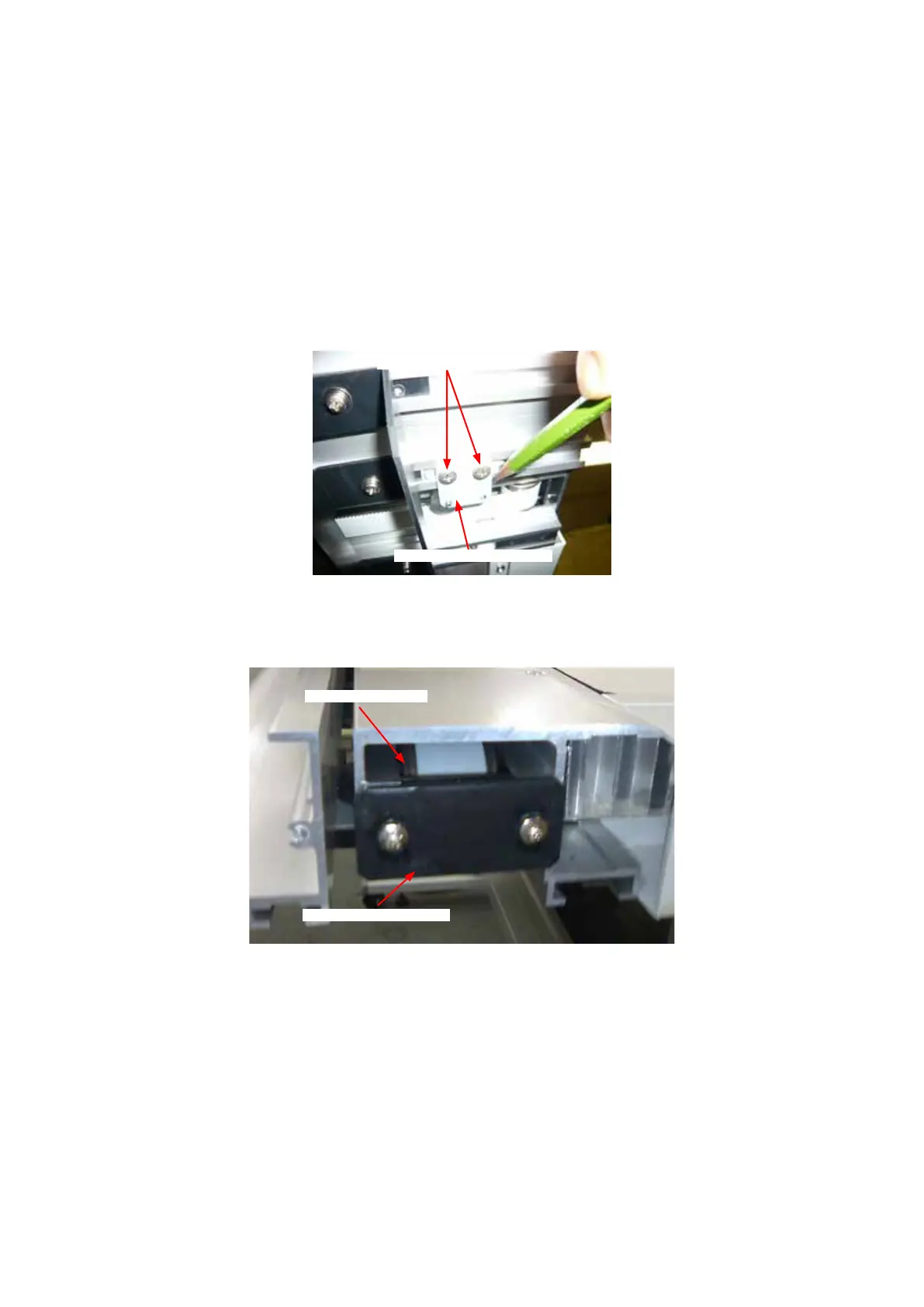
(4) Mark the position for the X slider stopper bracket by using pencil before removing those parts as shown
in the picture below. (Position to those marks when this parts will be reinstalled.)
X front slider stopper bracket
M4L6 binding head screw
(5) Remove the two M4L6 binding head screws holding the front X slider stopper bracket, and then detach
it.
(6) Detach the X front belt tension bracket and the idler pulley from the front X rail.
X front belt tension bracket
X front belt idler pulley
(7) Slide out the front X slider from the front X rail.
How to reinstall the front X slider
(1) Reattach the front X slider in the reverse order in which it was detached.
(2) Adjust the front X slider roller tension (See the section 7.6.2).
(3) Adjust the front X belt tension (See the section 7.2.7).










 To Next Page