FC2250-UM-251-9730 3-4
3. OPER ATIONS
3.2 Adjusting the Blade Length
Be sure to correctly adjust the blade length. If the blade length is too long for the thickness of the medium
being used, you may damage the writing panel and the blade.
Adjusting the Blade Length
(1) The blade length is adjusted by turning the blade adjustment knob (blue, red or green).
• To extend the blade, turn the knob in the A direction.
• To retract the blade, turn the knob in the B direction.
Use the scale on the plunger cap to determine how far to move the blade.
• When the knob is turned the distance of one scale unit, the blade moves 0.1 mm.
• When it is given one full turn, the blade moves 0.5 mm.
(2) Align the blade tip with the tip of the cutter pen, and then extend the blade tip to suit the thickness of the
medium being used.
Obtaining the Correct Blade Length
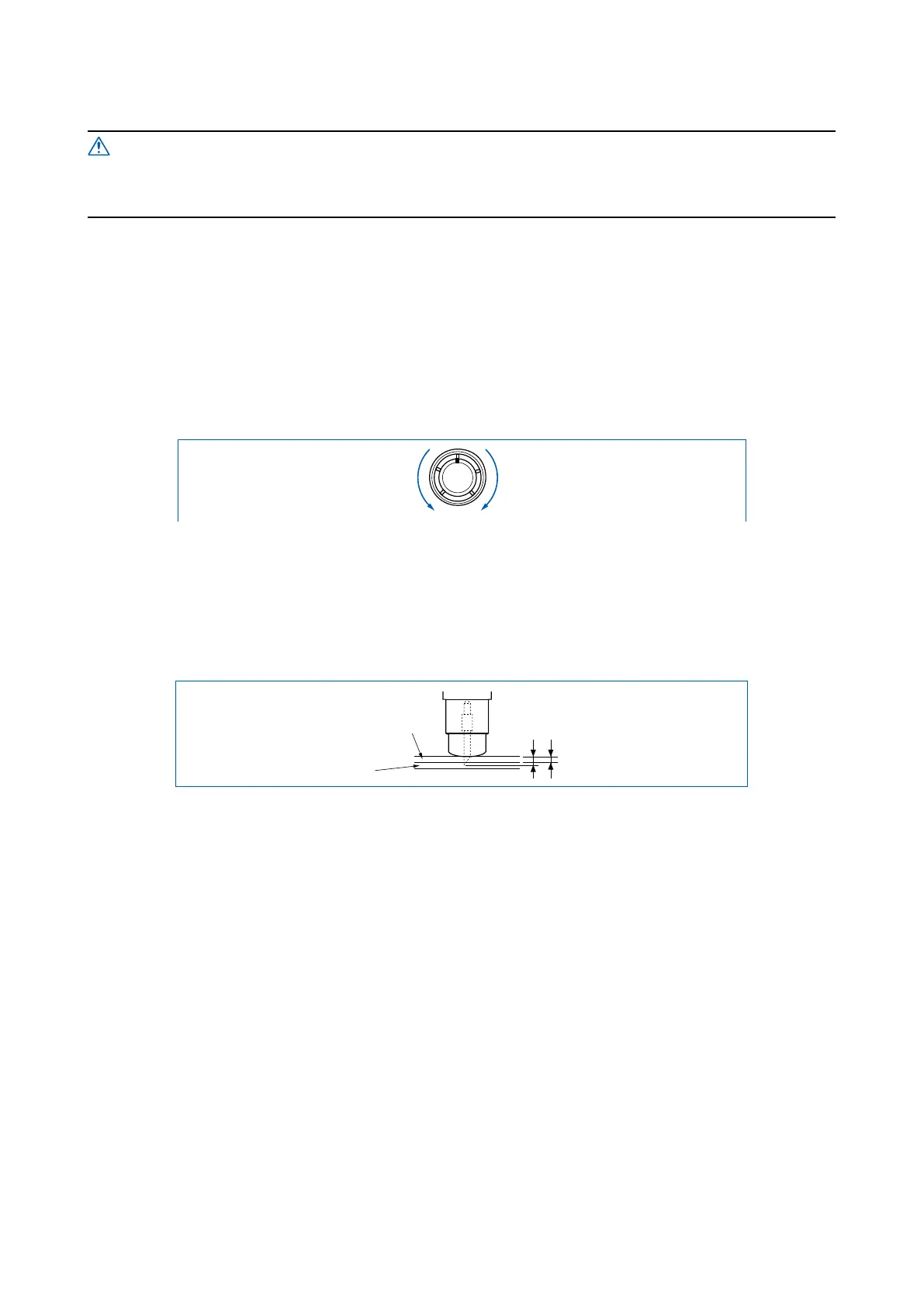
(1) Assuming that the lm thickness is “t”, the blade length should be equal to “l”. Make sure that “l” is never
greater than the combined thickness of the lm and its backing sheet.
tl
Film
Backing sheet
If the lm thickness cannot be accurately determined, adjust the blade length by gradually increasing it
until only traces of the blade appear on the backing sheet when a cutting test is executed.










 To Next Page