FC2250-UM-251-9370 2-2
2. Description of Parts
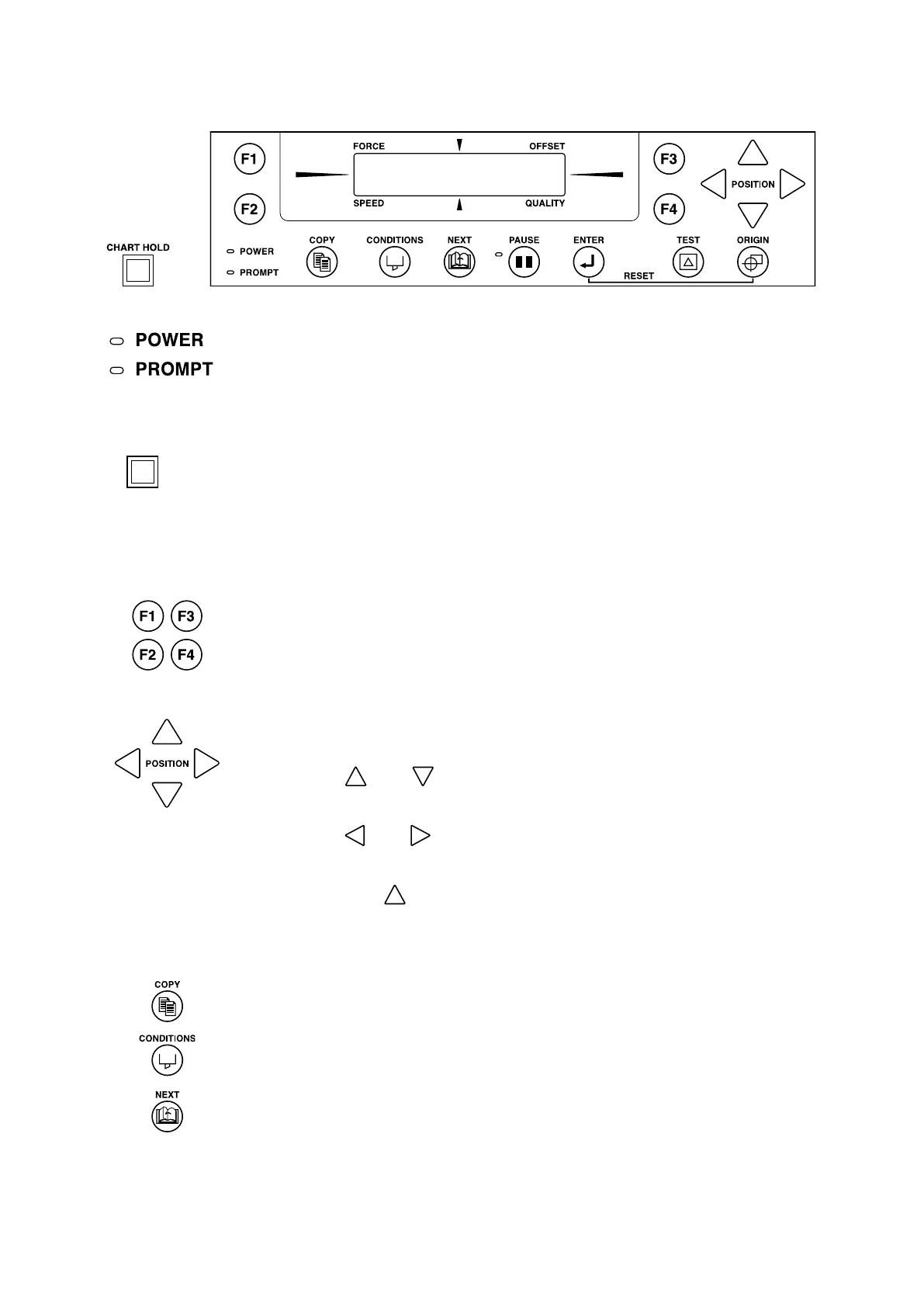
2.2 Control Panel
Indicator Lamps
......................The POWER lamp remains lit (green) while the plotter is on.
....................The PROMPT lamp lights (red) when the plotter receives data that will cause
the pen carriage to move outside the effective cutting area or receives the
“Prompt Light” command (T) from the computer.
CHART HOLD
(ES [electrostatic adhesion] models only)
.............................................Press the [CHART HOLD] key to enable the electrostatic adhesion function
(the key’s lamp lights). Press it again to cancel the electrostatic adhesion
function (the lamp goes off).
Panel Keys
..................... Depending on the menu being displayed, these keys are used to:
• Load a group of cutting conditions retained in the plotter’s memory;
• Shift the cursor when setting a numeric value for a function;
• Select the desired submenu.
................. • All four keys are used to move the pen carriage when setting a function that
requires the specication of a coordinate position.
• The [
] and [ ] keys are used to raise or lower the displayed numeric
setting of a function.
• The [
] and [ ] keys are used to select the pen type when setting a group
of cutting conditions.
• Press the [
] key and the [ENTER] key concurrently to move the pen
carriage to the upper right position and facilitate loading of the cutting
medium.
......................... Used to repeat the cutting operation dened by the data in the plotter’s receive
buffer.
....................... Used to set the eight groups of cutting conditions retained in the plotter’s
internal memory or to select one group as the current cutting conditions.
......................... Used to select the desired menu screen for setting a function at the control
panel when the plotter is in PAUSE mode.










 To Next Page