FC2250-UM-251-9370 8-12
8. ELECTRICAL ADJUSTMENTS
8.7 Clearing the Non-Volatile RAM
NOTE: Be sure to clear the non-volatile RAM after replacing the main board or before starting any
electrical adjustment. Print out the condition list before performing this procedure to keep the
previous condition of plotter.
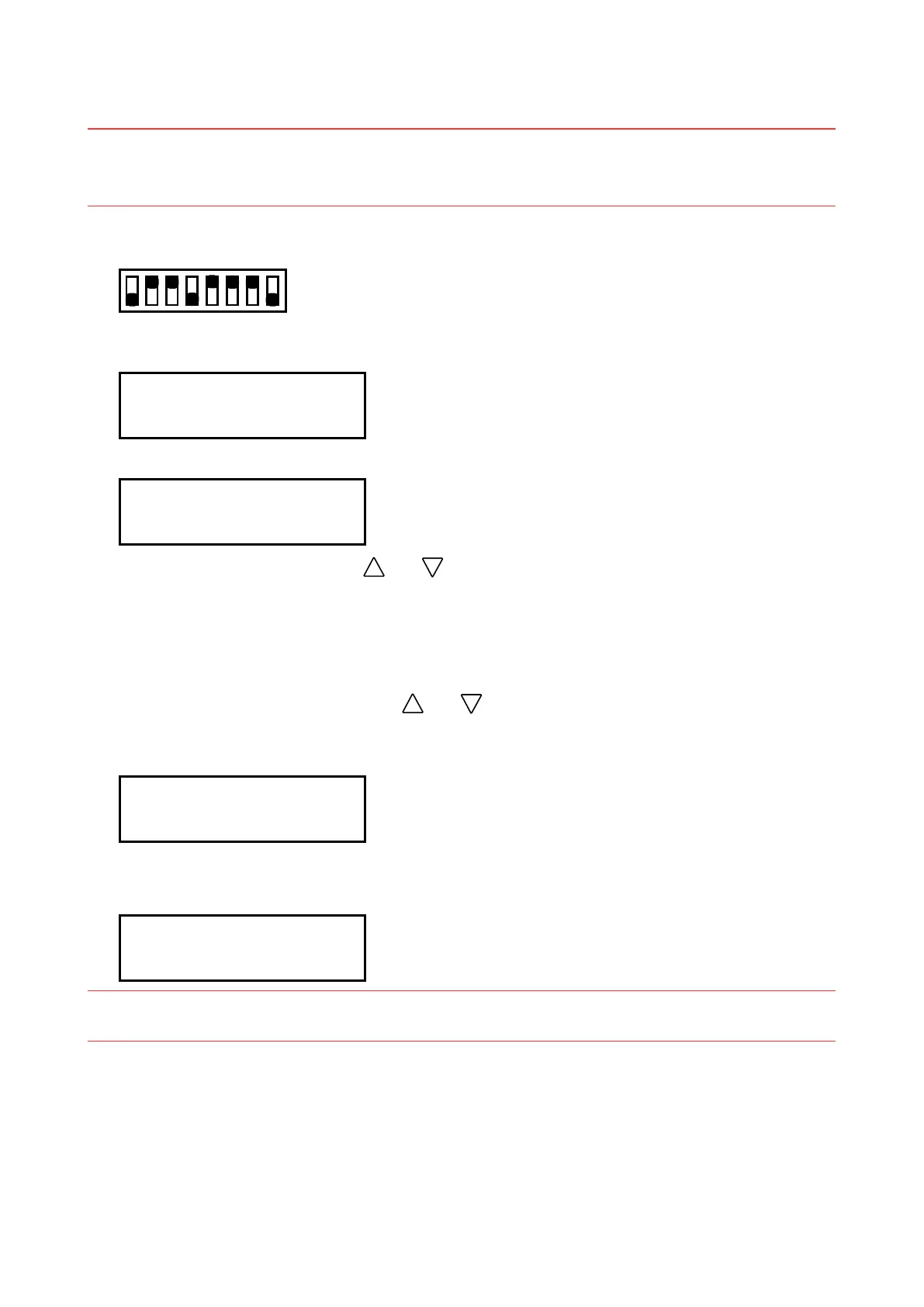
(1) After setting the SW1 DIP switch as shown below, turn on the plotter.
Set bits 1, 4 and 8 to OFF
12345678
ON
OFF
(2) The messages below consecutively appear on the LCD panel.
NOVRAM CLEARE START
(3) The messages below consecutively appear on the LCD panel.
SELECT MODEL
FC2252-******
(4)
Select your plotter model using the
and keys, and then press the ENTER key to register your
plotter model setting.
FC2252-180-**** : for FC2250-180VC and -180ES
FC2252-120-**** : for FC2250-120VC, -120MG and -120ES
FC2252-60-**** : for FC2250-60VC
(5)
The message below appears. Press the
and key to switch through the standards. Select the
standard (STD) that matches the version displayed when the plotter was shipped, and then press the
ENTER key to register your plotter standard setting.
SET SUFFIX
--- [V *.**]
(6)
After the “
NOVRAM CLEAR END” message is displayed as shown below, turn off the plotter and then
return the DIP switch to its normal settings.
NOVRAM CLEARE END
NOTE: Clearing the non-volatile RAM initializes the pen height adjustment, distance accuracy
adjustment, and other settings to their respective default values.










 To Next Page