FC2250-UM-251-9370 1-8
1. INTRODUCTION
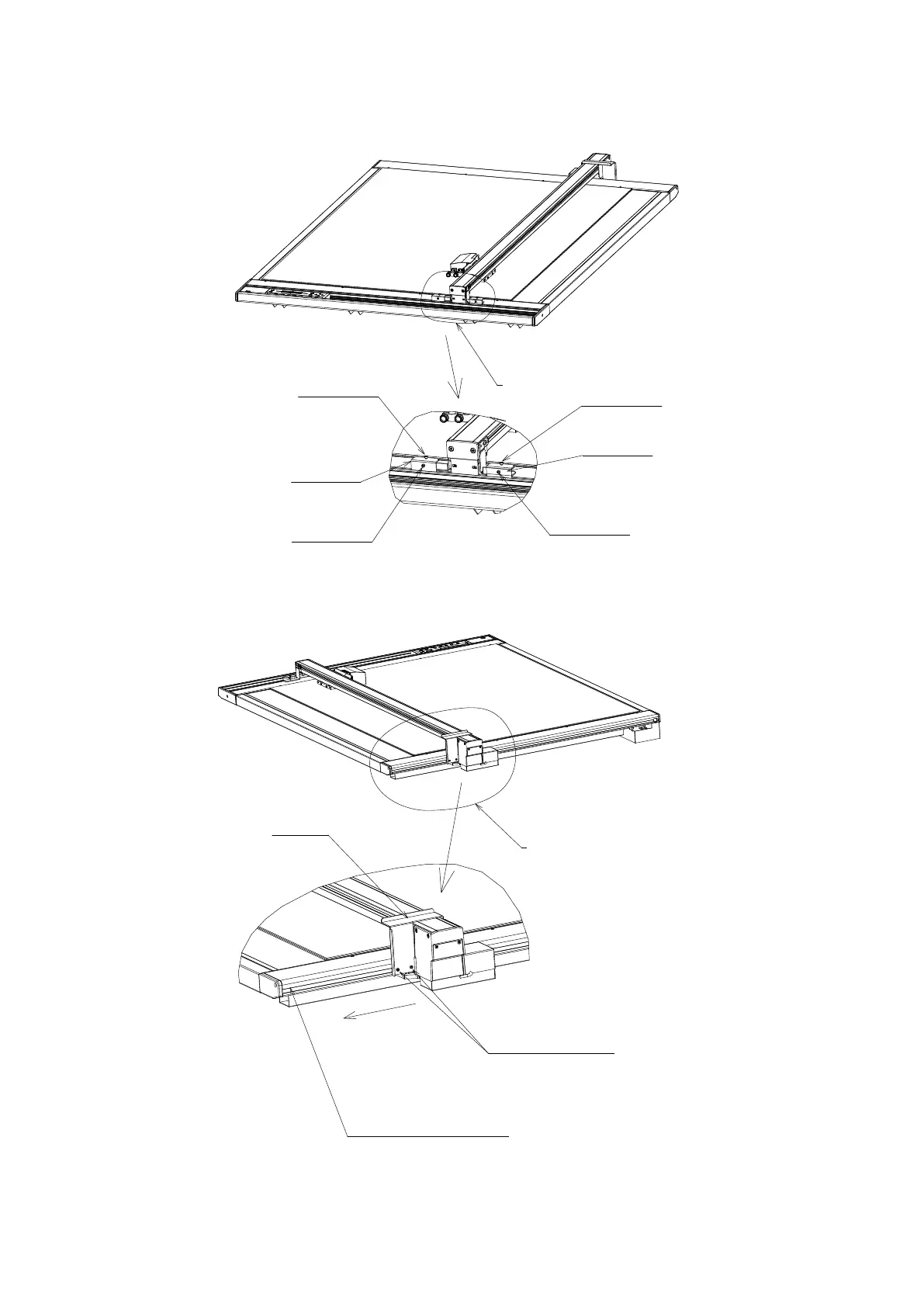
1.7 Removing the Y Bar Retaining Brackets
(1) Use the L wrench supplied as a standard accessory to loosen the M3 hexagonal bolts.
Front
Expanded view F
Turn the M3 bolts
counterclockwise
to loosen them
Retaining bracket FR
Retaining bracket FL
Expanded view F
Turn the M3 bolts
counterclockwise
to loosen them
Turn the M3 bolts
counterclockwise
to loosen them
Turn the M3 bolts
counterclockwise
to loosen them
(2) Loosen the M3 bolts as shown in the illustration above, and then move the FL and FR retaining brackets
to the front, in a horizontal direction. Next, pull the brackets out in an upward direction. Use the L wrench
supplied as a standard accessory.
CAUTION (IMPORTANT)
Move the plate nuts inside the pressed aluminum
fitting to the left edge, and then tighten the M3 bolts.
Move the plate nuts
to the left edge.
Tighten the two M3 bolts.
Expanded view R
Remove the M3 hexagonal bolts
Pull the bracket out in an upward direction.
The plate nuts are on the far side of the bolts.
Move the plate nuts as is to the left edge, and
then fasten in place with the M3 b
olts that were
removed.
Retaining bracket R
Rear
Expanded view R
(3) Loosen the two M3 hexagonal bolts as shown in the above diagram, and then pull bracket R out in an
upward direction.










 To Next Page