FC2250-UM-251-9370 7-8
7. DISASSEMBLY AND ADJUSTMENT
7.2.2 X Motor Belt
How to detach the X motor belt
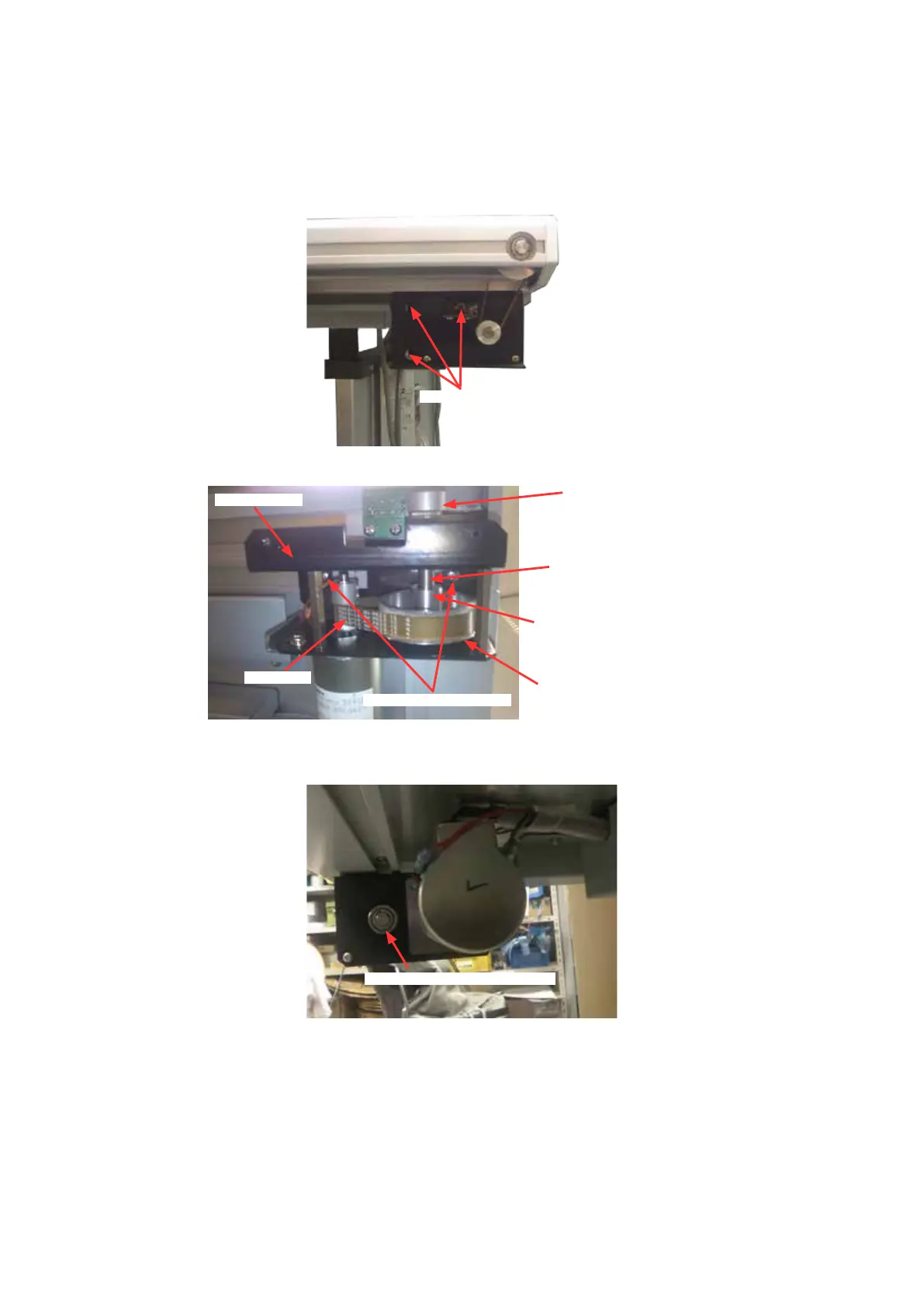
(1) Detach the X motor cover (See the section 7.1.8).
(2) Loosen the three M3L8 TP screws holding the X motor.
M3L8 TP screw
(3) Loosen the two M4L10 binding head screws holding the X motor bracket.
X motor bracket
M4L10 binding head screw
X motor belt
X axis rst drive pulley
X axis rst drive pulley set screw
X axis rst drive pulley shaft
X axis second drive pulley
(4) Loosen the set screw holding the X axis rst drive pulley.
(5) Remove the E-ring screw holding the X axis rst drive pulley shaft.
X axis rst drive pulley shaft E-ring










 To Next Page