FC2250-UM-251-9730 3-5
3. OPER ATIONS
3.3 Mounting the Cutter Pen
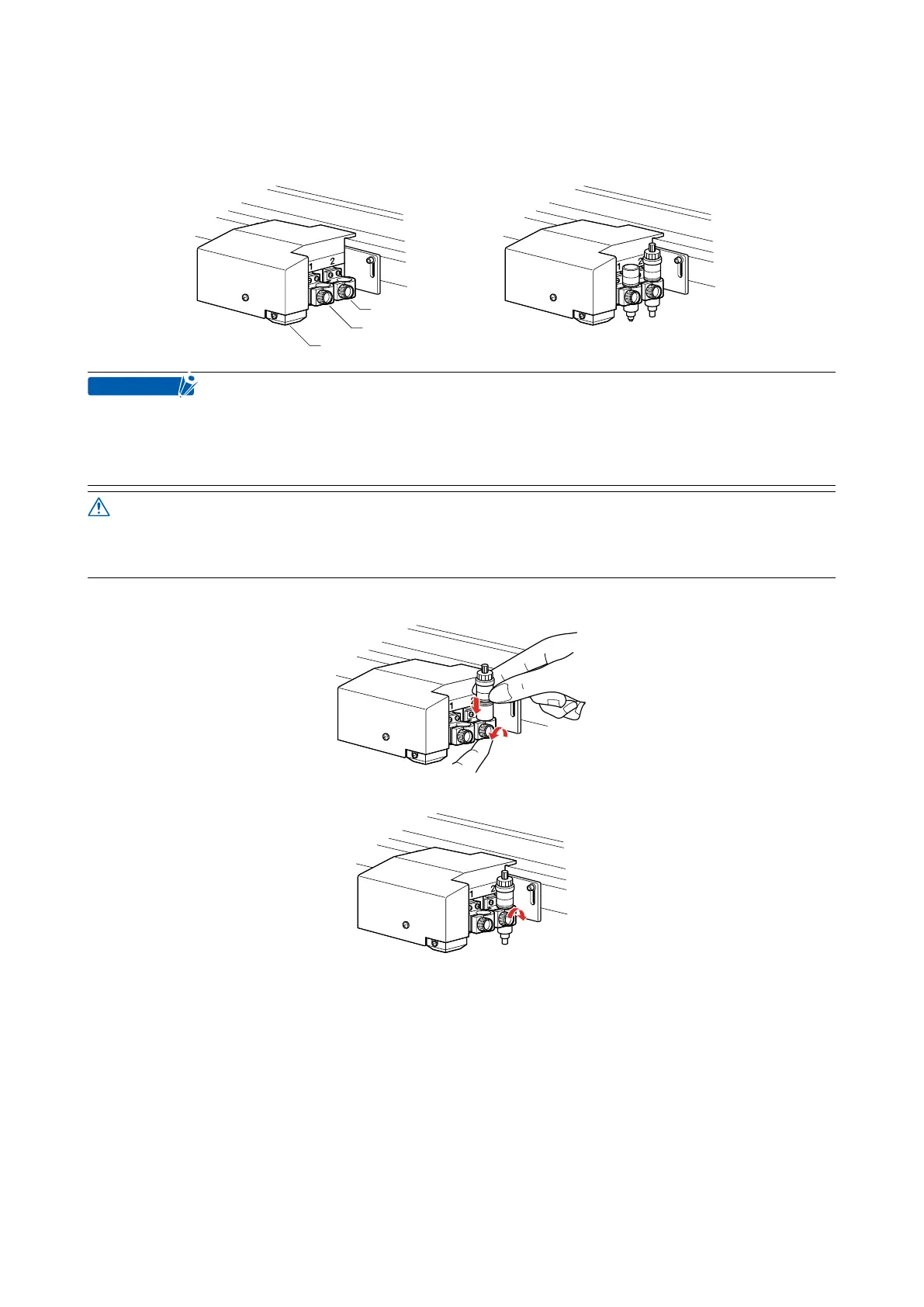
When you are facing the pen carriage, the holder at the left is tool holder 1 and the holder at the right tool
holder 2.
Tool holder 2
Tool holder 1
Registration mark sensor Example showing tools mounted
Always mount the cutter pen in tool holder 2.
Even when mounting a cutter pen together with a different type of pen, always mount the cutter pen in
tool holder 2.
Push the pen all the way to the pen stopper section.
Take care not to touch the blade tip during the mounting operation.
(1) Loosen the pen holder screw and mount the pen.
(2) (After mounting the pen, tighten the screw.
• Mount each of the pens in the same way as that used for 1-pen models.
• When facing the pens, the left pen is designated as No. 1 and the right pen is designated as No. 2.










 To Next Page