FC2250-UM-251-9730 3-1
3. OPER ATIONS
3. Basic Operation
3.1 Replacing the Cutter Blade
There are three types of cutter pen. Each type has different diameter blades. The blade diameter is indicated
by the color of the blade length adjustment knob as shown in the table below. When replacing the cutter
blade, check the table below to ensure that you are using the correct combination of cutter pen and cutter
blade.
Handle cutter blades with care!
Color of the
adjustment knob
Cutter pen part no.
Compatible blade types
Diameter Part no. Material
Blue PHP31-CB09-HS 0.9 mm CB09UA
Supersteel
Red PHP31-CB15-HS 1.5 mm
CB15U
CB15U-K30
Green PHP31-CB15B-HS 1.5 mm
CB15U-SP
CB15U-K30-SP
Silver PHP34-CB30-HS 3.0 mm CB30UC
Replacing the Blade
The procedure for blade replacement varies with the type of cutter pen used.
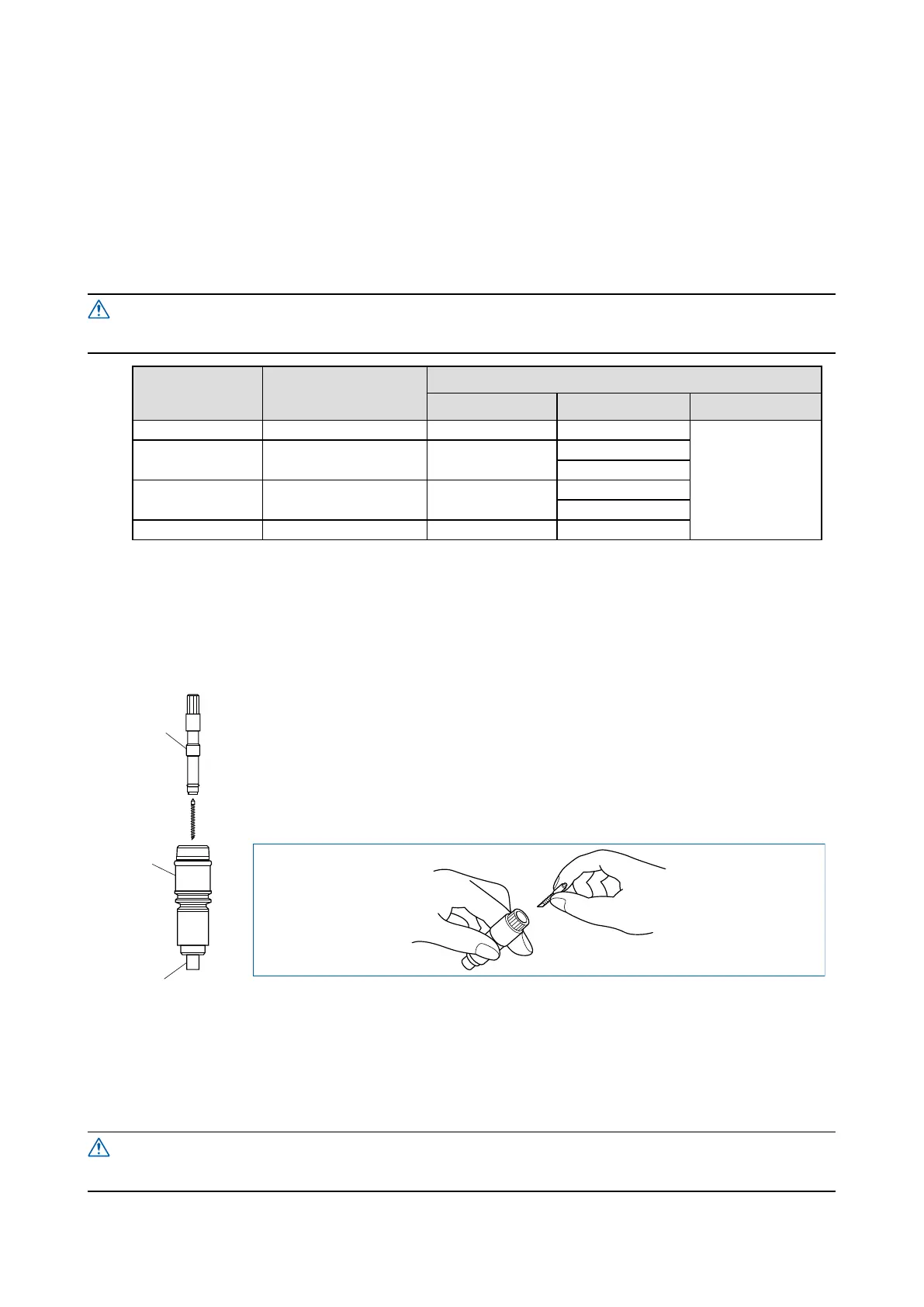
Color of the blade length adjustment knob: Blue
(PHP31-CB09-HS cutter pen for 0.9 mm blades)
Holder (B)
Plunger
Holder (A)
(Inside plunger body)
(1) Remove holder (B) by turning the blade length adjustment knob in the
counterclockwise direction.
(2) Remove the blade and spring from holder (A).
(3) Attach the spring to the new blade. Next, with the tip of holder (A) facing
downward and at an angle as shown, insert the new blade with the spring into the
plunger.
(4) Make sure the blade is inserted straight into the holder. If the blade is positioned
at an angle, gently tap the plunger to correct the orientation of the blade.
(5) With the tip of holder (A) facing downward, replace holder (B) and then turn the blade length adjustment
knob in the clockwise direction until the blade tip is visible.
(6) Using your finger, check that the cutter blade rotates smoothly inside the cutter pen.
Be careful not to stab your nger when handling the cutter blade.










 To Next Page