FC2250-UM-251-9370 8-14
8. ELECTRICAL ADJUSTMENTS
8.9 Adjusting the Home Position
Note: ConrmtheCondition1oftoolsettingissettoTool1atnormalmode.Andselectthecondition1
at normal mode, before the home position adjustment. The home position have to adjust by the
position of Tool 1.
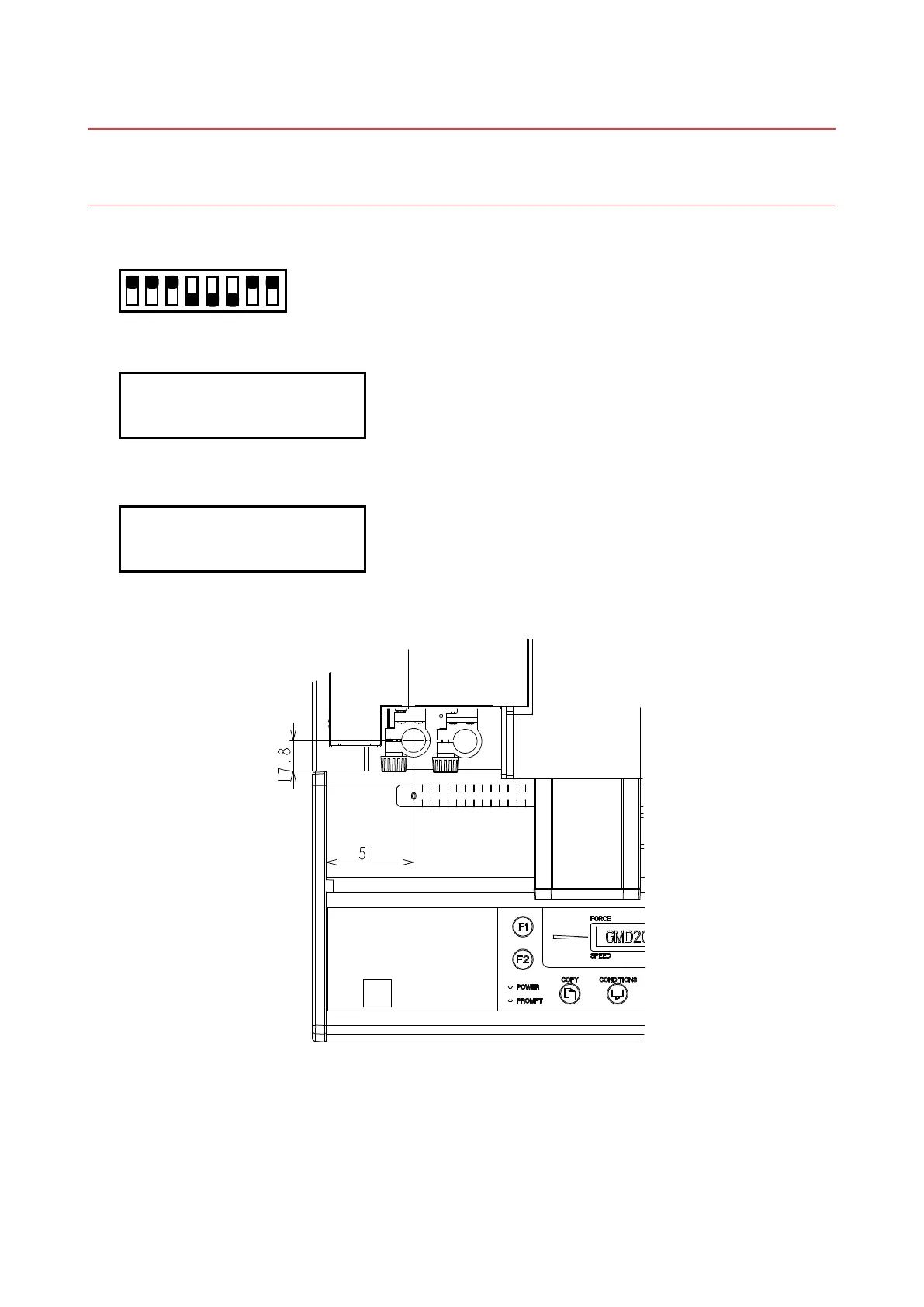
(1) Set the SW1 DIP switch as shown below and then turn on the plotter.
Set bits 4, 5, and 6 to OFF
12345678
ON
OFF
(2) Press the [NEXT] key until the LCD displays the following:
HOME ADJ.
PRESS ENTER KEY!!
(3) Press the [Enter] key. The plotter starts reading the home position. The LCD screen changes to display
the following:
MOVE HOME POINT
PRESS ENTER KEY!!
(4) Attachapen-typemagniertotheNo.1penholder,andthenmoveittothehomepositionasshownin
thegurebelowusingthePOSITIONkeys.Afterconrmingtheposition,pressthe[Enter]key.
(5) Theplotterstartsreadingthehomepositionagainandthenreturnstothenewhomepositionspeciedin
step(3).Ifthepositioniscorrect,pressthe[ENTER]keytonish.
(6) Turn off the plotter and then return the DIP switch to its normal settings, or press [NEXT] key to proceed
to the next adjustment.
(This adjustment does not affect the plotter’s pen exchange adjustment.)










 To Next Page