FC2250-UM-251-9370 7-10
7. DISASSEMBLY AND ADJUSTMENT
7.2.3 X Drive Belt
How to detach the X drive belt
(1) Detach the X motor cover (See the section 7.1.8).
(2) Detach the left rear cover (See the section 7.1.4).
(3) Detach the right rear cover (See the section 7.1.3).
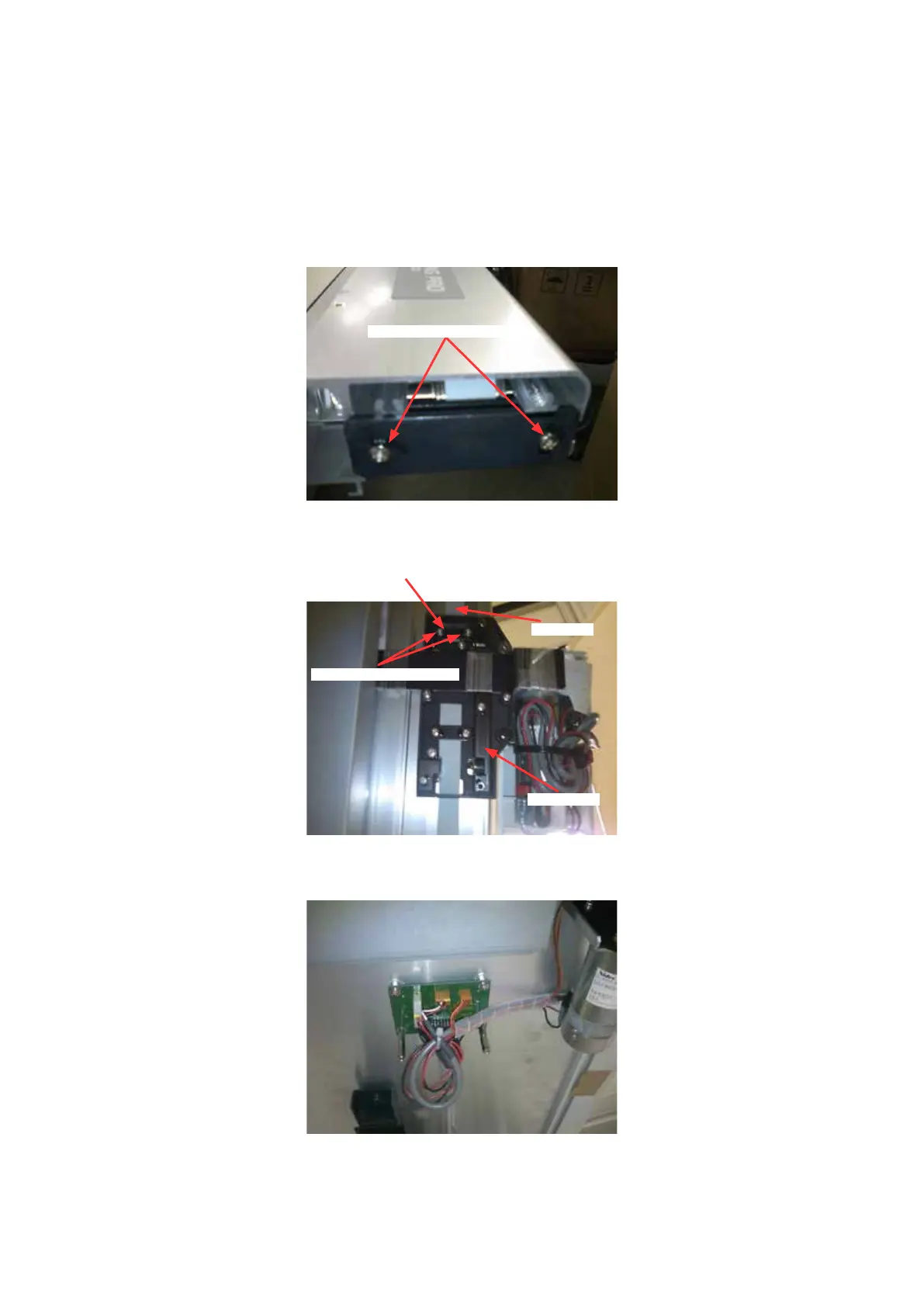
(4) Loosen the two belt tension adjustment screws to loosen the rear X belt tension.
Belt tension adjustment screw
(5) Remove the two M3L6 binding head screws holding the rear X belt stopper, and then detach the one
end of the rear X belt from the rear X slider.
M3L6 binding head screw
Belt stopper
Rear X slider
Rear X belt
(6) Detach the X motor relay board cover (See section 7.1.9).
(7) Disconnect the two X motor cable and the X home sensor cable from the X motor relay board.










 To Next Page