FC2250-UM-251-9370 7-21
7. DISASSEMBLY AND ADJUSTMENT
7.2.9 Checking the Belt Tension of the Front and Rear X belt
Checking the Belt Tension
(1) Move the Y bar against the mechanical stopper on the left side.
(2) Loosen the screws that holding the tilt lever bracket and then move the tilt lever bracket to avoid
touching the belt.
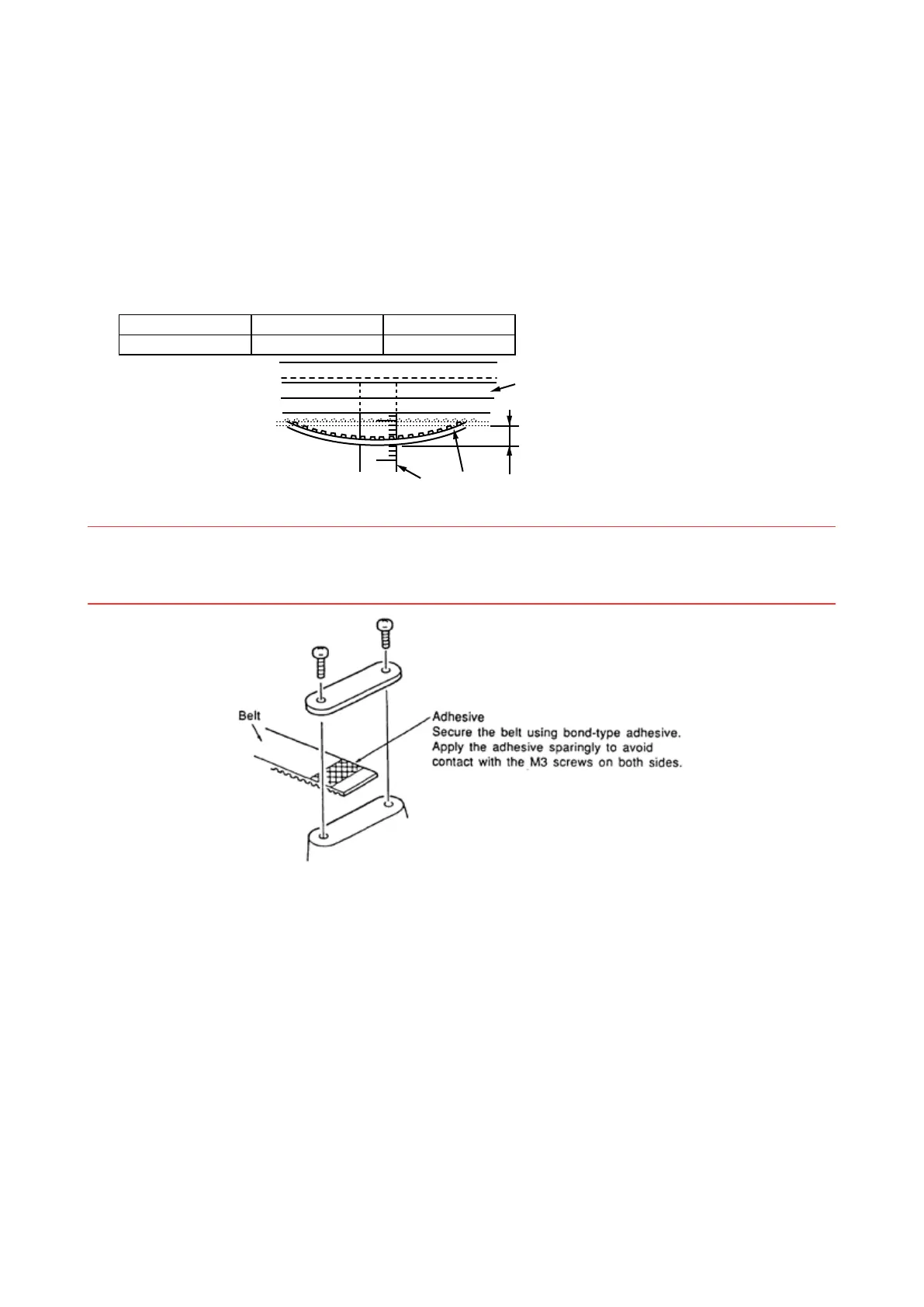
(3) Measure the belt tension at the center of the front X rail or the rear X rail.
(4) Pull the X-belt 20 mm from the X-rail in the center of the X-belt using a 1 kg push-pull gauge.
The pull force should be:
FC2250-60 FC2250-120 FC2250-180
920g to 940g 480g to 500g 350g to 370g
X belt
Front and rear X rails
Scale
20 mm
(5) Adjust the right-angle adjustment for the Y bar.
NOTES:1. If the belt tension has been adjusted, conrm that the Y bar is perpendicular.
2. If the belt has been completely removed from the holder, secure it with adhesive to prevent
looseness.










 To Next Page