FC2250-UM-251-9370 8-9
8. ELECTRICAL ADJUSTMENTS
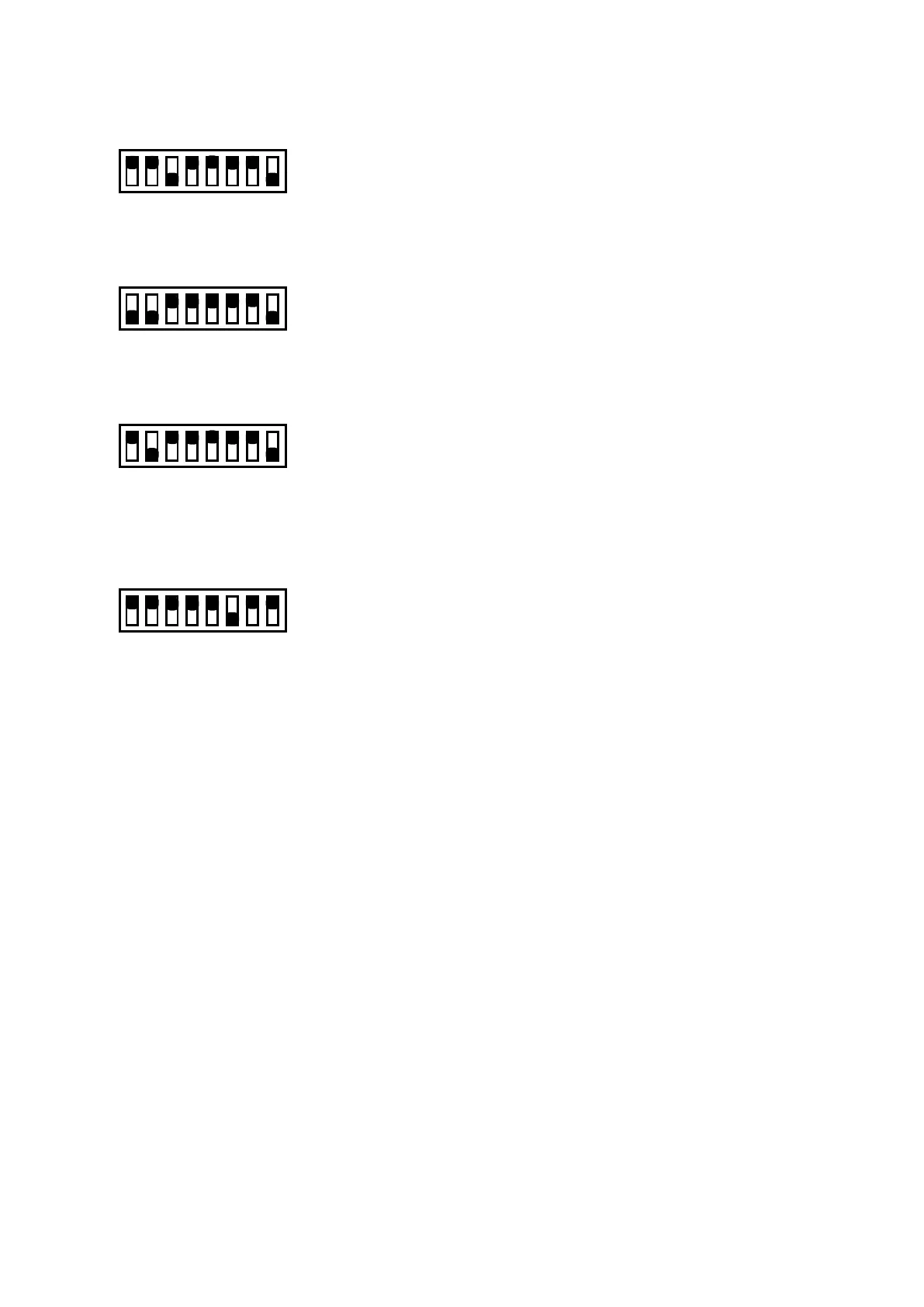
Gain Input
Set bits 3 and 8 to OFF
12345678
ON
OFF
Keyboard and Sensor Test Mode
Set bits to 1,2 and 8 to OFF
12345678
ON
OFF
Model Select Mode
Set bits 2, 4 and 8 to OFF
12345678
ON
OFF
• This mode is able to select the model without the NoV-RAM clear.
Emergency Mode
Set bits to 6 to OFF
12345678
ON
OFF
• The plotter will not detect the X and Y home position at this mode. The plotter can use temporary when
the X or Y home sensor was broken.
• You need to move the pen block to the home position manually when turn on the power for the plotter
in this mode.










 To Next Page