119
_____________________________________________________________________________________________
7.9 Setting of an Output-Voltage Restricting Value
______________________________________________________________________________________________
NOTE
If the set test voltage is greater than the voltage value set here, an error will occur
upon startup of the test (the test-voltage value flashes), and it will not be possible
to conduct the test.
If the test-voltage value that is loaded by loading a set value is greater than the
set upper-limit, an error will occur upon startup of the test (the test-voltage value
flashes), and it will not be possible to conduct the test.
If the test-voltage value that is loaded by loading a program in program mode is
greater than the set upper-limit, an error will occur upon starting the step, and it
will not be
ossible to conduct the test.
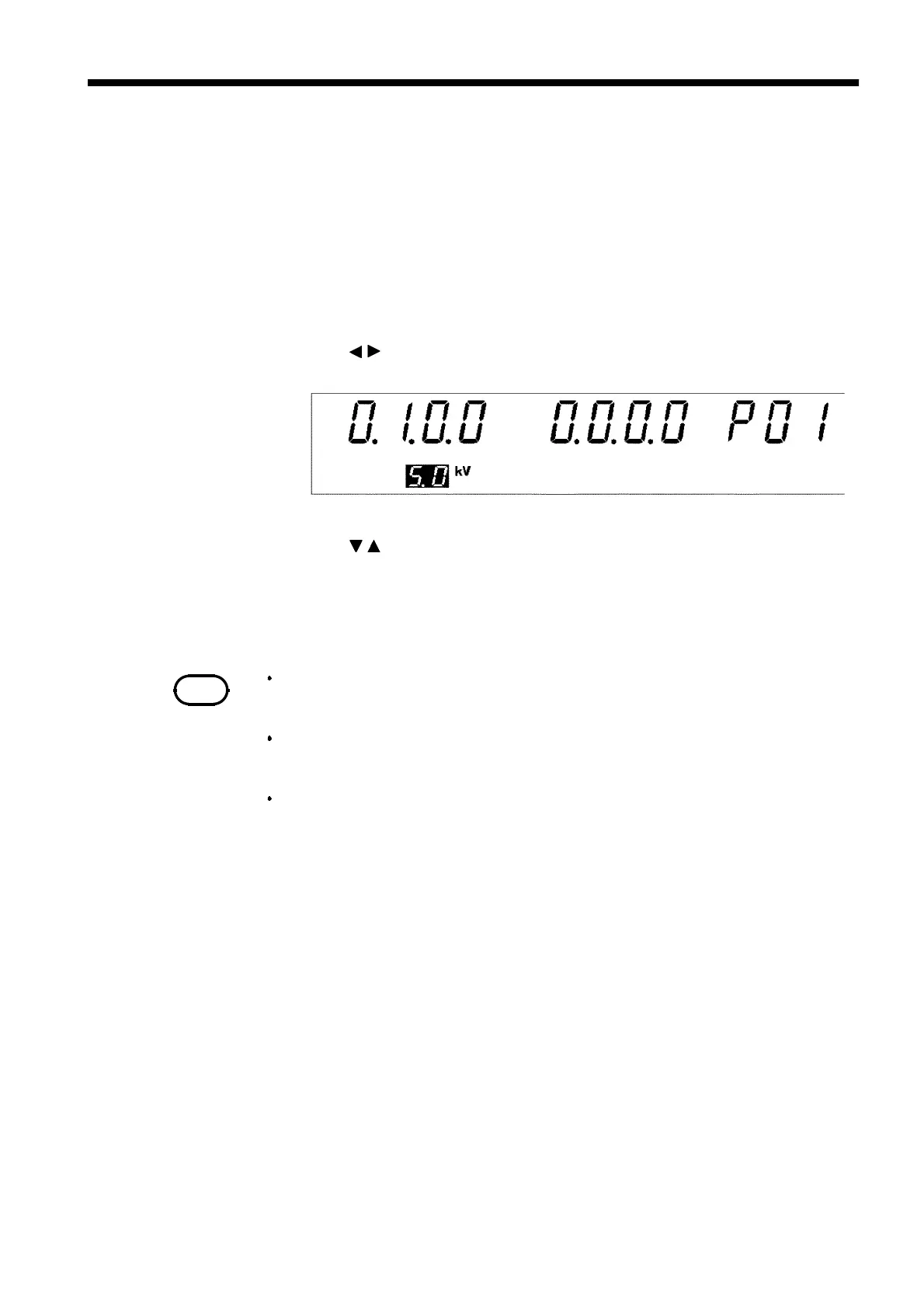
7.9 Setting of an Output-Voltage Restricting Value
Enable this function to set the upper-limit for the voltage to be output by
this unit. Set the value in the range of 0.5 kV to 5.0 kV (in 0.1-kV steps,
effective value). This is common for all modes.
1. Press
SHIFT
+
STOP
keys while in READY state to display the Optional
function setting screen.
2. Use the
/
keys to move the flashing cursor to the position shown in the
figure.
3. Use the
/
keys to set a value at the flashing cursor location.
Initial setting:
0.5 to 5.0
kV
4. To complete the optional settings, press
SHIFT
+
STOP
keys. The unit
reverts to the READY state.



 To Next Page