10
_____________________________________________________________________________________________
2.3 Connecting the External I/O Connector
______________________________________________________________________________________________
DANGER
To avoid any life-threatening electric shock accidents, ensure that the
following rules are observed.
・
The AC Withstanding HiTester is a dangerous product which
discharges high voltages. To prevent getting electrocuted, always
wear high-voltage protective rubber gloves when carrying out any
operation.
・
Be careful when using the product and ensure that you do not touch
this product, any tested object that is connected or any H.V. Test
Lead, etc.
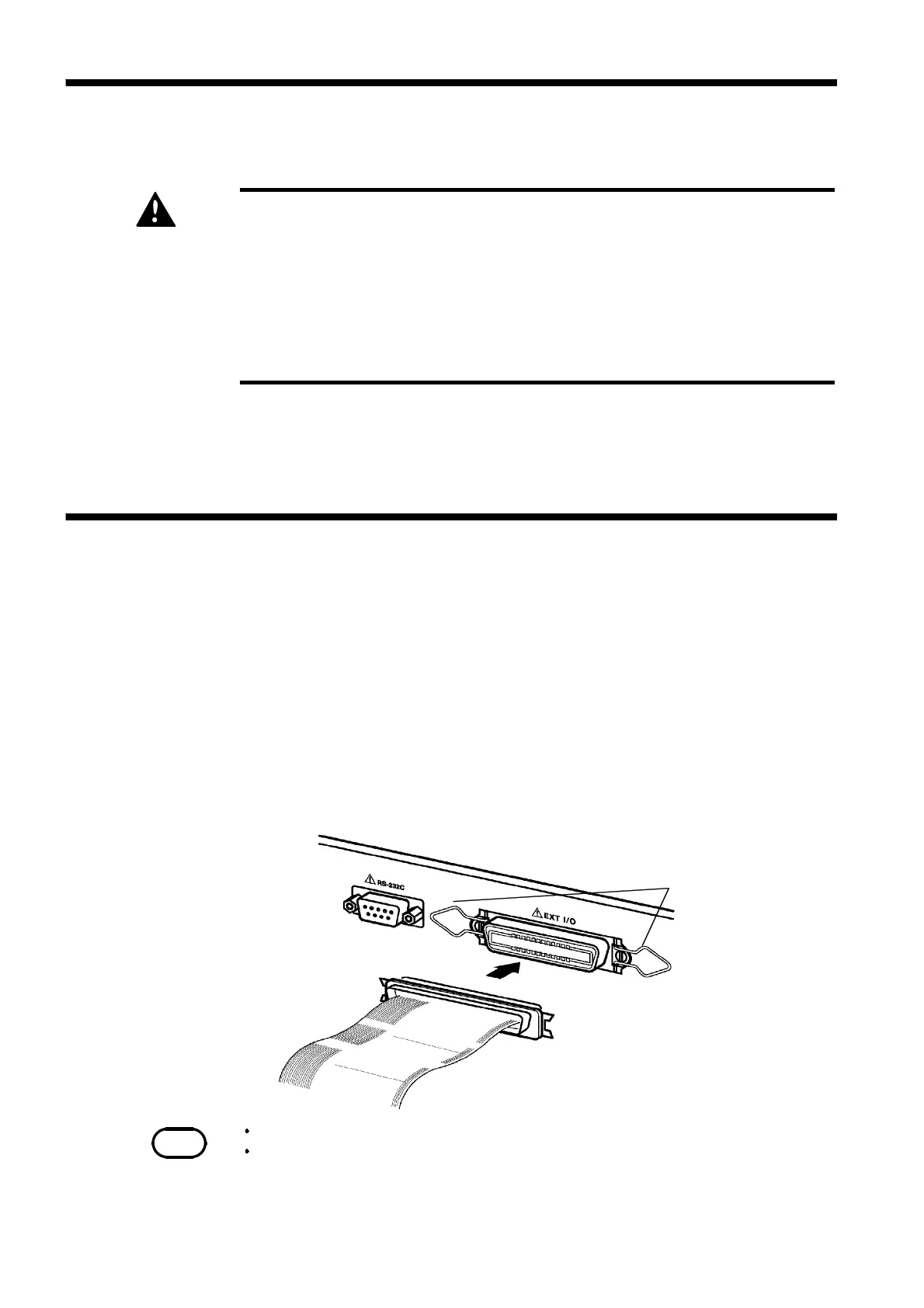
Hook of the external I/O terminal
External I/O connector
NOTE
For the specifications of the external I/O connector, see Section 9.1.
If the optional "Interlock" function is set to "
1
: Set," set Pin 10 of the external I/O
terminal to "LOW level" before starting a test. "
Err 000
" will be indicated until
"LOW level" is set.
See Section 9.1.4
2.2 Wearing rubber gloves
2.3 Connecting the External I/O Connector
1. To avoid electrocution, always wear high-voltage protective rubber gloves
when using this product.
2. Contact your dealer or Hioki representative to help you look for high-
voltage protective rubber gloves.
Connect the external I/O connector before turning on the power. If the
external I/O connector is installed or removed following startup, malfunction
may result.
1. Insert the external I/O connector into the external I/O terminal.
2. Secure the external I/O connector using the hooks of the external I/O
terminal.



 To Next Page