20
_____________________________________________________________________________________________
3.1 Withstand Voltage Mode Display
______________________________________________________________________________________________
「
READY
状態」
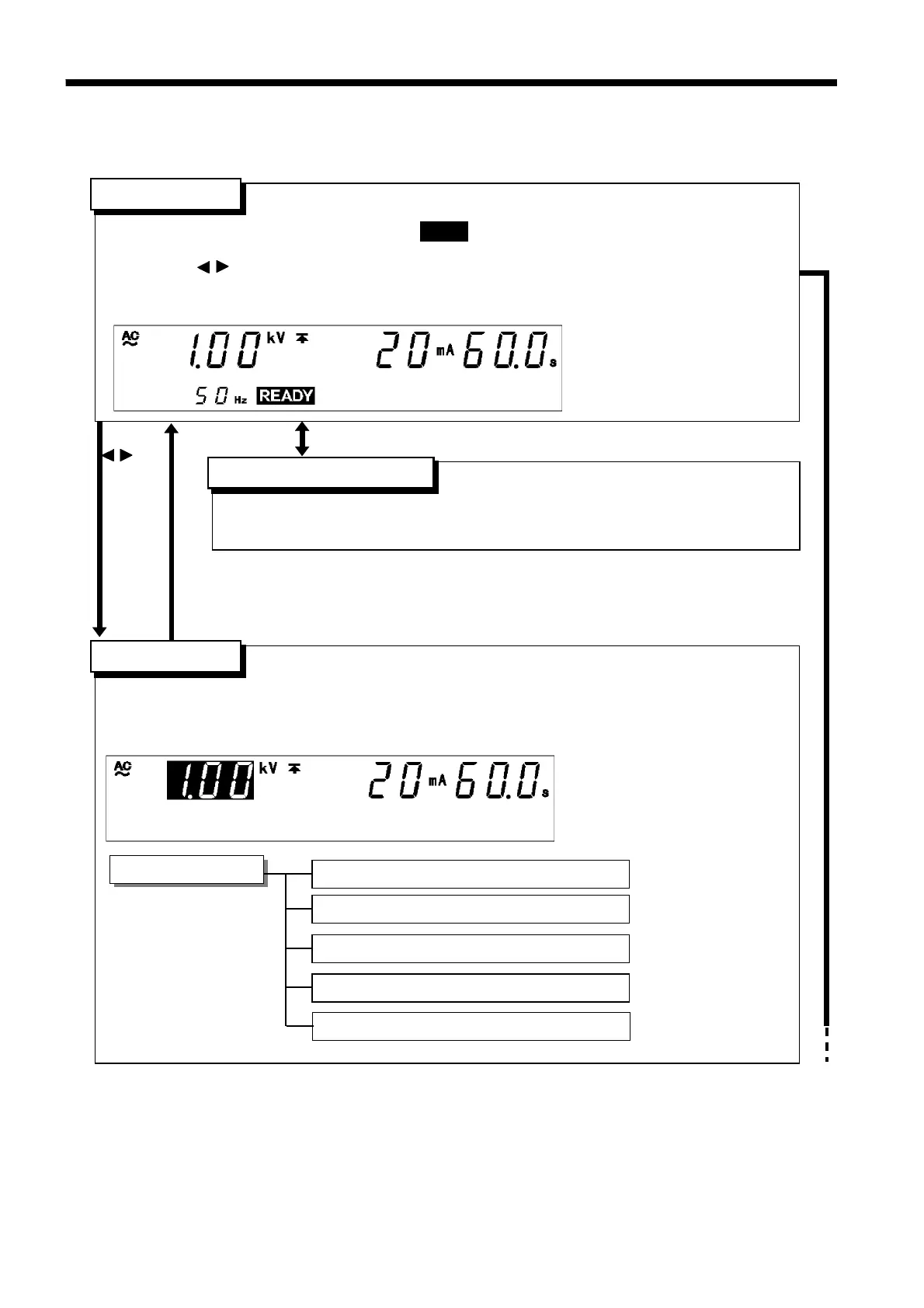
Setting the optional functions allows testing under various conditions.
(See Chapter 7)
・Test parameters can be set.
・To terminate the test settings and return to the READY state, press the
STOP
key, which will
finalize the settings.
Setting items
Test-voltage value
Upper (Lower)-limit value
Test time
See Section 3.3.1
See Section 3.3.2
See Section 3.3.3
READY
state
「
READY
状態」
SETTING
state
「
READY
状態」
Setting optional functions
Ramp timer
(ramp-up time, ramp-down time)
See Section 3.3.4
/ key
STOP key
SHIFT + STOP key
・The unit is ready for starting a test. The
READY
lamp is turned on.
・Press the
START
key while in the READY state.
・Press the
/ key while in SETTING state.
・Press
SHIFT
+
STOP
keys to display the Optional Function Setting screen.
・Key-lock Function can be used. (See Section 3.2.1)
Test-voltage type (AC 50 Hz/AC 60 Hz/DC)
See Section 3.3.5
3.1 Withstand Voltage Mode Display



 To Next Page